

From Plan to Perfection: How to Test Your AJO Journeys for 10 Million Users
As the marketing practitioner for the e-commerce business, I have created a journey to engage with approximately 10 million users during the Diwali sale and offer period. I now need to test the journey before publishing, as even a small issue in your journey can cause major problems, from broken flows to a poor customer experience. In this blog, we’ll walk through the different testing techniques available in Adobe Journey Optimizer(AJO) and how they help you deliver with assurance.

Journeys Test Mode
After creating the journey, we need to see how it interacts with real profiles. That’s where AJO’s Journey Test Mode comes in handy — it lets you test your journey using the test profiles you’ve set up in AEP.
Steps to activate a journey in test mode
- Open the draft journey that you want to test.
- Click on the Test mode button from the header menu.
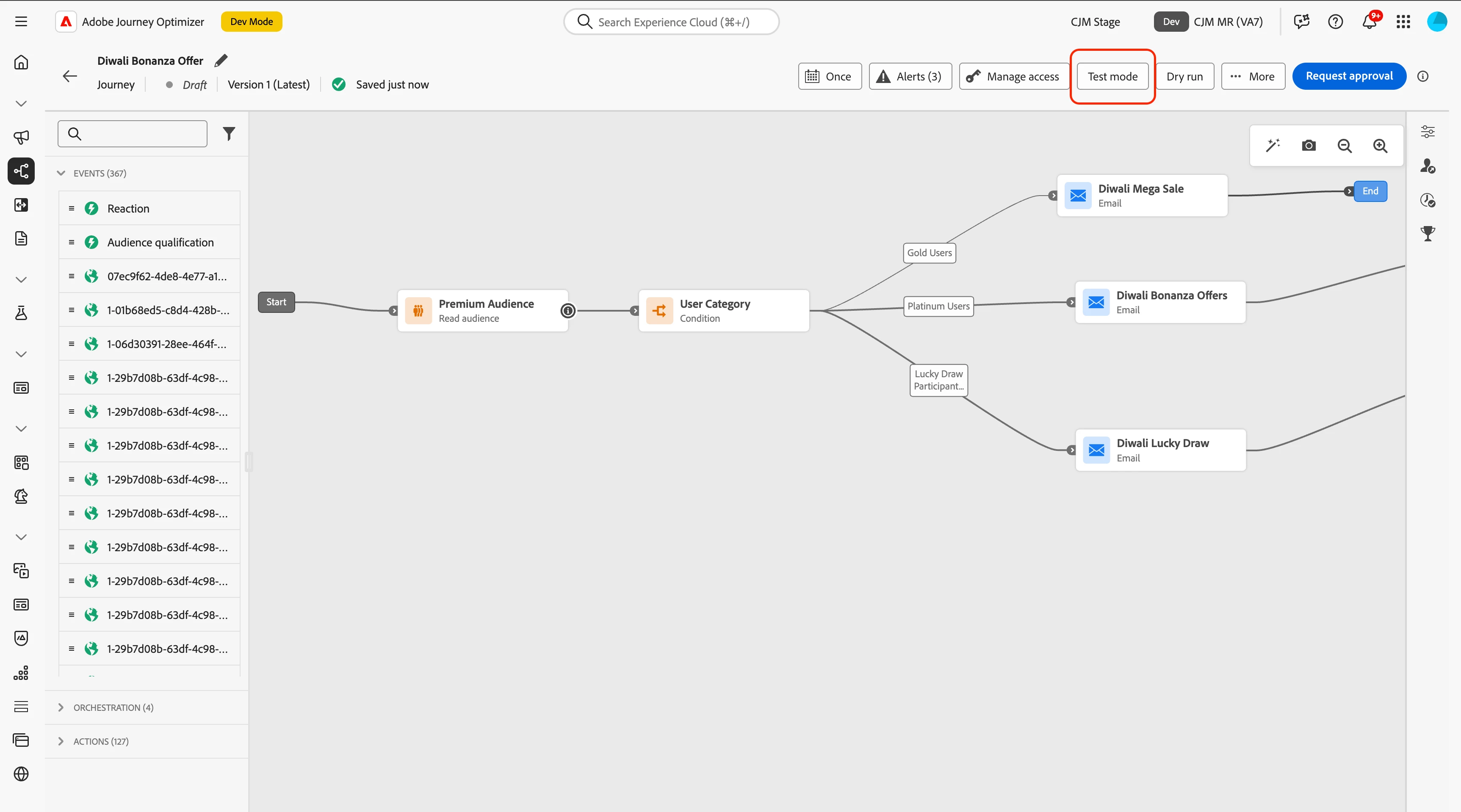
- While the transition takes place, we will see a status message that says Activating test mode.
- Once the transition is complete, we will see the status message update to Draft(Test).
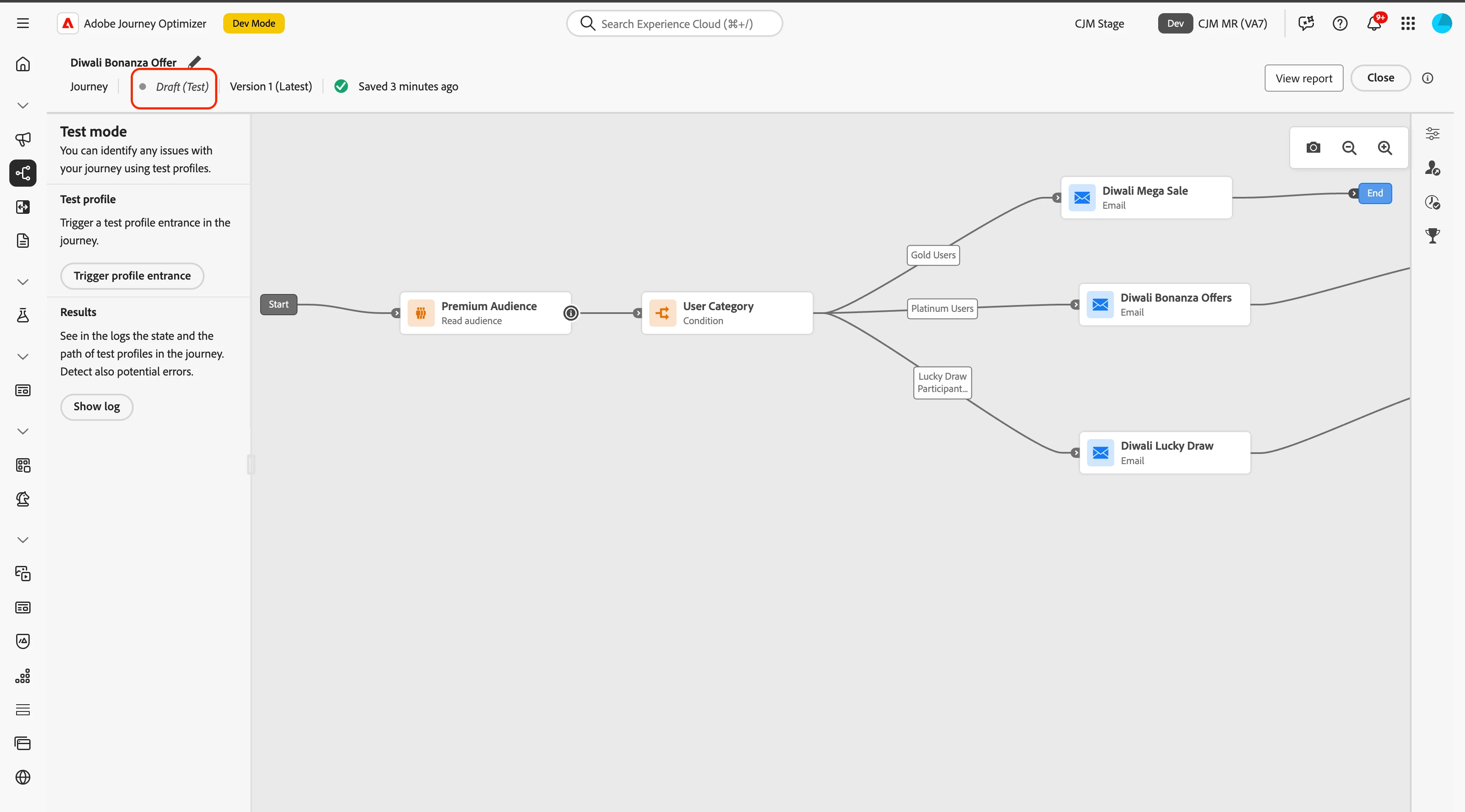
- To trigger a test profile into the journey, click on the Trigger profile entrance button from the left menu.
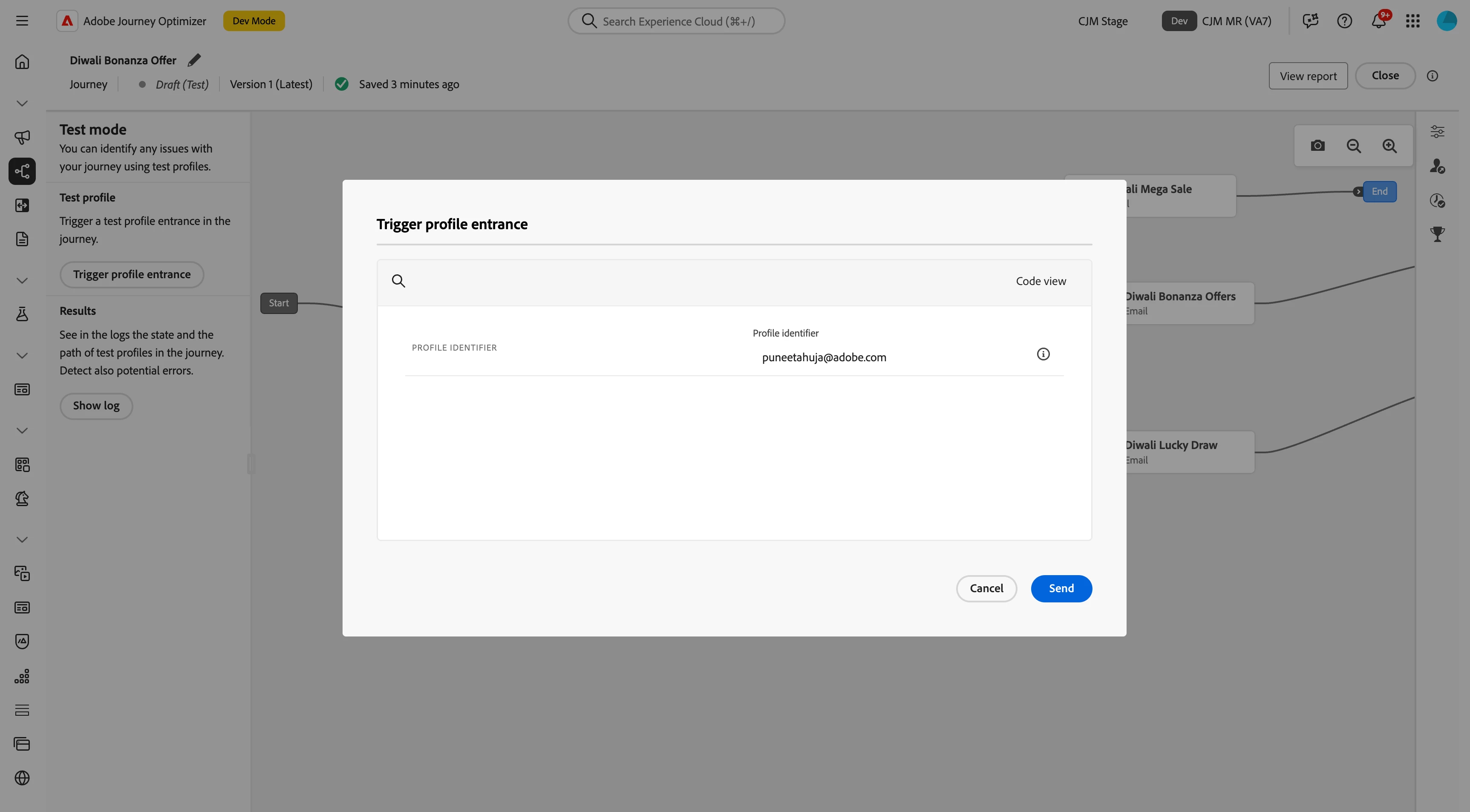
- Fill the test profile identifier in the dialog opened on the click of the Trigger profile entrance button. Learn more about the creation of test profiles.
- Click on the Send action Button from the dialog.
- Within minutes, we can see that the profile has passed through the read audience node, which is represented by the green line in the canvas view.
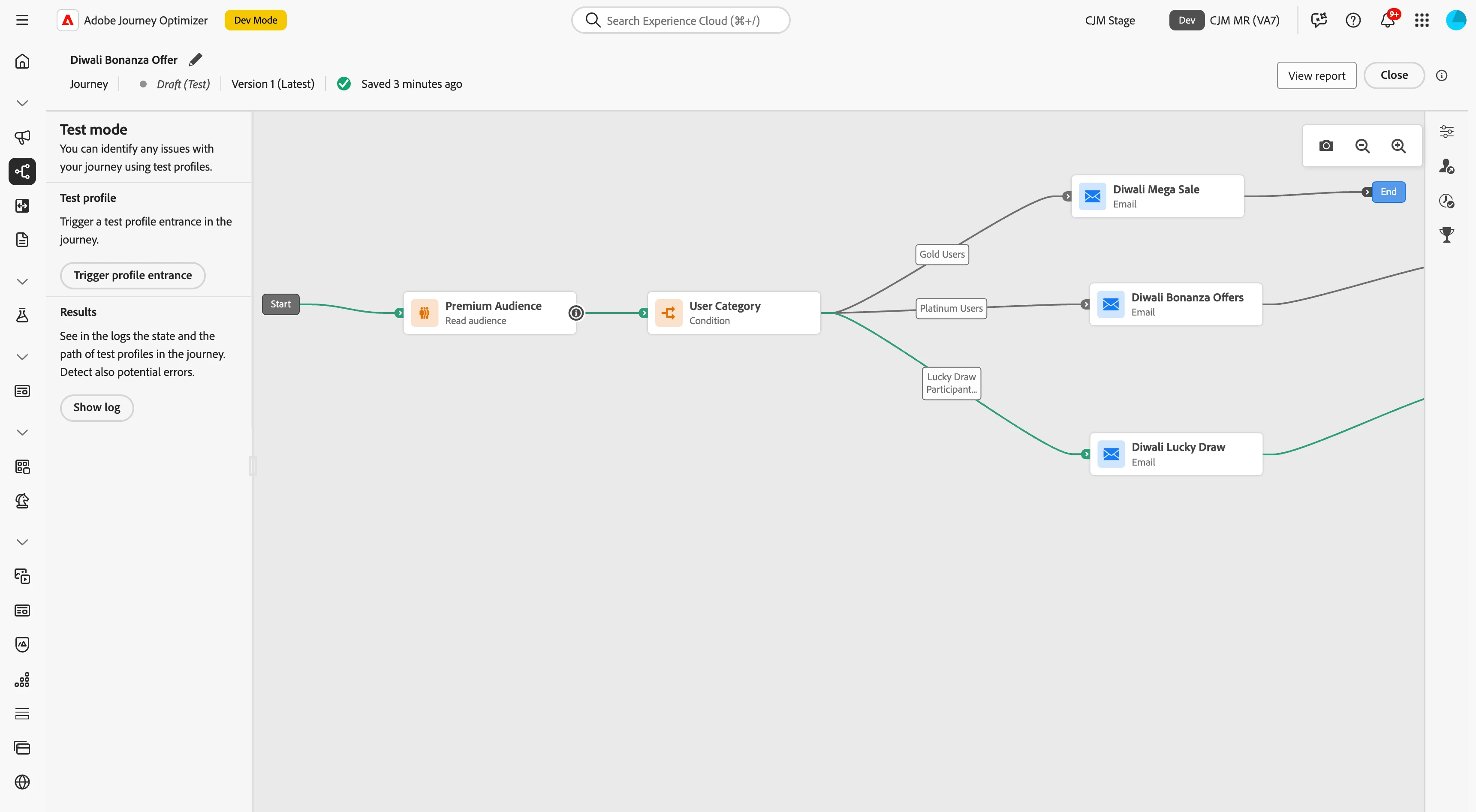
At this point, we can test all the journey workflows with different test profiles that we created in AEP. Now we need to verify how the journey will interact with the real production data.
Journeys Dry Run
Journey Dry Run is like a safety net in Adobe Journey Optimizer. It allows you to test your journey with real production data, without ever contacting actual customers or modifying any profile details. It’s a great way to build confidence in your journey design and audience targeting before you hit that publish button.
Steps to publish a journey in dry run mode
- Open the draft journey that you want to test.
- Click the Dry Run button from the header menu, adjacent to the Publish button.
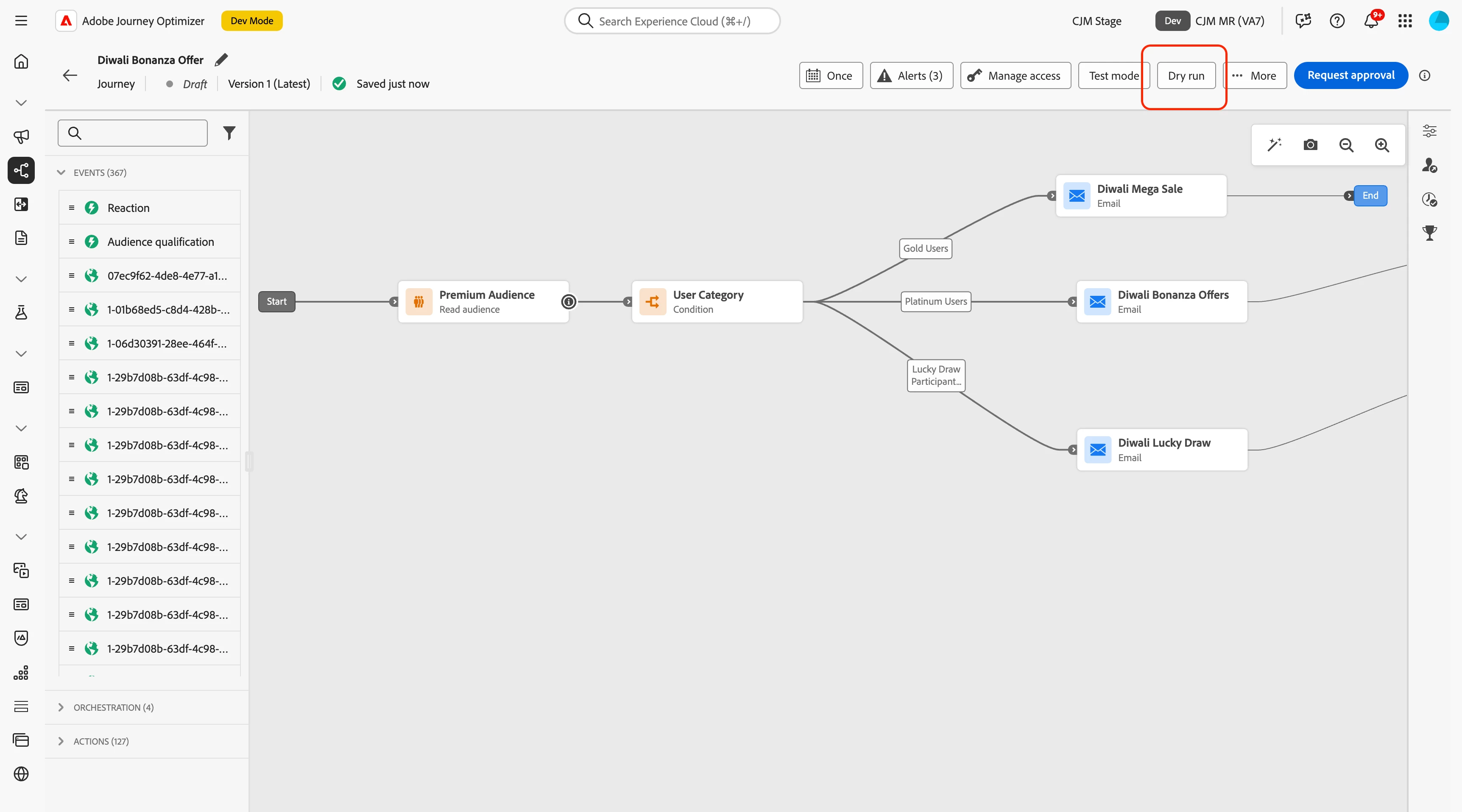
- Click on the Publish button in the dialog
- While the transition takes place, we will see a status message that says Activating Dry Run.
- Once the transition is complete, we will see a green colour toast message that says 'Journey now in dry run mode', and you will see the status message updates to Dry run.
- Within minutes, we can see that the profile has passed through the nodes, and we have reporting numbers in the nodes representing the number of profiles entered in that node.
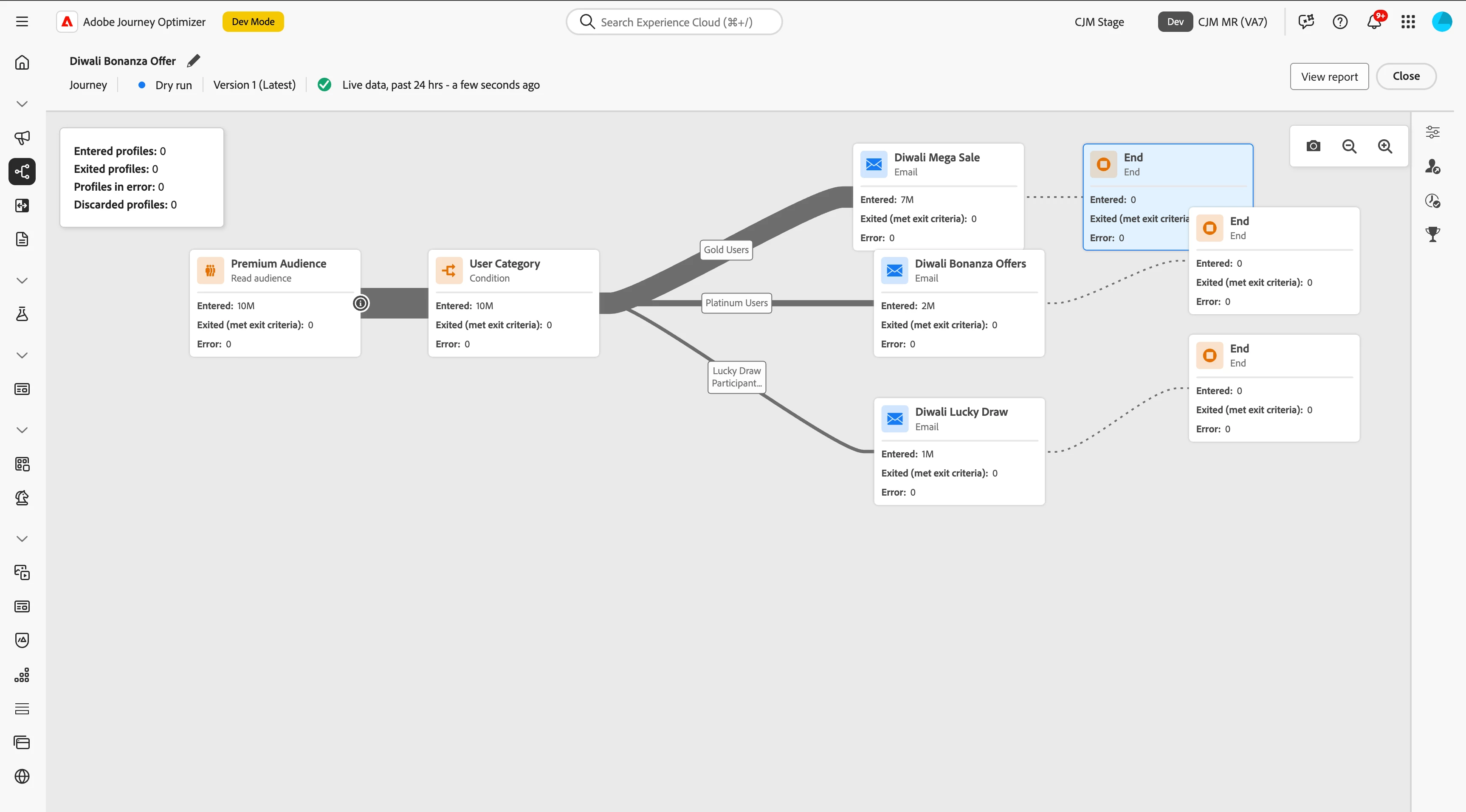
Now we have tested all the journey workflows with the test profiles, and we know how many profiles will land on each node with the real data. We are now confident to publish the journey.
Choosing Between Dry Run and Test Mode: A Quick Guide
| Aspect | Test Mode | Dry Run Mode |
| Purpose | The test mode journey uses the test profiles from Adobe Experience Platform (AEP). | The dry run triggers the journey with real production data but without triggering actual actions or updates. |
| Profiles used | Uses test profiles you’ve explicitly created in AEP. | Uses actual production profiles without contacting real customers. |
| Simulated components | Events can be triggered for you with the required configuration. You can fast-forward, wait, and set timeouts. | The entire journey logic is simulated end-to-end with production data. |
| Ideal use case | To verify journey logic and flow using known test data. | To validate audience targeting and journey design in a production-like environment. |
| Publication mode | The journey is published in test mode (not live). | The journey is published in a special dry run mode (live). |
| Visibility of data impact | No impact on real customer profiles or data. | No impact on real customer profiles or data, but it helps you see how real profiles would flow. |