
SPA: "Current View" not displayed in VEC most of the time | Community
Skip to main content
DmytroPanchenk
Level 3
July 22, 2024
Solved

SPA: "Current View" not displayed in VEC most of the time

  • July 22, 2024
  • 1 reply
  • 1538 views

Hi Everyone,

I am trying to get an Angular-based SPA working in Visual Experience Composer. The application has the following in targetGlobalSettings:

{
cookieDomain: <domain here>,
viewsEnabled: true,
pageLoadEnabled: true
}

The application uses AEP Data Collection (Adobe Launch) to load Target and initiate adobe.target.triggerView(<view_name>);
This works fine when I open the application in the browser: the personalization IS applied for the appropriate view.
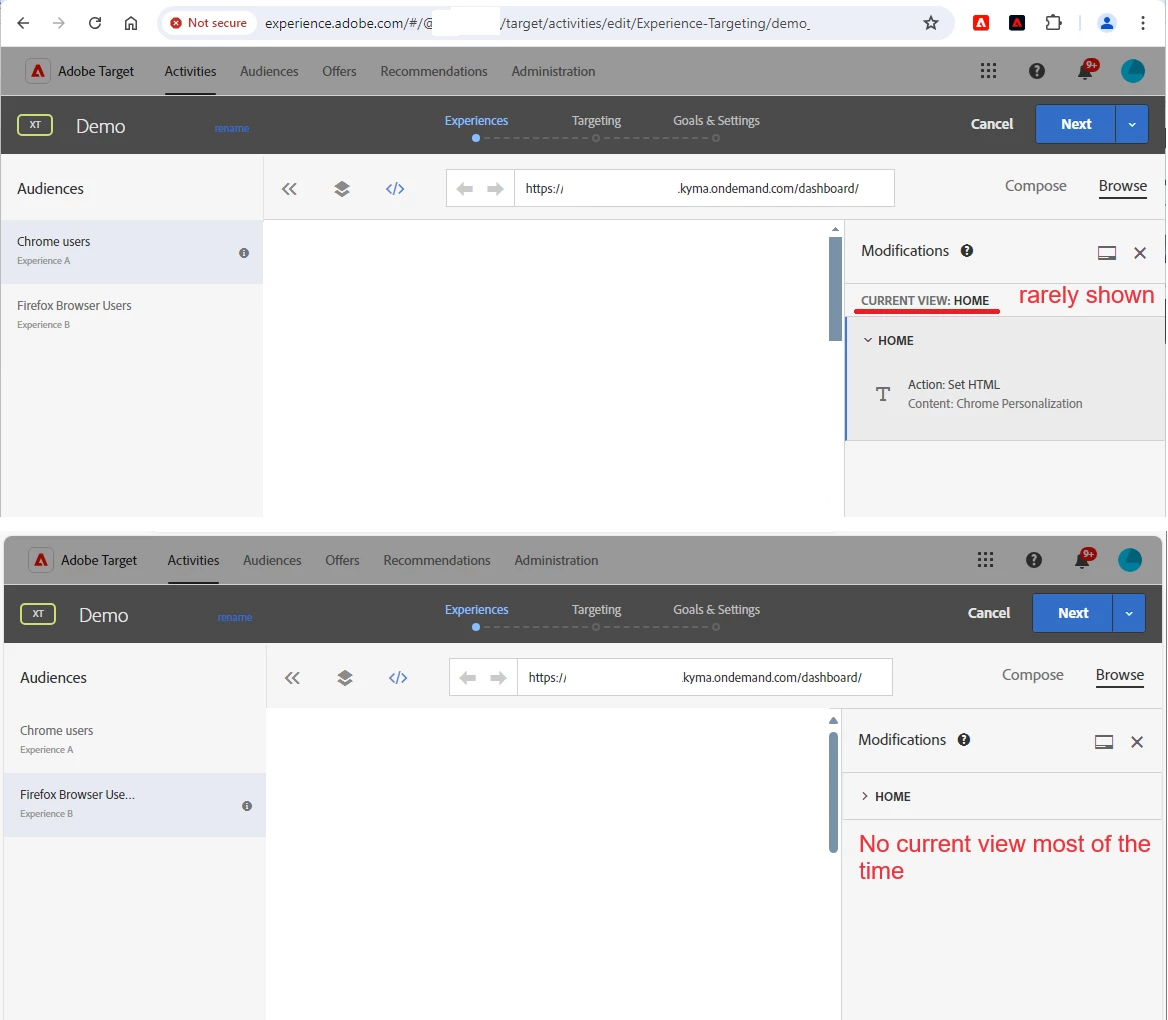
However, when I open the application in VEC, it displays the "Current view" element in about 10% of occurrences, most of the time "Current View" is not displayed.
I am using "Adobe Experience Cloud Visual Editing Helper" extension, I am not using the Enahnced Composer. When I check in the console what targetGlobalSettings contains, I see {cookieDomain: <domain here>, viewsEnabled: true, pageLoadEnabled: true }.

When I try to trigger adobe.target.triggerView('home') from the console, "Current View" item does not appear.

Can anyone suggest what the root cause may be?
 

This post is no longer active and is closed to new replies. Need help? Start a new post to ask your question.
Best answer by DmytroPanchenk

It turns out that it was "Adobe Experience Cloud Visual Editing Helper" extension that prevented setting the current view. I disabled the extension and added "frame-ancestors" directive to the CSP header, and it now works.

1 reply

DmytroPanchenk
DmytroPanchenkAuthorAccepted solution
Level 3
July 24, 2024

It turns out that it was "Adobe Experience Cloud Visual Editing Helper" extension that prevented setting the current view. I disabled the extension and added "frame-ancestors" directive to the CSP header, and it now works.

Level 2
September 30, 2024

Can you explain this step wise how you do this?


DmytroPanchenk
Level 3
October 1, 2024

Hi @piyushvidhate ,

The extension is disabled in the browser.

"frame-ancestors" directive is configured by the application team on the web server side.