Schema Registry Audit Log API Returning Null Response Body with 200 Status Code | Community
Skip to main content
January 14, 2025
Solved

Schema Registry Audit Log API Returning Null Response Body with 200 Status Code

  • January 14, 2025
  • 2 replies
  • 754 views

Hi everyone,


Wishing all a delighted new year.


I am trying to retrieve the audit logs for the schema to capture the change or update in any existing schema, along with the user details. I am using the audit log URL of the Schema Registry API (1.0),(  https://developer.adobe.com/experience-platform-apis/references/schema-registry/#tag/Audit-log)

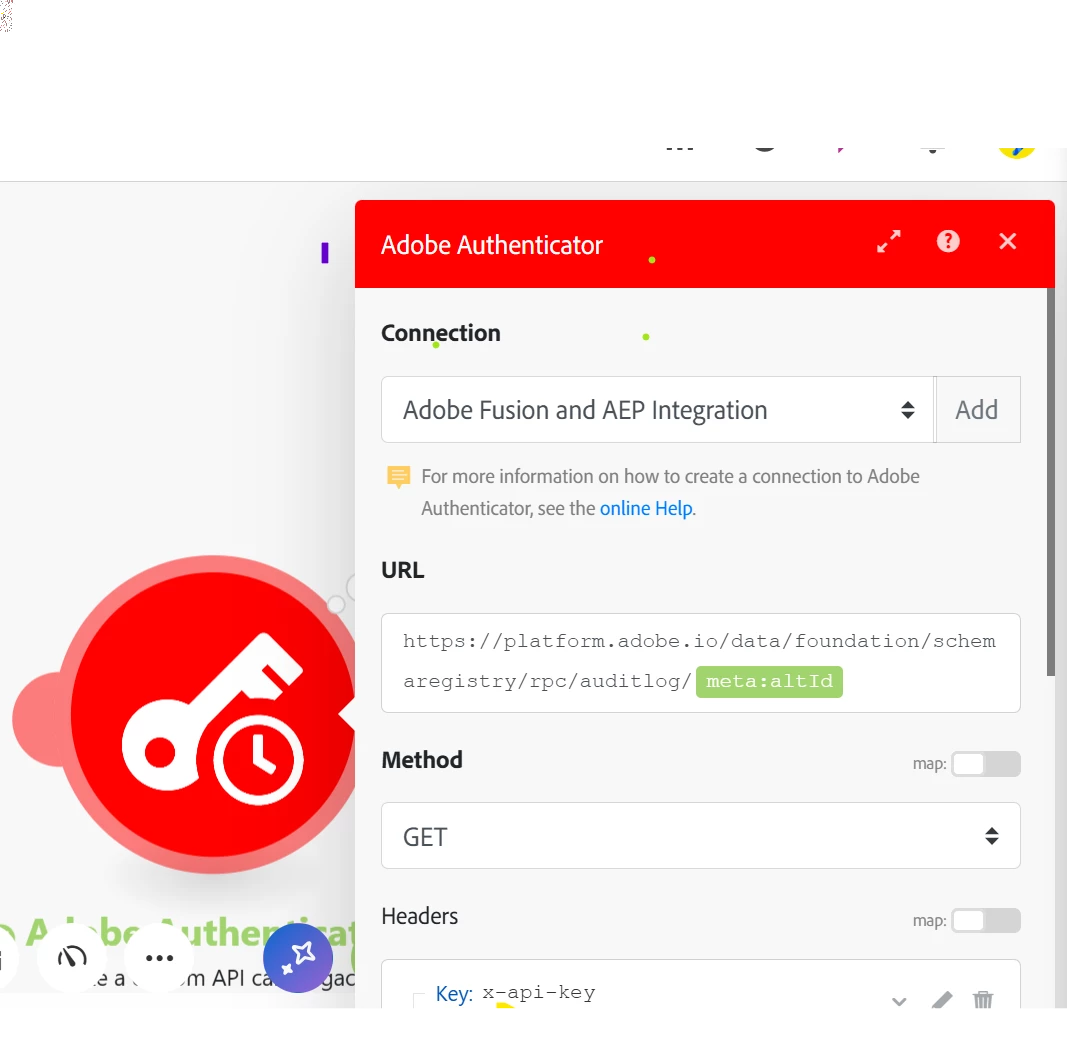
Although I am getting 200, the response body is null. Can someone please help fix this issue? Below is the screenshot of the Workfront Fusion module where I have used this scenario.
Regards,

Alkash

Best answer by jayakrishnaaparthasarathy

Hi @alkash4 Can you try adding the same value on params tab under path variables. Key field as "RESOURCE_ID" and values field as your respective value, remove the value from the GET URL. If not, I would request you to create a ticket and work with adobe support team. 

Thank you,
Jayakrishnaa P.

2 replies

jayakrishnaaparthasarathy
Community Advisor
Community Advisor
January 16, 2025

Hi @alkash4  - I have tried as mentioned on the below document and received a 200 Ok response with respective schema logs. Make sure to use the complete meta:altId (example: _tenantname.schemas.d8f415f3029268a65757575ytyh3c40dbf9b667af8279c9de). If we use only the schema ID or insufficient value, then we may get 200 Ok with no responce.

https://experienceleague.adobe.com/en/docs/experience-platform/xdm/api/audit-log#:~:text=API%20call%20below.-,Retrieve%20an%20audit%20log%20for%20a%20resource,-You%20can%20retrieve

Thank you,
Jayakrishnaa P.

Alkash4Author
January 16, 2025

Hi, @jayakrishnaaparthasarathy 


Thanks a lot for the reply.

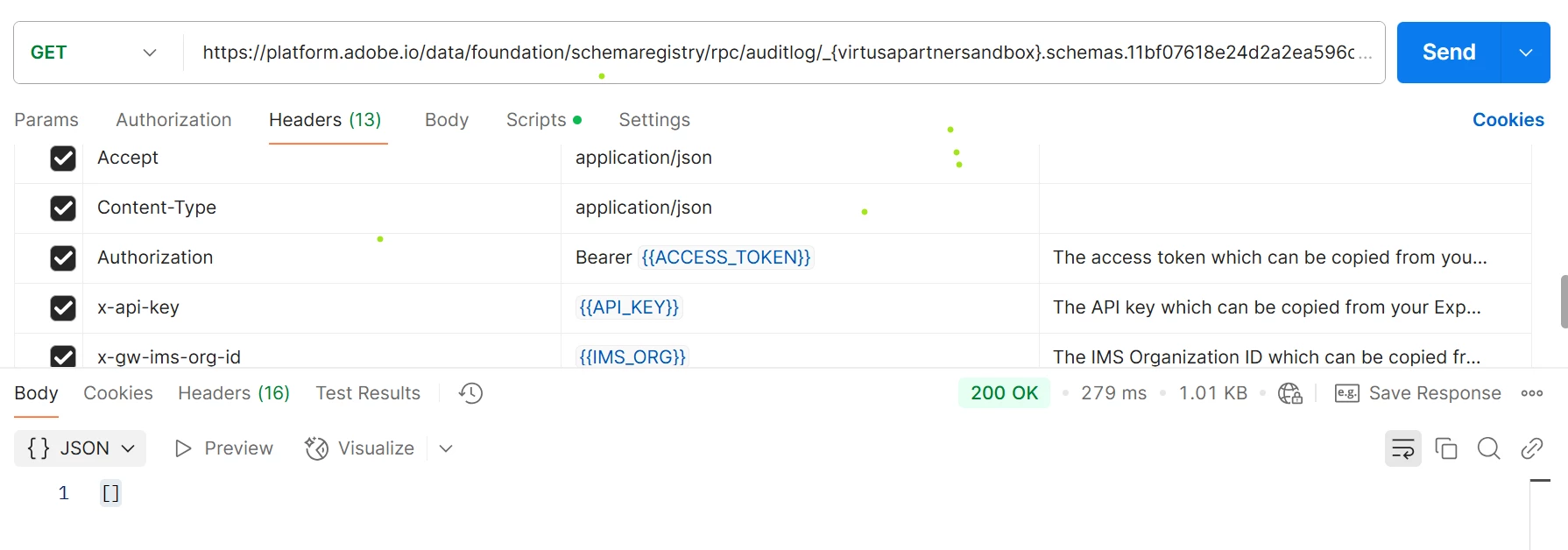
I am using the complete meta:altId but still getting a 200 OK response without logs. Please see the screenshot below.

Regards,

Alksh

jayakrishnaaparthasarathy
Community Advisor
jayakrishnaaparthasarathyCommunity AdvisorAccepted solution
Community Advisor
January 16, 2025

Hi @alkash4 Can you try adding the same value on params tab under path variables. Key field as "RESOURCE_ID" and values field as your respective value, remove the value from the GET URL. If not, I would request you to create a ticket and work with adobe support team. 

Thank you,
Jayakrishnaa P.

kautuk_sahni
Community Manager
Community Manager
February 17, 2025

@alkash4 Did you find the suggestions helpful? Please let us know if you need more information. If a response worked, kindly mark it as correct for posterity; alternatively, if you found a solution yourself, we’d appreciate it if you could share it with the community. Thank you!

Kautuk Sahni