Translation framework Error messages | Community
Skip to main content
April 7, 2021
Solved

Translation framework Error messages

  • April 7, 2021
  • 1 reply
  • 1159 views

Hello,


Is there a way a translation connector can influence what gets displayed on a translation job tile, when a TranslationException is thrown from the connector? The generic "Error: Failed to start translation" leads to pretty frustrating user experience.


Also, in general, is there any explicit docummentation on what kind of behavior different error codes produce?


Thanks and kind regards,

Jan Humpal
This post is no longer active and is closed to new replies. Need help? Start a new post to ask your question.
Best answer by Vijayalakshmi_S

Hi @janhumpal,

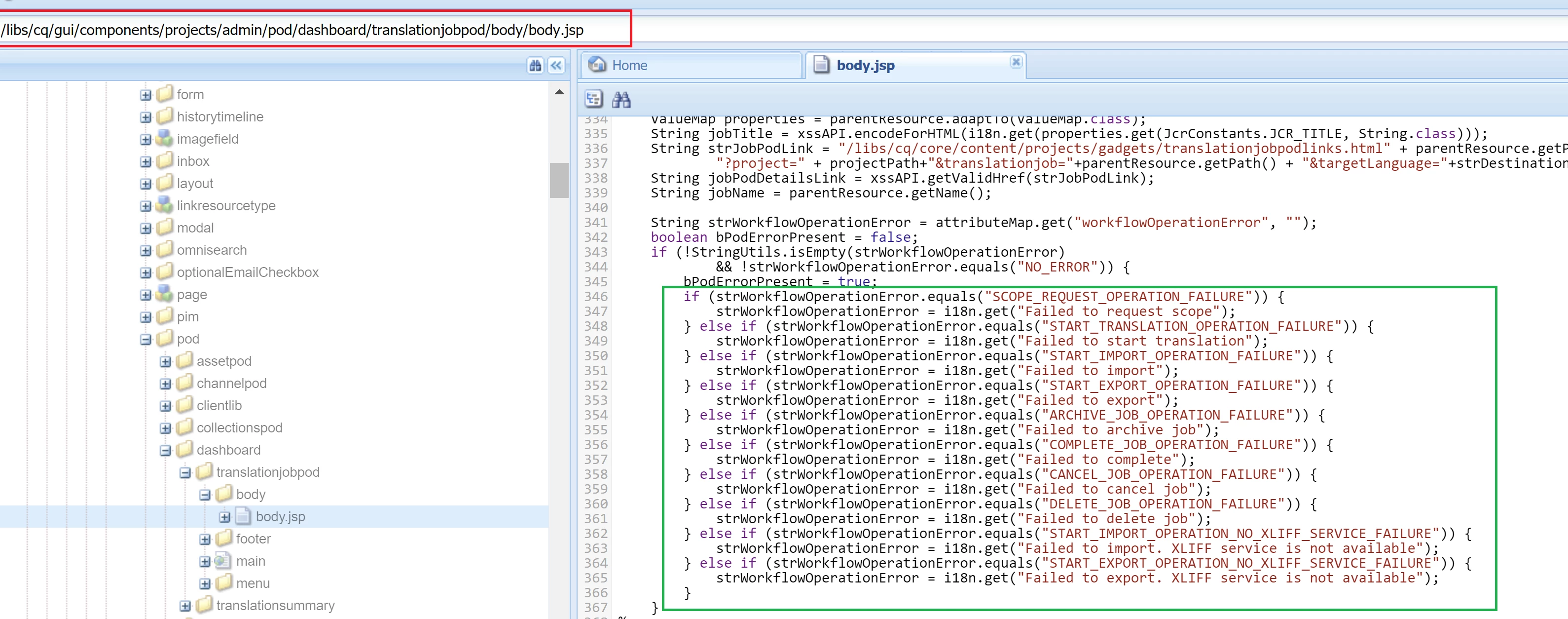
Logic for displaying Error messages on TranslationJob Tile resides in /libs/cq/gui/components/projects/admin/pod/dashboard/translationjobpod/body/body.jsp

Navigate to http://localhost:4502/libs/cq/i18n/translator.html -> Under Dictionaries -> /libs/wcm/core/i18n -> You can find these i18n keys.

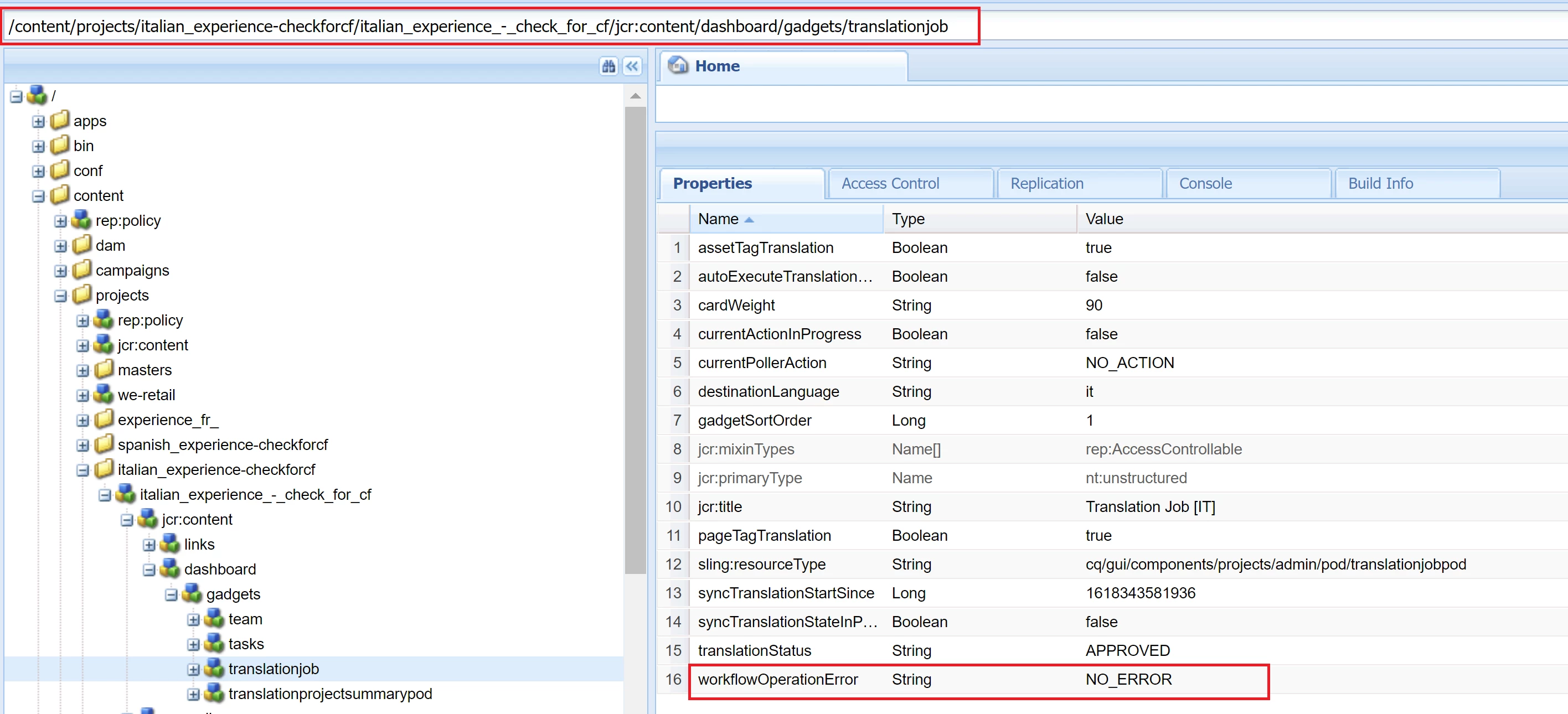
On a very high level, this is displayed based on attribute named workflowOperationError which is set/available on Translation project's path which in turn should be set during Translation workflows (where the payload is our Translation project path)

1 reply

Vijayalakshmi_S
Vijayalakshmi_SAccepted solution
April 22, 2021

Hi @janhumpal,

Logic for displaying Error messages on TranslationJob Tile resides in /libs/cq/gui/components/projects/admin/pod/dashboard/translationjobpod/body/body.jsp

Navigate to http://localhost:4502/libs/cq/i18n/translator.html -> Under Dictionaries -> /libs/wcm/core/i18n -> You can find these i18n keys.

On a very high level, this is displayed based on attribute named workflowOperationError which is set/available on Translation project's path which in turn should be set during Translation workflows (where the payload is our Translation project path)