Touch UI workflow not editable | Community
Skip to main content
Community Advisor
September 11, 2017
Solved

Touch UI workflow not editable

  • September 11, 2017
  • 5 replies
  • 4982 views

When workflow is opened, it opens in classic interferace even in 6.3. I tried to open this in  by changing url, replacing cf# with editor.html

I can open the url however it is not editable, I tried to look for errors in console by adding debugClientLibs=true

http://localhost:4502/editor.html/etc/workflow/models/request_for_activation.html?debugClientLibs=true

I see there is an error coming from WCM.js

WCM.js:1786 Uncaught TypeError: Cannot read property 'WCM' of undefined

    at createSidekick (WCM.js:1786)

    at Ext.js:999

I thought this could be on my local AEM instance, I tested on one of my colleagues  local AEM instance, I found same error. It seems this may be coming from out of box AEM. It seems there is an issue with workflow in touch UI from AEM itself, anyone has any insight on this issue.
This post is no longer active and is closed to new replies. Need help? Start a new post to ask your question.
Best answer by Ratna_Kumar

Hi,

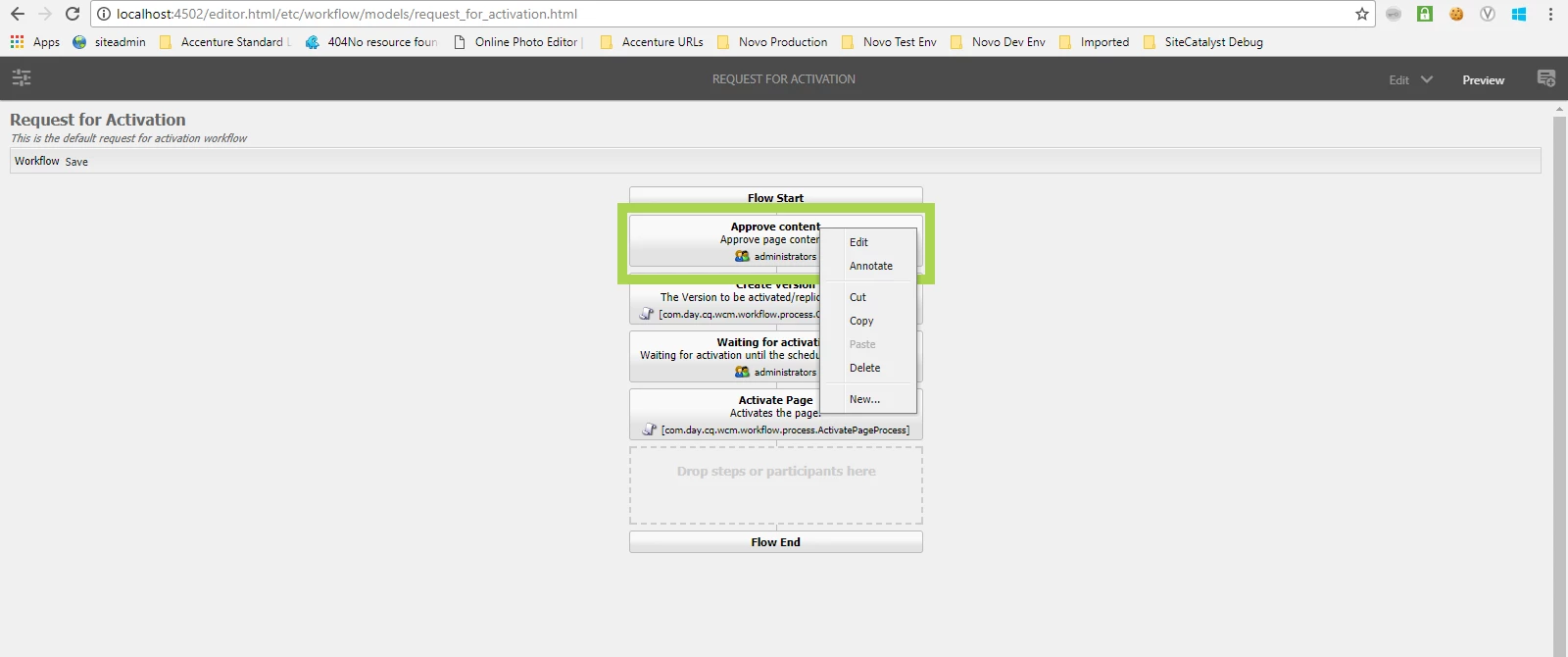
I again tested in Touch UI and it is working when you edit the workflow in Preview mode. Below is the screenshot.

~Ratna.

5 replies

Ratna_Kumar
Level 10
September 12, 2017

Hi,

Yes it is not editable in Touch UI and it might be a bug. Meanwhile you can use Classic UI to edit the workflow.

smacdonald2008kautuksahni​  - Can you also test in Touch Ui whether you can able to edit the workflow.

~Ratna.

Ratna_Kumar
Ratna_KumarAccepted solution
Level 10
September 12, 2017

Hi,

I again tested in Touch UI and it is working when you edit the workflow in Preview mode. Below is the screenshot.

~Ratna.

Level 3
September 12, 2017

It doesn't always, it worked for me one time. However if you do a thorough testing it breaks again.

Even if it works in preview, it is wrong. It should not be editable in preview, there is no sidekick available in preview to drag and drop components

Greenbar is from classic interface, it is not complete touch UI

Ratna_Kumar
Level 10
September 12, 2017

Means then it is a bug. You can raise the Day care ticket for this issue.

smacdonald2008​: Any thoughts?

~Ratna.

smacdonald2008
Level 10
September 12, 2017

I personally use Classic UI to work with Workflows. If this is occurring - then its a bug. Please log a ticket with Support so Eng can fix this issue.