To change the field label while creating content fragments | Community
Skip to main content
Level 2
February 14, 2024
Solved

To change the field label while creating content fragments

  • February 14, 2024
  • 1 reply
  • 691 views

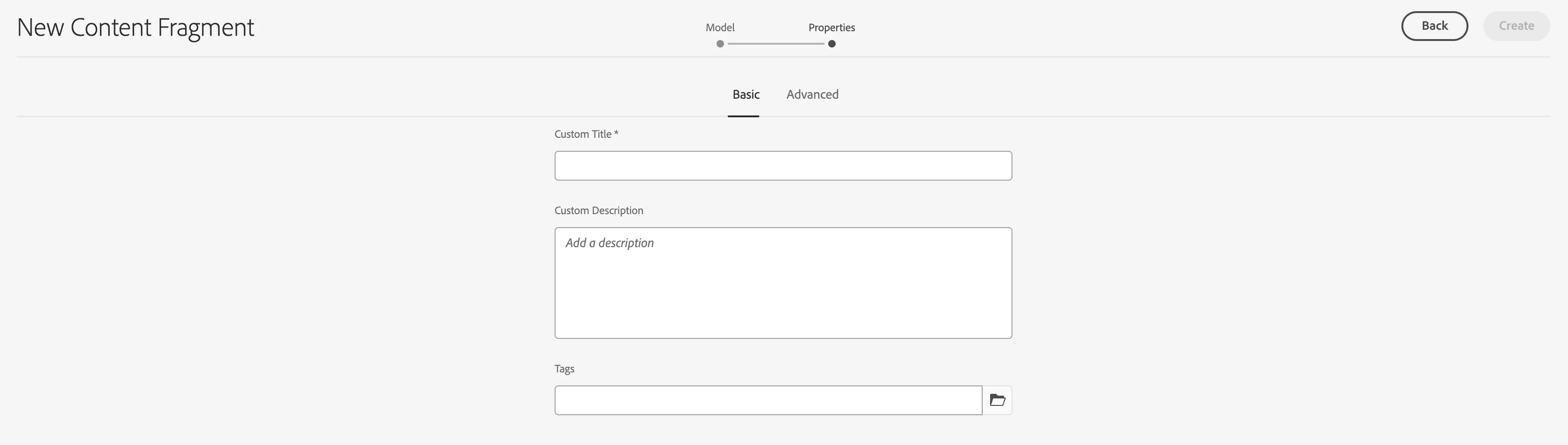
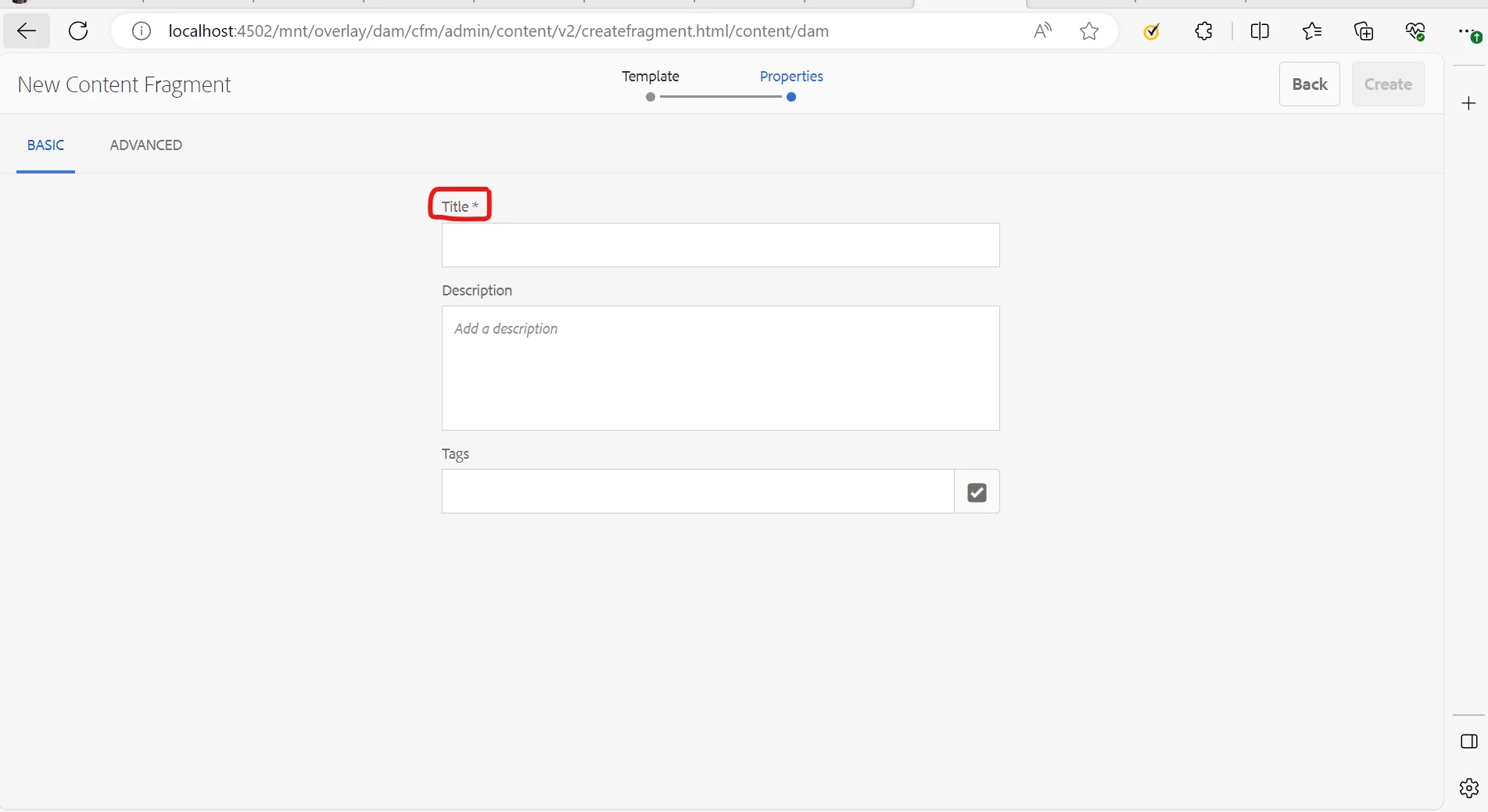
How can we change the field labels like "Title" and "Description" to custom values, while creating content fragment, you can see that, in the properties tab, it asks for "Title*" and "Description" , I need to change the "Title*" fieldLabel to some custom values.


@arunpatidar , @kautuk_sahni 

Best answer by ayush-anand

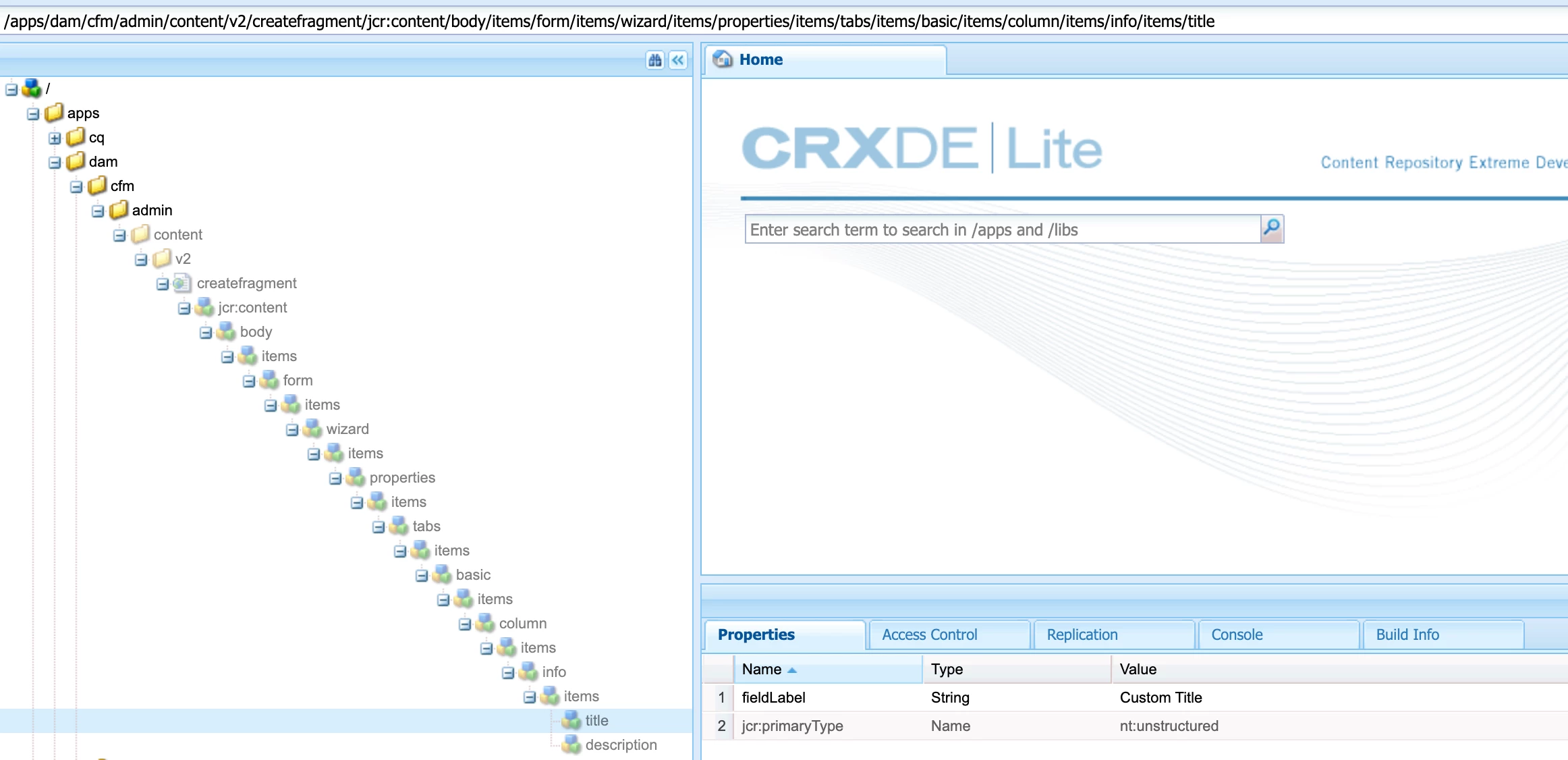
Hi @sandeep_k_singh You need to overlay these paths (/libs/dam/cfm/admin/content/v2/createfragment/jcr:content/body/items/form/items/wizard/items/properties/items/tabs/items/basic/items/column/items/info/items/title, /libs/dam/cfm/admin/content/v2/createfragment/jcr:content/body/items/form/items/wizard/items/properties/items/tabs/items/basic/items/column/items/info/items/description) under "/apps" and change the "fieldLabel" property.


Regards,

Ayush

1 reply

ayush-anand
ayush-anandAccepted solution
Level 4
February 14, 2024

Hi @sandeep_k_singh You need to overlay these paths (/libs/dam/cfm/admin/content/v2/createfragment/jcr:content/body/items/form/items/wizard/items/properties/items/tabs/items/basic/items/column/items/info/items/title, /libs/dam/cfm/admin/content/v2/createfragment/jcr:content/body/items/form/items/wizard/items/properties/items/tabs/items/basic/items/column/items/info/items/description) under "/apps" and change the "fieldLabel" property.


Regards,

Ayush

Level 2
February 14, 2024

Thanks @ayush-anand  for this, works smoothly.