RTE Plugins enabled(clickable) by default in AEM 6.5.5 | Community
Skip to main content
praveenk9057427
Level 2
February 12, 2021
Solved

RTE Plugins enabled(clickable) by default in AEM 6.5.5

  • February 12, 2021
  • 1 reply
  • 2270 views

Hi All,

In AEM 6.5.5 - richtext field of any component (either custom project specific or we-retail), all the rte plugins are in enabled(clickable) by default, before any text entered or selected.
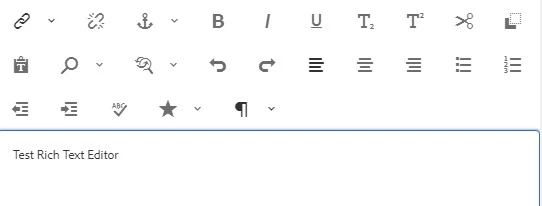
 

From the above screenshot we can observe that "Hyperlink, Unlink, cut, copy, paste" plugins are clickable by default(with selecting any text/word)

In earlier versions (6.4, 6.3..) when we select(highlight) some text, then - cut, copy, hyperlink, etc... plugins will be clickable(enabled).

 But in 6.5.5 all are clickable(enabled) by default. But functionalities are working fine.  Is this expected ? or is it know issue? 

Thanks in advance.
This post is no longer active and is closed to new replies. Need help? Start a new post to ask your question.
Best answer by Sanket_Kumbharkhane

Hi @praveenk9057427 ,


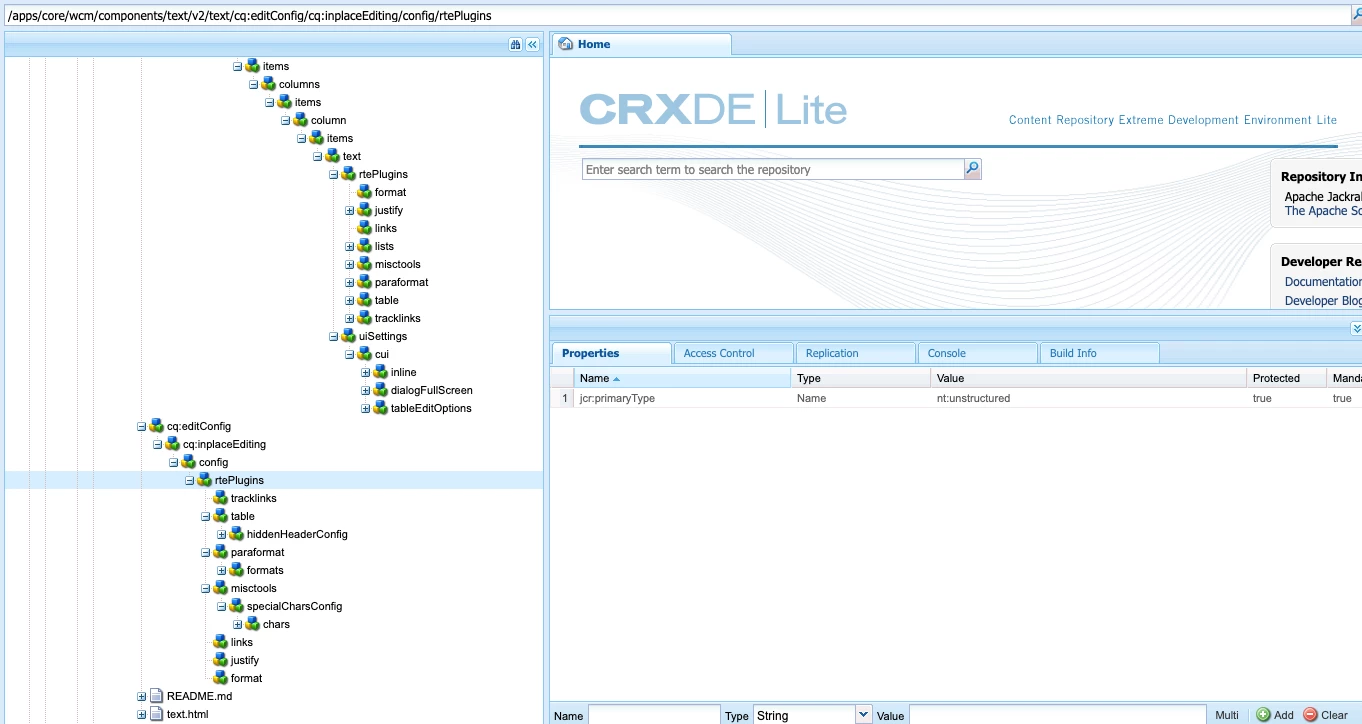
All RTE options will show in the component as per configured plugins in RTE. If you check the resource type of (either custom project-specific or we-retail) and "cq:dialog" or "cq:editconfig" of the component, you will see the entry of each plugin in that node. 

Looks specifically for "rtePlugins"

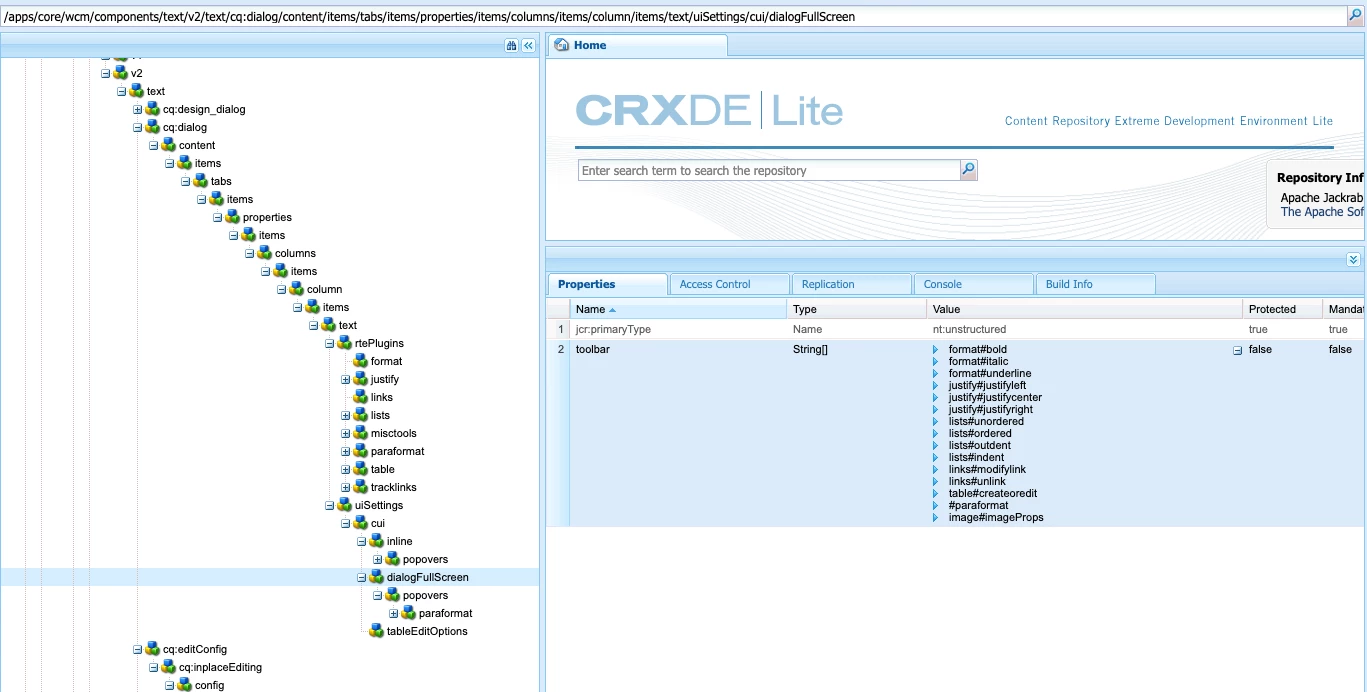
here is the example of text V2 component from core component library

path : /apps/core/wcm/components/text/v2/text/cq:dialog/content/items/tabs/items/properties/items/columns/items/column/items/text/uiSettings/cui/dialogFullScreen

inline is for => to show option while inline editing content

dialogFullScreen => to show option after opening dialog in full screen 

tableditoptions => to show all the options when you expand table plugin


please check this document : 

https://experienceleague.adobe.com/docs/experience-manager-65/administering/operations/rich-text-editor.html?lang=en#operations


So yes, this is expected behavior if all the plugins are configured.


Thanks

1 reply

Sanket_Kumbharkhane
Sanket_KumbharkhaneAccepted solution
Level 4
February 12, 2021

Hi @praveenk9057427 ,


All RTE options will show in the component as per configured plugins in RTE. If you check the resource type of (either custom project-specific or we-retail) and "cq:dialog" or "cq:editconfig" of the component, you will see the entry of each plugin in that node. 

Looks specifically for "rtePlugins"

here is the example of text V2 component from core component library

path : /apps/core/wcm/components/text/v2/text/cq:dialog/content/items/tabs/items/properties/items/columns/items/column/items/text/uiSettings/cui/dialogFullScreen

inline is for => to show option while inline editing content

dialogFullScreen => to show option after opening dialog in full screen 

tableditoptions => to show all the options when you expand table plugin


please check this document : 

https://experienceleague.adobe.com/docs/experience-manager-65/administering/operations/rich-text-editor.html?lang=en#operations


So yes, this is expected behavior if all the plugins are configured.


Thanks

praveenk9057427
Level 2
February 12, 2021

Hi @sanket_kumbharkhane sorry for the confusion made from my question. I have edited the question. Could you please check. All the plugins showing in screenshot are configured under "rteplugins" but by default all the plugins are clickable on hovering while editing field. which was not case in earlier versions.