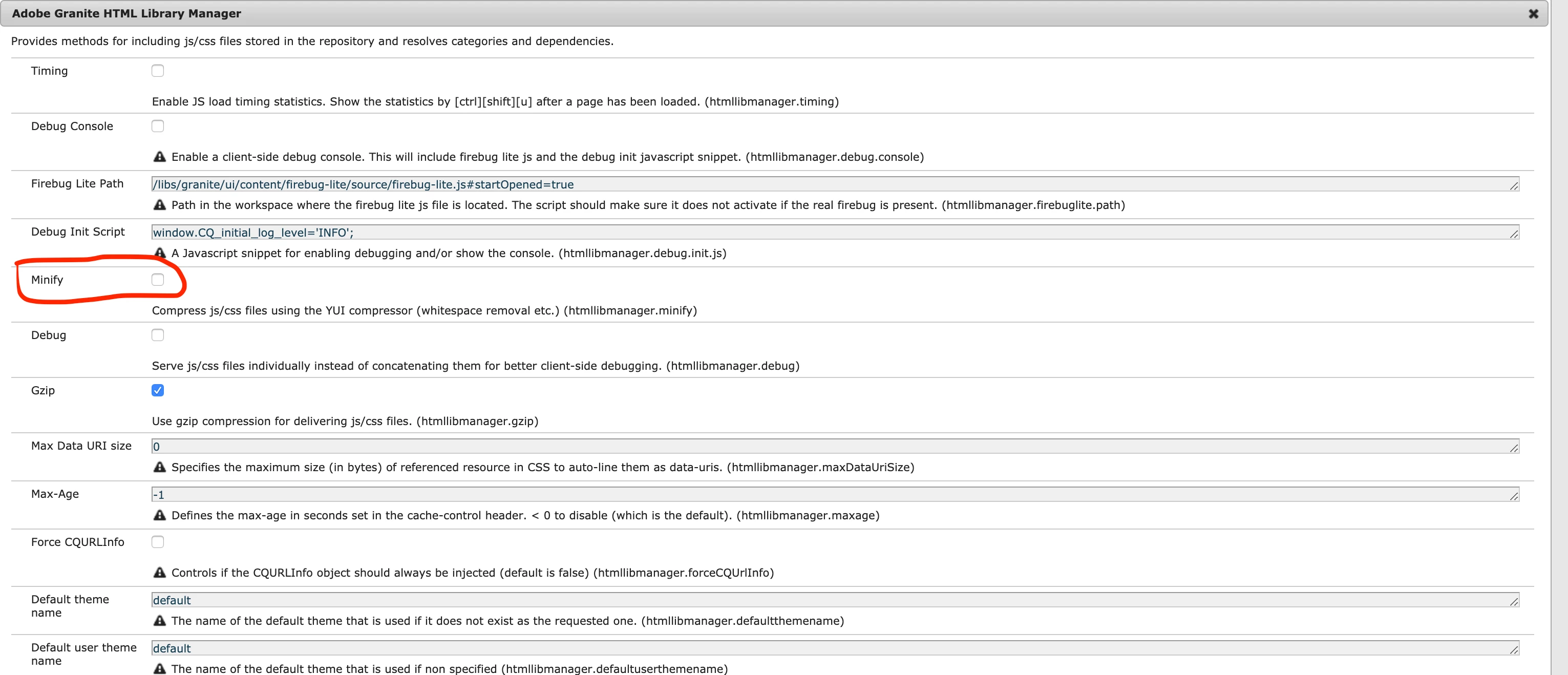
Solved
Minification
Is there any way to minify the embed libraries
embed="[jquery,granite.utils,granite.jquery,cq.jquery,granite.shared,cq.shared,underscore]"
in the client library folder
Is there any way to minify the embed libraries
embed="[jquery,granite.utils,granite.jquery,cq.jquery,granite.shared,cq.shared,underscore]"
in the client library folder
Yes it should work.
What tends to happen though is that these 3rd party libraries are using some version of ECMASCRIPT that is newer than what GCC supports. So the minification fails for a specific library. The GCC processor will log something like :
ERROR - This language feature is only supported for ECMASCRIPT6 mode or better: block-scoped function declaration.
Do a manual rebuild of the clientlibs here : http://<aem>:<port>/libs/granite/ui/content/dumplibs.rebuild.html
This will take a while but it will recompile everything on the filesystem here :
crx-quickstart ▸ launchpad ▸ felix ▸ bundleXXX ▸ data ▸ outputcache
Search for the outputcache folder, there is only one.
And tail the logs for errors like while the client libs rebuild:
25.02.2020 10:53:23.094 *ERROR* [0:0:0:0:0:0:0:1 [1582645978421] POST /libs/granite/ui/content/dumplibs.rebuild.html HTTP/1.1] com.google.javascript.jscomp /apps/myclientlib/clientlibs/clientlib-base.js:30499: ERROR - This language feature is only supported for ECMASCRIPT6 mode or better: block-scoped function declaration.
25.02.2020 10:53:23.094 *ERROR* [0:0:0:0:0:0:0:1 [1582645978421] POST /libs/granite/ui/content/dumplibs.rebuild.html HTTP/1.1] com.adobe.granite.ui.clientlibs.processor.gcc.impl.GCCScriptProcessor Processed /apps/myclientlib/clientlibs/clientlib-base.js. 1 error(s), 1 warning(s)
Look for the client library and open both with normal and minified files in a text editor and manually observe if the clientlib minified or not.
Using my example error above the way to resolve this is to specific the languageIn and languageOut values on the jsProcessor property
jsProcessor=[default:none,min:gcc;languageIn=ECMASCRIPT_2015;languageOut=ECMASCRIPT_2015]
Generally you troubleshoot these on a case by case basis but you need to figure out why the minification fails.
Hope that helps
Enter your E-mail address. We'll send you an e-mail with instructions to reset your password.