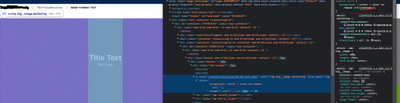
Hi, I am currently implementing the Web-optimized image delivery api to convert to webp in my custom component, I researched and put into practice the documentation provided in:
The thing is that it doesn't work, I have read that for the api to work it has to be in an environment (example: dev or prod) but I have tried both locally and in environments and it doesn't work, in fact, it doesn't even show the error it is, I tried to do it with a try catch block and using java logs as adobe logs but they don't show anything.
This is my java sling model that I use, it uses 4 assets (fileReference) in this component
package com.tfs.core.models;
import java.util.HashMap;
import java.util.Map;
import javax.annotation.PostConstruct;
import org.apache.commons.lang3.StringUtils;
import org.apache.sling.api.SlingHttpServletRequest;
import org.apache.sling.api.resource.Resource;
import org.apache.sling.api.resource.ResourceResolver;
import org.apache.sling.models.annotations.Default;
import org.apache.sling.models.annotations.DefaultInjectionStrategy;
import org.apache.sling.models.annotations.Exporter;
import org.apache.sling.models.annotations.Model;
import org.apache.sling.models.annotations.Required;
import org.apache.sling.models.annotations.injectorspecific.Self;
import org.apache.sling.models.annotations.injectorspecific.ValueMapValue;
import org.osgi.service.component.annotations.Reference;
import org.osgi.service.component.annotations.ReferenceCardinality;
import com.adobe.cq.export.json.ExporterConstants;
import com.day.cq.dam.commons.util.DamUtil;
import com.tfs.core.utils.TFSUtils;
import com.adobe.cq.wcm.spi.AssetDelivery;
import com.day.cq.dam.api.Asset;
/**
* The Class mosaicModel.
*/
@Model(adaptables = { Resource.class,
SlingHttpServletRequest.class }, adapters = MosaicModel.class, resourceType = MosaicModel.RESOURCE_TYPE_MOSAIC, defaultInjectionStrategy = DefaultInjectionStrategy.OPTIONAL)
@Exporter(name = ExporterConstants.SLING_MODEL_EXPORTER_NAME, extensions = ExporterConstants.SLING_MODEL_EXTENSION)
public class MosaicModel {
@Reference(cardinality = ReferenceCardinality.OPTIONAL)
private volatile AssetDelivery assetDelivery;
@Self
@Required
private SlingHttpServletRequest request;
/** The Constant RESOURCE_TYPE_MOSAIC */
public static final String RESOURCE_TYPE_MOSAIC = "tfs/components/mosaic";
/** The slide type. */
@ValueMapValue
@Default(values = StringUtils.EMPTY)
private String mosaicType;
@ValueMapValue(name = "title1")
@Default(values = StringUtils.EMPTY)
private String title1;
@ValueMapValue(name = "title2")
@Default(values = StringUtils.EMPTY)
private String title2;
@ValueMapValue(name = "title3")
@Default(values = StringUtils.EMPTY)
private String title3;
@ValueMapValue(name = "title4")
@Default(values = StringUtils.EMPTY)
private String title4;
@ValueMapValue(name = "subTitle1")
@Default(values = StringUtils.EMPTY)
private String subTitle1;
@ValueMapValue(name = "subTitle2")
@Default(values = StringUtils.EMPTY)
private String subTitle2;
@ValueMapValue(name = "subTitle3")
@Default(values = StringUtils.EMPTY)
private String subTitle3;
@ValueMapValue(name = "subTitle4")
@Default(values = StringUtils.EMPTY)
private String subTitle4;
@ValueMapValue(name = "fileReference1")
@Default(values = StringUtils.EMPTY)
private String fileReference1;
@ValueMapValue(name = "fileReference2")
@Default(values = StringUtils.EMPTY)
private String fileReference2;
@ValueMapValue(name = "fileReference3")
@Default(values = StringUtils.EMPTY)
private String fileReference3;
@ValueMapValue(name = "fileReference4")
@Default(values = StringUtils.EMPTY)
private String fileReference4;
@PostConstruct
protected void init() {
}
public String getMosaicType() {
return mosaicType;
}
public String getTitle1() {
return title1;
}
public String getTitle2() {
return title2;
}
public String getTitle3() {
return title3;
}
public String getTitle4() {
return title4;
}
public String getSubTitle1() {
return subTitle1;
}
public String getSubTitle2() {
return subTitle2;
}
public String getSubTitle3() {
return subTitle3;
}
public String getSubTitle4() {
return subTitle4;
}
public String getFileReference1() {
// Set the AssetDelivery options to request a web-optimized rendition.
// These options can be set as required by the implementation
// (Dialog, pass in from HTL via @RequestAttribute)
final Map<String, Object> options = new HashMap<>();
options.put("format", "webp");
options.put("preferwebp", "true");
options.put("width", "350");
options.put("height", "350");
return getWebOptimizedUrl(request.getResourceResolver(), fileReference1, options);
}
public String getFileReference2() {
// Set the AssetDelivery options to request a web-optimized rendition.
// These options can be set as required by the implementation
// (Dialog, pass in from HTL via @RequestAttribute)
final Map<String, Object> options = new HashMap<>();
options.put("format", "webp");
options.put("preferwebp", "true");
options.put("width", "350");
options.put("height", "350");
return getWebOptimizedUrl(request.getResourceResolver(), fileReference2, options);
}
public String getFileReference3() {
// Set the AssetDelivery options to request a web-optimized rendition.
// These options can be set as required by the implementation
// (Dialog, pass in from HTL via @RequestAttribute)
final Map<String, Object> options = new HashMap<>();
options.put("format", "webp");
options.put("preferwebp", "true");
options.put("width", "350");
options.put("height", "350");
return getWebOptimizedUrl(request.getResourceResolver(), fileReference3, options);
}
public String getFileReference4() {
// Set the AssetDelivery options to request a web-optimized rendition.
// These options can be set as required by the implementation
// (Dialog, pass in from HTL via @RequestAttribute)
final Map<String, Object> options = new HashMap<>();
options.put("format", "webp");
options.put("preferwebp", "true");
options.put("width", "350");
options.put("height", "350");
return getWebOptimizedUrl(request.getResourceResolver(), fileReference4, options);
}
private String getWebOptimizedUrl(ResourceResolver resourceResolver, String path, Map<String, Object> options) {
Resource resource = resourceResolver.getResource(path);
Asset asset = DamUtil.resolveToAsset(resource);
// These 3 options are required for the AssetDelivery API to work
// Else it will return null
options.put("path", asset.getPath());
options.put("format", options.get("format"));
options.put("seoname", options.get("seoname"));
return assetDelivery.getDeliveryURL(resource, options);
}
}