How to set up a rep:policy(deny) for a specific user group to not access an AEM page programmatically | Community
Skip to main content
srig786
Level 2
July 10, 2019
Solved

How to set up a rep:policy(deny) for a specific user group to not access an AEM page programmatically

  • July 10, 2019
  • 5 replies
  • 8295 views

Hi,

I have a requirement where I should set up a deny (rep:policy) access to an user group(Eg: testgroup) under a specific AEM page (Eg: /content/we-retail/us/en/experience/hours-of-wilderness) programmatically based on the checkbox property authored in page properties as shown in the screenshot below.
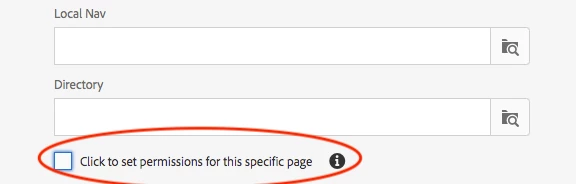
I know we can manually set up the privileges/permissions using user admin interface shown in screenshot below
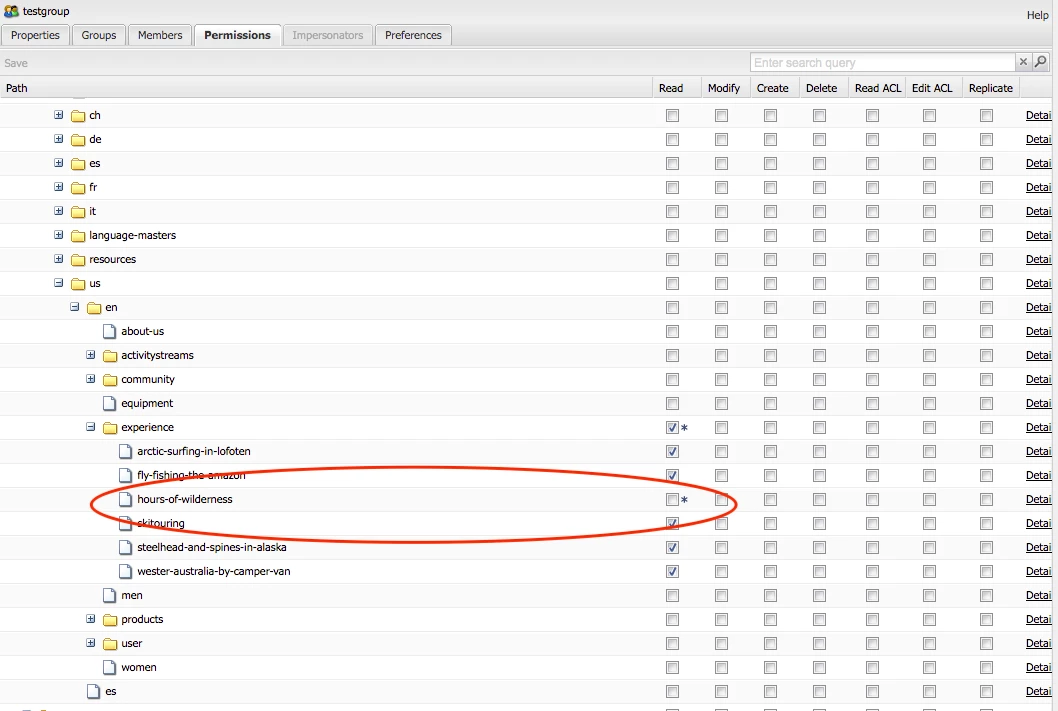
When we provide deny jcr:read access in user admin, AEM creates a rep:policy/deny node under the page for that specific usergroup (eg: testgroup). However I want to achieve this programmatically.

Could someone suggest/provide an example to implement this use case ? please let me know if you need any additional information.

Thanks in Advance,

Regards,

Sri.

This post is no longer active and is closed to new replies. Need help? Start a new post to ask your question.
Best answer by anjali_biddanda

This does it:


//Create your adminSession using a mapped service user Map<String, Object> param = new HashMap<String, Object>(); param.put(ResourceResolverFactory.SUBSERVICE, "write-service"); //ensure you have write-service user created via a config script or on usermanager ResourceResolver resourceResolver = resourceResolverFactory.getServiceResourceResolver(param); Session adminSession = resourceResolver.adaptTo(Session.class); AccessControlManager aMgr = adminSession.getAccessControlManager(); // create privilege Privilege[] privileges = new Privilege[]{aMgr.privilegeFromName(Replicator.REPLICATE_PRIVILEGE)}; JackrabbitAccessControlList acl = AccessControlUtils.getAccessControlList(adminSession, path); acl.addEntry(contentManagerGroup.getPrincipal(),privileges,false); aMgr.setPolicy(path, acl); adminSession.save();


5 replies

Adobe Employee
July 10, 2019
srig786
srig786Author
Level 2
July 11, 2019

hamidk11679710​ I have looked at the first link and it says copying ACL's from source path to target path, which is not my requirement. I will try the second link and get back to you.

Thanks for your help.

anjali_biddanda
Level 4
September 21, 2020
@srig786, did you get this working?
Tuhin_Ghosh
Level 8
July 17, 2019

You might have to try setting up the acls programatically.

Look at AccessControlManager API.

Read the below documents. This should help.

User, Group and Access Rights Administration

Thanks

Tuhin

cal-netsolution
Level 2
July 17, 2019

For this usecase I suggest this approach. As you have a checkbox in the page properties.

1. Create an Event listener, choose the event type, Node modified, or property modified etc. Also specify the path where this event listener is to be triggered.

Here is the link to see how to create an event listener. https://helpx.adobe.com/experience-manager/using/aem64_event_listener.html

2. In OnEvent method, you can write your logic to check if the checkbox property is modified and then can add the rep:policy/deny node under the page for that specific usergroup

So whenever the property is changed, using event listener you can set the permissions for the page programmatic-ally.

Hope this helps!

Cal

anjali_biddanda
anjali_biddandaAccepted solution
Level 4
September 21, 2020

This does it:


//Create your adminSession using a mapped service user Map<String, Object> param = new HashMap<String, Object>(); param.put(ResourceResolverFactory.SUBSERVICE, "write-service"); //ensure you have write-service user created via a config script or on usermanager ResourceResolver resourceResolver = resourceResolverFactory.getServiceResourceResolver(param); Session adminSession = resourceResolver.adaptTo(Session.class); AccessControlManager aMgr = adminSession.getAccessControlManager(); // create privilege Privilege[] privileges = new Privilege[]{aMgr.privilegeFromName(Replicator.REPLICATE_PRIVILEGE)}; JackrabbitAccessControlList acl = AccessControlUtils.getAccessControlList(adminSession, path); acl.addEntry(contentManagerGroup.getPrincipal(),privileges,false); aMgr.setPolicy(path, acl); adminSession.save();