How to Accessing particular rendition of an Image uplaoded in aem dam using graphql | Community
Skip to main content
December 4, 2024
Solved

How to Accessing particular rendition of an Image uplaoded in aem dam using graphql

  • December 4, 2024
  • 2 replies
  • 788 views

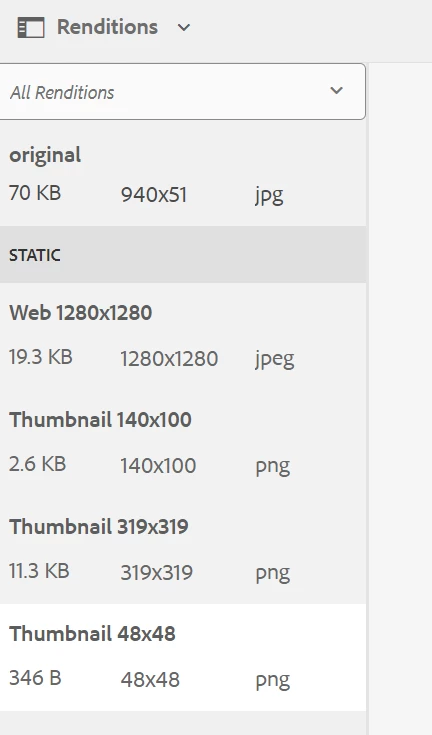
using GraphQL in aem i want to access the ootb rendered images that i can use for various screensizes,
Is it possible to access in that way or dynamic media requirement is mendatory for doing this.
 

This post is no longer active and is closed to new replies. Need help? Start a new post to ask your question.
Best answer by Aditya_Chabuku

Hi @17526305 ,


You can add Image Rendition as well in the below code to get Appropriate image to display.

Here is detailed documentation.

https://experienceleague.adobe.com/en/docs/experience-manager-learn/getting-started-with-aem-headless/how-to/images#:~:text=AEM's%20GraphQL%20queries%20can%20be,the%20image%20is%20referenced%20from.&text=_dynamicUrl%20is%20the%20URL%20to%20for%20image%20asset's%20web%2Doptimized%20delivery. 


Cheers,

Aditya


query($path: String!, $imageFormat: AssetTransformFormat=JPG, $imageSeoName: String, $imageWidth: Int, $imageQuality: Int) { adventureByPath( _path: $path _assetTransform: { format: $imageFormat width: $imageWidth quality: $imageQuality preferWebp: true } ) { item { _path title primaryImage { ... on ImageRef { _dynamicUrl } } } } }


2 replies

Aditya_Chabuku
Community Advisor
Aditya_ChabukuCommunity AdvisorAccepted solution
Community Advisor
December 4, 2024

Hi @17526305 ,


You can add Image Rendition as well in the below code to get Appropriate image to display.

Here is detailed documentation.

https://experienceleague.adobe.com/en/docs/experience-manager-learn/getting-started-with-aem-headless/how-to/images#:~:text=AEM's%20GraphQL%20queries%20can%20be,the%20image%20is%20referenced%20from.&text=_dynamicUrl%20is%20the%20URL%20to%20for%20image%20asset's%20web%2Doptimized%20delivery. 


Cheers,

Aditya


query($path: String!, $imageFormat: AssetTransformFormat=JPG, $imageSeoName: String, $imageWidth: Int, $imageQuality: Int) { adventureByPath( _path: $path _assetTransform: { format: $imageFormat width: $imageWidth quality: $imageQuality preferWebp: true } ) { item { _path title primaryImage { ... on ImageRef { _dynamicUrl } } } } }


Thanks,Aditya Chabuku
December 4, 2024

Hi @aditya_chabuku , Thank you for your response. My mistake, I didn't mention the AEM version we are using. It seems you're referring to the web-optimized images feature, but according to the documentation, it's not supported for AEM 6.5. Is there an alternative for AEM 6.5 to provide rendered images or paths for different screen sizes for headless implmentation?

Thanks,
Avinash

kautuk_sahni
Community Manager
Community Manager
January 29, 2025

@17526305 Did you find the suggestion helpful? Please let us know if you require more information. Otherwise, please mark the answer as correct for posterity. If you've discovered a solution yourself, we would appreciate it if you could share it with the community. Thank you!

Kautuk Sahni