Facing: Couldn't get a response error | Community
Skip to main content
This post is no longer active and is closed to new replies. Need help? Start a new post to ask your question.

2 replies

Dipti_Chauhan
Community Advisor
Community Advisor
April 27, 2023

Hi @hote1970 

   Can you please share more details what exactly you are trying to do?


Thanks

Dipti

Hote1970Author
Level 2
April 27, 2023

Make a Platform API Call


  1. Download the Schema Registry API collection to your Luma Tutorial Assets folder
  2. Import it into Postman
  3. Open Schema Registry API > Classes > List classes
  4. Look at the Params and Headers tabs and note how they include some of the environment variables we entered earlier.
  5. Note that the Headers > Accept value field is set to application/vnd.adobe.xed-id+json. The Schema Registry APIs require one of these specified Accept header values which provide different formats in the response.
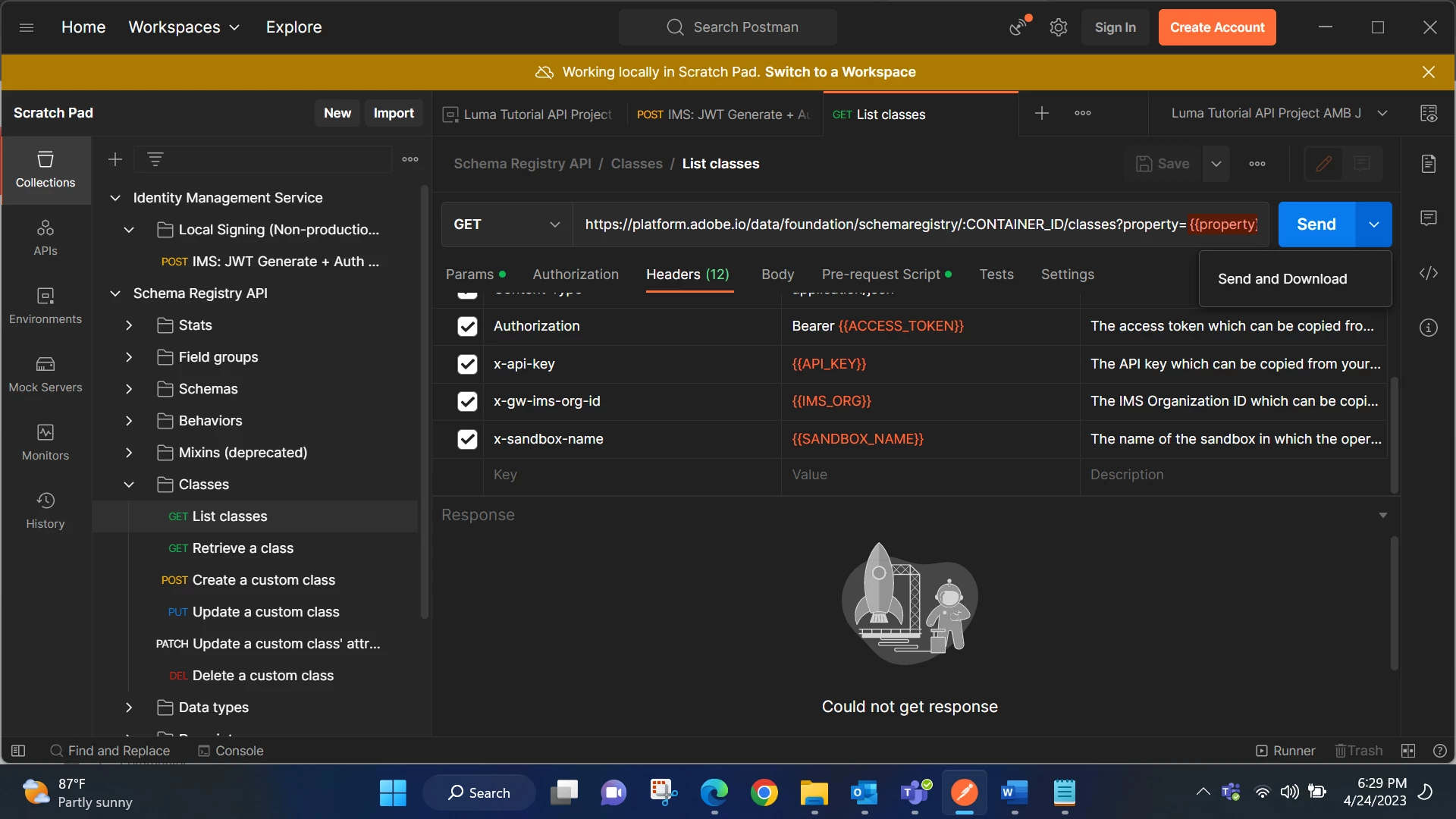
  6. Select Send to make your first Platform API call!
Jagadeesh_Prakash
Community Advisor
Community Advisor
May 2, 2023

Need more details on the API @hote1970  what is this API for and what is the expectation