Error while running a Junit5 test case in IntelliJ | Community
Skip to main content
Level 4
April 25, 2023
Solved

Error while running a Junit5 test case in IntelliJ

  • April 25, 2023
  • 3 replies
  • 1428 views

I am writing a JUnit5 test case for a servlet that is creating a JsonObject object. While running the test case in my IDE (IntelliJ), I'm getting the below error - 
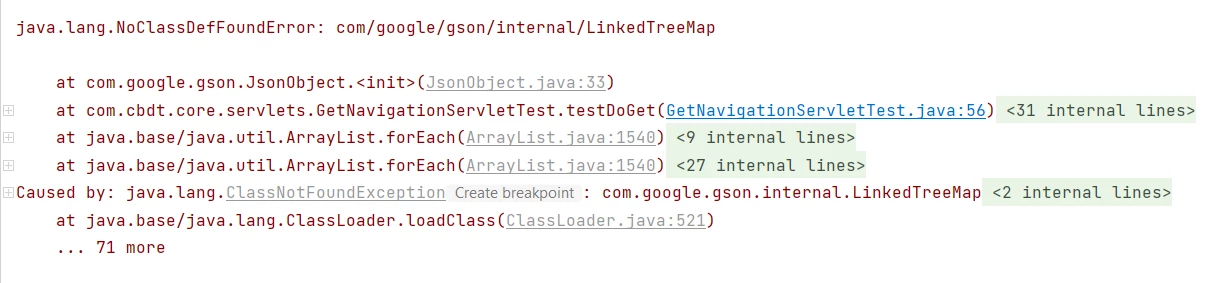
But, on the other hand, my core package build is successful. How to get this error resolved in my IDE as I can see that the dependency jar is getting downloaded while maven build.

This post is no longer active and is closed to new replies. Need help? Start a new post to ask your question.
Best answer by Tanika02

Hello @goyalkritika  - 


Couple of things, did you validated the following : 

  • Are your test cases running successfully? Hope you are not accidentally skipping the test cases while running the test cases on your local machine.
  • Also, the gson dependency should be also available in test scope as well : 

    <dependency> 

    <groupId>com.google.code.gson<groupId>

    <artifactId>gson</artifactId>

    <version>2.8.0</version>

    <scope>test</scope>

    </dependency>

3 replies

nitesh_kumar-1
Adobe Employee
Adobe Employee
April 25, 2023

Hi @goyalkritika ,


Looks like IDE specific error. you could try the following.


  • Try to reload the dependencies in IntelliJ,
  • Reload/Restart with cache invalidation.
  • Check the module setting for the project in the IDE, if you are able to find the dependencies.
  • Check the scope of dependency, (Is it set to test), and also check if it's included in parent/core POM.


Also check this thread on the stack, https://stackoverflow.com/questions/51489823/noclassdeffounderror-when-trying-to-execute-junit-4-test-in-intellij-2018-2-rc 


Hope this helps!


Regards,

Nitesh


TarunKumar
Community Advisor
Community Advisor
April 25, 2023

Hi @goyalkritika ,

This could happen due to a missing JAR file or JAR was not added into classpath or sometimes jar's name has been changed.
What you would need to do is that delete your existing m2 repo and try to build the code again, and see if you still getting this error.


Tanika02
Tanika02Accepted solution
Level 7
April 25, 2023

Hello @goyalkritika  - 


Couple of things, did you validated the following : 

  • Are your test cases running successfully? Hope you are not accidentally skipping the test cases while running the test cases on your local machine.
  • Also, the gson dependency should be also available in test scope as well : 

    <dependency> 

    <groupId>com.google.code.gson<groupId>

    <artifactId>gson</artifactId>

    <version>2.8.0</version>

    <scope>test</scope>

    </dependency>

Level 4
April 25, 2023

Thank you @tanika02, this resolution indeed resolved my error.