Cloud Manager Pipeline Stuck | Community
Skip to main content
abhinarvekar
Level 2
June 29, 2022
Solved

Cloud Manager Pipeline Stuck

  • June 29, 2022
  • 4 replies
  • 3390 views

Hi,

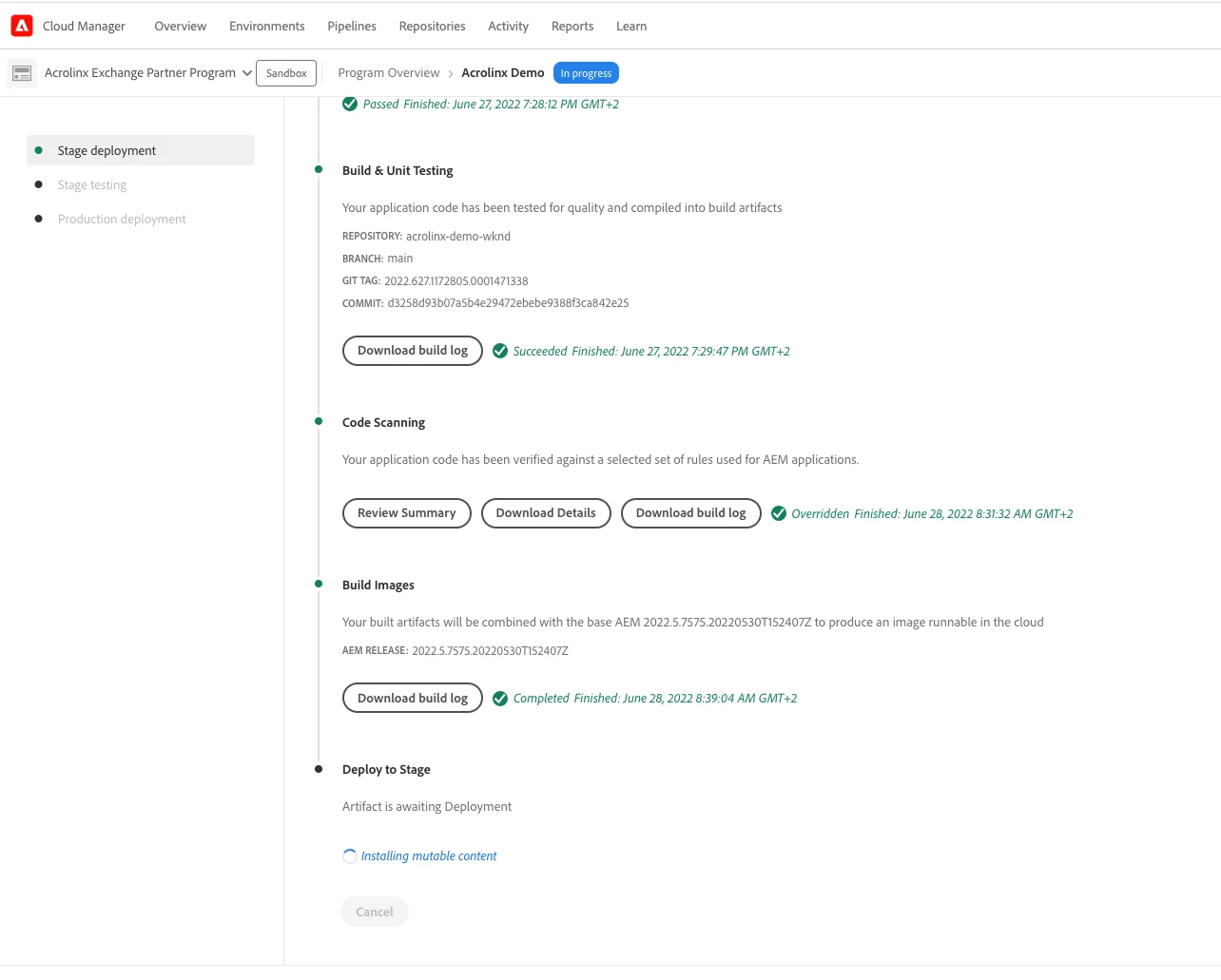
Cloud Manager Stage Pipeline is stuck.


It's our sandbox environment, the pipeline was running then probably the system hibernated overnight.

The pipeline is stuck thereafter.


Steps I already tried out:


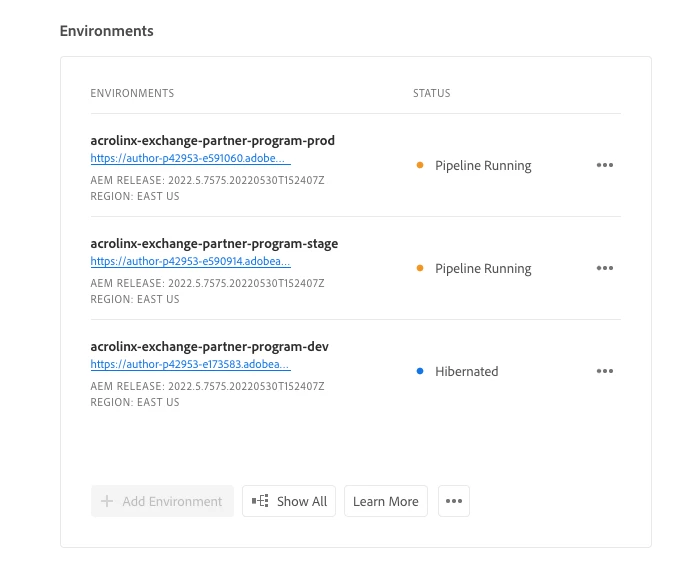
  • De-hibernating the environments
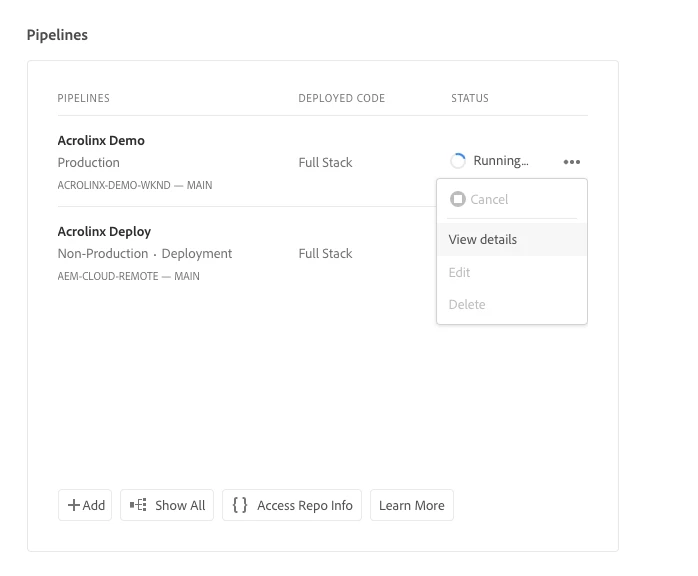
  • Cancelling the pipeline - But cancel buttons are deactivated
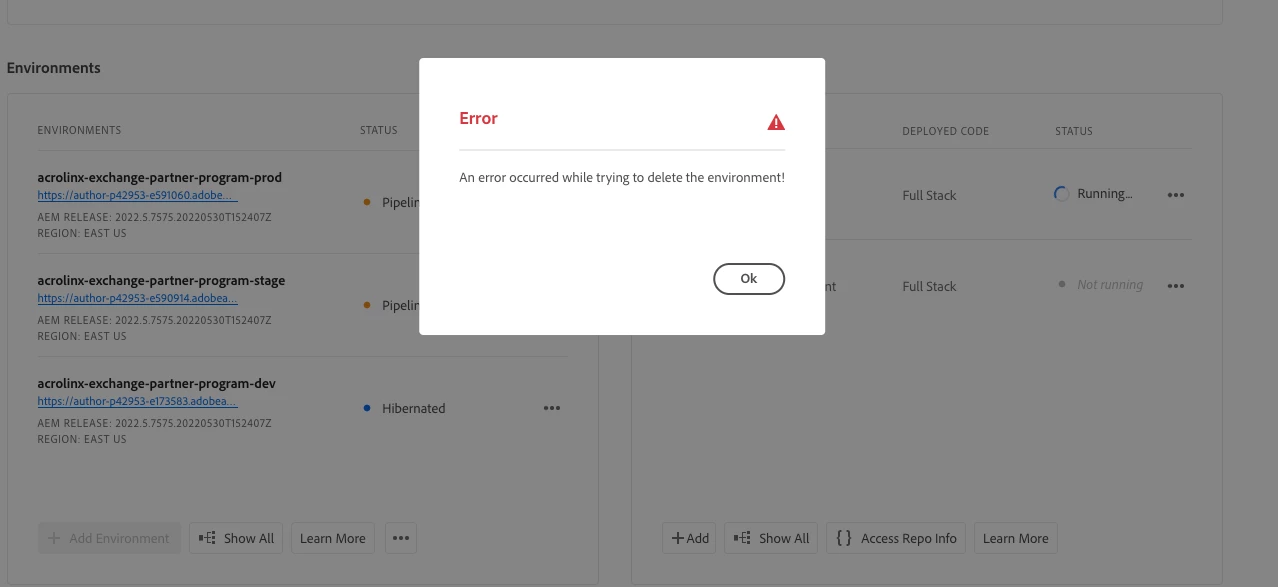
  • Deleting the stage environment - Cannot delete.


It's two days now, it's still not reaching completion.


How do I terminate the pipeline?

Can someone from your side do it?


Attached are some screenshots.


This post is no longer active and is closed to new replies. Need help? Start a new post to ask your question.
Best answer by kustavdutta1

Hello @abhinarvekar ,

Only certain steps in the pipeline can be "advanced" or "cancelled" from your end. Kindly refer documentation [1] which mentions only BUILD, SECURITY TEST, PERFORMANCE TEST, AND SCHEDULE STEPS can work with cancel operation when performed through the Cloud Manager UI or programmatically. The pipeline you've mentioned here is failing in the deploy step hence you're unable to cancel the pipeline (through UI/aio cli).

However, CSE (AMS) usually have permissions to force cancel pipelines from their end. Kindly raise a support ticket for your CSE to help you with your request.

[1]: https://www.adobe.io/apis/experiencecloud/cloud-manager/docs.html#!AdobeDocs/cloudmanager-api-docs/master/advancing-and-cancelling-steps.md

Thanks!

4 replies

Himanshu_Jain
Community Advisor
Community Advisor
June 29, 2022

We cannot terminate from cloud manager console.

Better to raise the support ticket at p1 level.


Thanks

Himanshu

Himanshu Jain
vanegi
Adobe Employee
Adobe Employee
June 29, 2022

Hi @abhinarvekar,

You can use cmcli tool to cancel pipeline. For that please make sure that your Adobe ID is a member of the "Cloud Manager- Deployment Manager" profile in Adobe Admin console.


For canceling the pipeline, below command can be used:

cmcli cancel pipeline --pipelineId XXXXX --programId YYYY

Thanks!!

abhinarvekar
Level 2
June 29, 2022

Throws "Step may not be cancellable"

Ran the following:

aio cloudmanager:program:list-pipelines
 Pipeline Id Name            Status 
 ─────────── ─────────────── ────── 
 9328744     Acrolinx Demo   BUSY   
 9100863     Acrolinx Deploy IDLE   

aio cloudmanager:current-execution:cancel 9328744   
cancelling execution... failed
 ›   Error: [CloudManagerSDK:ERROR_FIND_CANCEL_LINK] Cannot find a cancel link for 
 ›   the current step (deploy). Step may not be cancellable.
 ›   Code: ERROR_FIND_CANCEL_LINK
 ›   Reference: Timestamp: 2022-06-29T11:26:46.839Z
kustavdutta1
Adobe Employee
kustavdutta1Adobe EmployeeAccepted solution
Adobe Employee
June 30, 2022

Hello @abhinarvekar ,

Only certain steps in the pipeline can be "advanced" or "cancelled" from your end. Kindly refer documentation [1] which mentions only BUILD, SECURITY TEST, PERFORMANCE TEST, AND SCHEDULE STEPS can work with cancel operation when performed through the Cloud Manager UI or programmatically. The pipeline you've mentioned here is failing in the deploy step hence you're unable to cancel the pipeline (through UI/aio cli).

However, CSE (AMS) usually have permissions to force cancel pipelines from their end. Kindly raise a support ticket for your CSE to help you with your request.

[1]: https://www.adobe.io/apis/experiencecloud/cloud-manager/docs.html#!AdobeDocs/cloudmanager-api-docs/master/advancing-and-cancelling-steps.md

Thanks!