Adding "Change Thumbnail" button to an asset | Community
Skip to main content
daniel40228988
December 5, 2019
Solved

Adding "Change Thumbnail" button to an asset

  • December 5, 2019
  • 1 reply
  • 1300 views

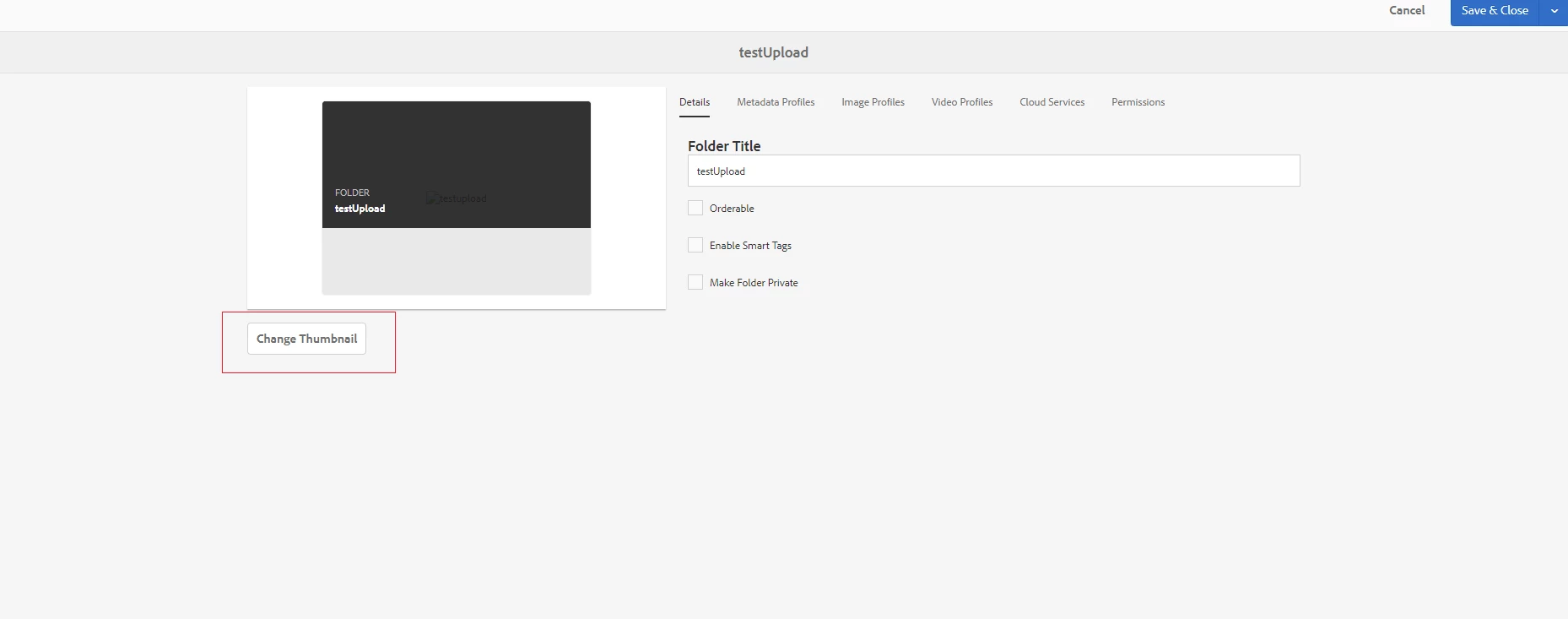
I noticed that you can add a thumbnail image for the folders in AEM Assets. As in the picture.

Do you know if it's possible to add that button to other assets files, such as zip-files and mp4 files?

This post is no longer active and is closed to new replies. Need help? Start a new post to ask your question.
Best answer by sunjot16

The file type for both folders & files/assets are different.

You can create some custom code(maybe using JS) that reads the number of assets on a page/in crx and adds button to them using JS with DOM.

You can get all the assets on the page and append the button to them using a loop or something like that.

On a page, the assets are basically enclosed in anchor tags which when clicked direct us to the clicked asset.

Ex:

let btn = document.createElement("button");

btn.className = "<bla bla bla>";

btn.appendChild(document.createTextNode("<bla bla bla>"));

EachAsset.appendChild(btn);

1 reply

sunjot16
Adobe Employee
sunjot16Adobe EmployeeAccepted solution
Adobe Employee
December 6, 2019

The file type for both folders & files/assets are different.

You can create some custom code(maybe using JS) that reads the number of assets on a page/in crx and adds button to them using JS with DOM.

You can get all the assets on the page and append the button to them using a loop or something like that.

On a page, the assets are basically enclosed in anchor tags which when clicked direct us to the clicked asset.

Ex:

let btn = document.createElement("button");

btn.className = "<bla bla bla>";

btn.appendChild(document.createTextNode("<bla bla bla>"));

EachAsset.appendChild(btn);