Adaptive fragments not visibled in AEM content finder in AEM Forms | Community
Skip to main content
Level 2
February 20, 2023
Solved

Adaptive fragments not visibled in AEM content finder in AEM Forms

  • February 20, 2023
  • 1 reply
  • 593 views

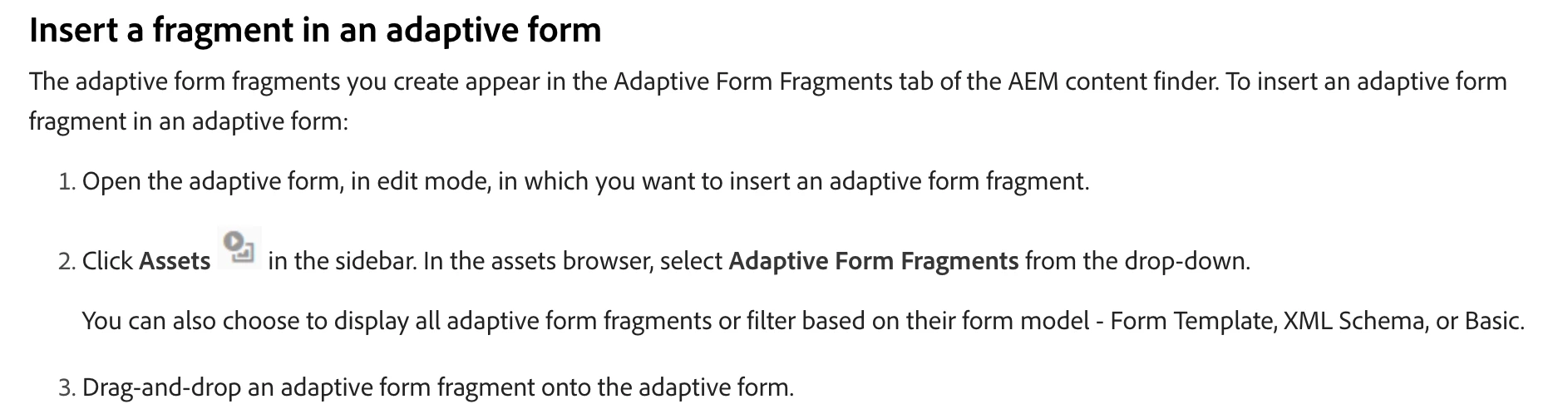
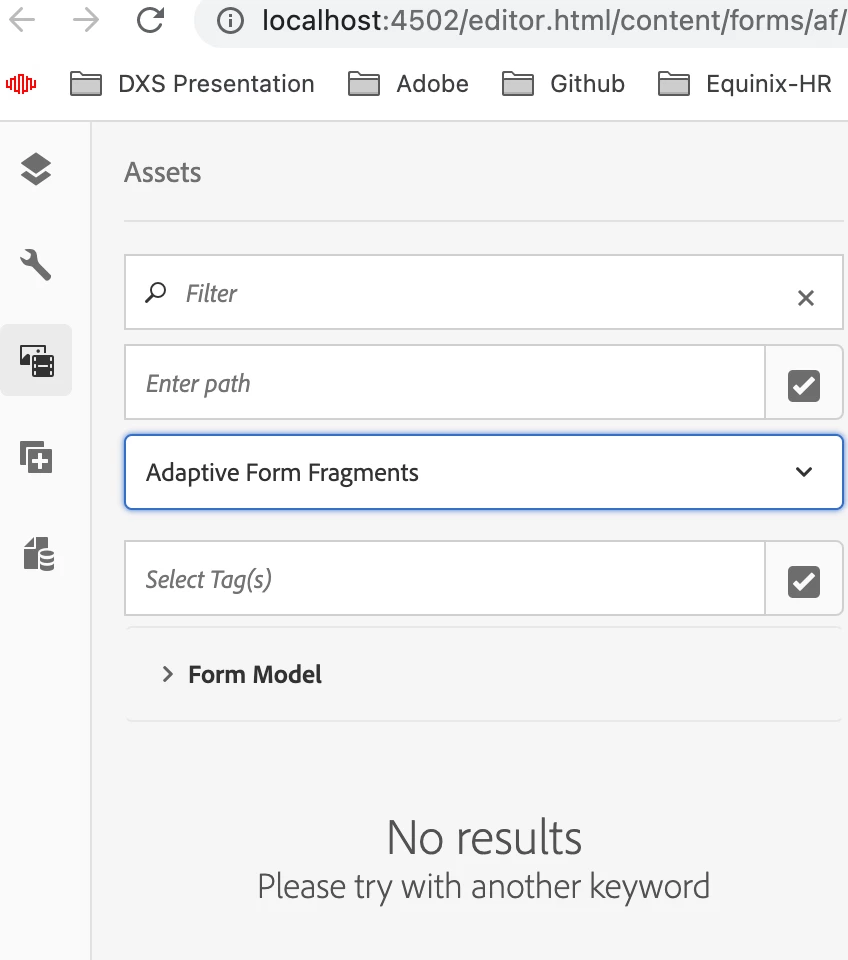
As per documentation, I'm not able to insert an adaptive form fragment to an adaptive form even I follow these documentation steps. The adaptive form fragment(without using any form model) that I created not appearing in the Adaptive Form Fragments tab of the AEM content finder. Can anyone help me on this?


I installed "aem-service-pkg-6.5.12.0.zip" and "adobe-aemfd-osx-pkg-6.0.640.zip" packages.

This post is no longer active and is closed to new replies. Need help? Start a new post to ask your question.
Best answer by SivakumarKanoori

@csaini :


Can you go to the pathfield in your screenshot (Enter path), and route to the path where you have created the fragments, then it will display the fragments. <Usually it should display without using this>


if still not displayed, Can you open the developer tools , and you can see one call happen to the below url 

https://localhost:4502/libs/fd/af/components/info.json?format=json&type=fragfinder&start=0&limit=20&query=&assetType=&tags=&filterPath=&_=1676962911870


check if there is any error occured while calling this API.


Thanks 

Siva

1 reply

SivakumarKanoori
Community Advisor
SivakumarKanooriCommunity AdvisorAccepted solution
Community Advisor
February 21, 2023

@csaini :


Can you go to the pathfield in your screenshot (Enter path), and route to the path where you have created the fragments, then it will display the fragments. <Usually it should display without using this>


if still not displayed, Can you open the developer tools , and you can see one call happen to the below url 

https://localhost:4502/libs/fd/af/components/info.json?format=json&type=fragfinder&start=0&limit=20&query=&assetType=&tags=&filterPath=&_=1676962911870


check if there is any error occured while calling this API.


Thanks 

Siva

Thanks,Siva