How to pass values from Page v5 compatibility node to script node in webApp
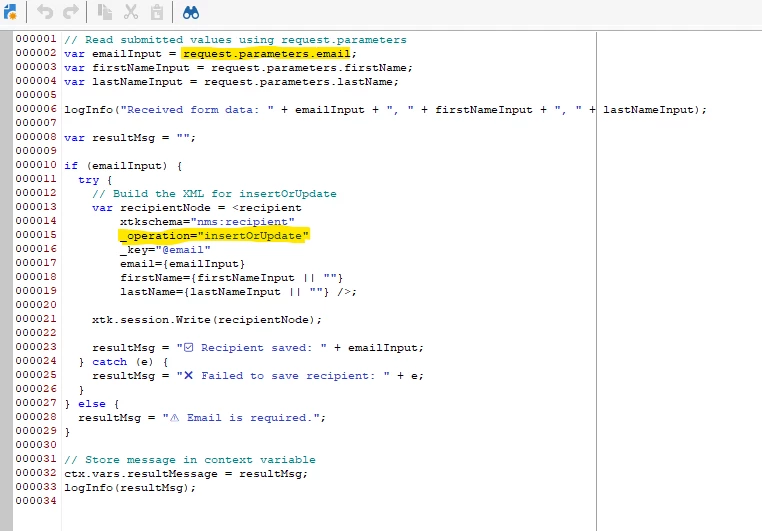
I have a webApp where it reads 3 data field values from an input form. On submit click it should compute a custom field value based on other inputs and save the record into a table. I'm able to read and capture the input using Page v5 compatibility node with html and js script. However I'm unable to save the captured record into table. I tried below function in the same Page v5 node and also tried in a script node after Page v5 node but no luck. If I hard code the values in script node then I'm able to see the record insertion otherwise I receive error : Error: SCR-160017 Function 'Write', argument 0: cannot convert argument to an XML document.
Code used to save the record:
function saveRecord(campaignLabel, deliveryLabel, mirrorPage){
var currentDateTime = formatDate(getCurrentDate(), "%4Y-%2M-%2D %2H:%2N:%2S");
var customSchema;
if(campaignLabel.length > 0){
customSchema =
<customSchema xtkschema="xyz:customSchema" campaignLabel={campaignLabel} creationDate={currentDateTime} deliveryLabel={deliveryLabel} mirrorPageLink={mirrorPage}>
</customSchema>;
}
return xtk.session.Write(customSchema);
}
//var campaignLabel = request.getParameter(campaignLabel);//ctx.vars.campaignLabel;
//var deliveryLabel = request.getParameter(deliveryLabel);//ctx.vars.deliveryLabel;
var campaignLabel = ctx.vars.campaignLabel.toString();
var deliveryLabel = ctx.vars.deliveryLabel.toString();
var mirrorPage = campaignLabel + "_" + deliveryLabel + ".com";
var rec = saveRecord(campaignLabel, deliveryLabel, mirrorPage);