External Lookup does not return value if query has special characters | Community
Skip to main content
Level 2
August 2, 2024
Solved

External Lookup does not return value if query has special characters

  • August 2, 2024
  • 2 replies
  • 1015 views

I am trying to fetch the Program associated to a Project. The Project is selected using a typeahead and the name of the Project is used in the URL to fetch the associated Program. The issue is that the External Lookup field is not returning any value when the Project name has special characters. This is what I could deduce from what I could see. Any suggestions or leads are appreciated.


Project Name: Supplier for SAV+ OTV
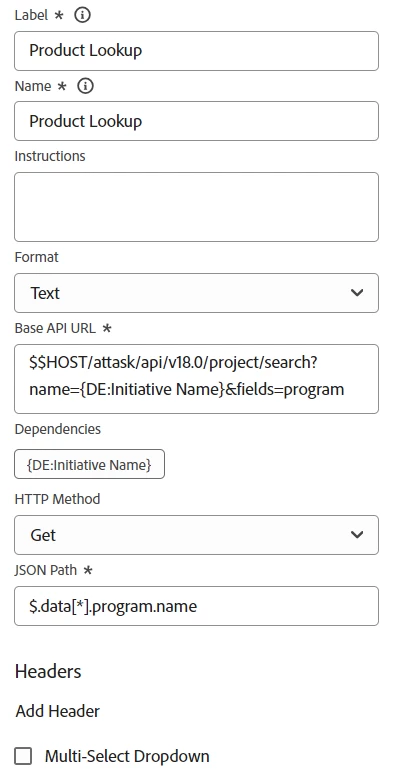
 

Thanks in advance.
Best answer by kevinmathew2

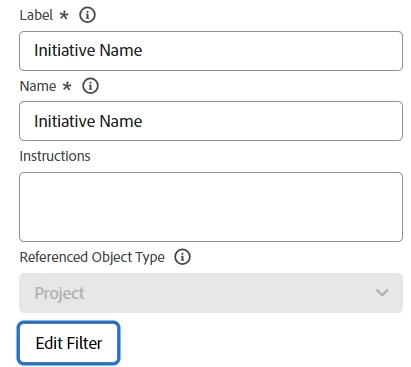
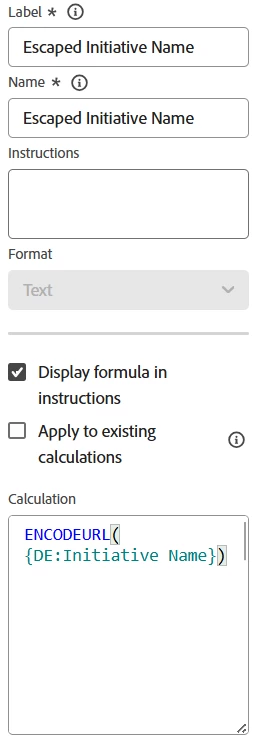
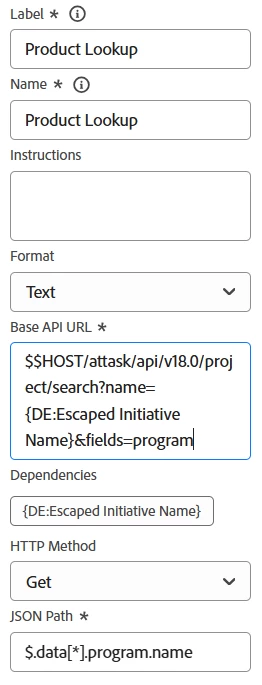
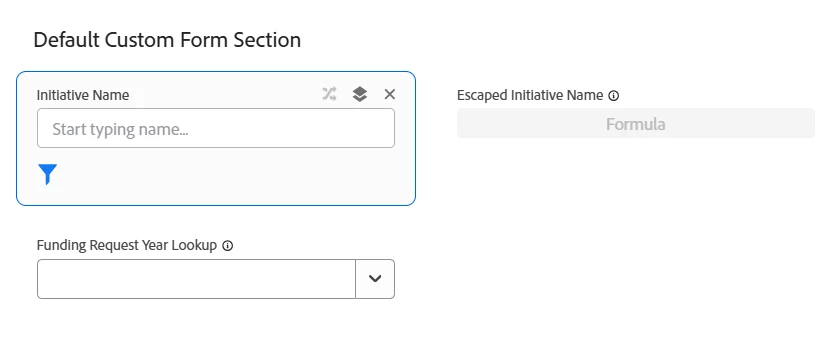
I wanted to post an update on this question. I have found a solution to my problem. I owe it partly to @Kurt_Jones. I used the concept of url encoding to get to this solution. Everything remains the same, except for the parameter i am passing to the Base URL. Instead of 'DE:Initiative Name'. i am now using 'DE:Escaped Initiative Name'. Please refer screenshots below for a better understanding.


2 replies

Kurt_Jones
Community Advisor
Community Advisor
August 21, 2024

Hi simplykevinm,

I had similar problem using external lookup fields.  I had to create a calculated with url encoding to get around the issue.  You can use a website like urlencoder.org to get the appropriate symbols.  Mine involved Products and Product Lines so watch the flow below:


Created initial Product field I needed users to select (notice special characters in titles)

Next, had to create a calculated field to look at the field above to basically do url encoding so the next lookup field will be able to read it.  I used website urlencoder.org to input my title and it will spit out the formatting for you.

Finally, I created the Product Line field which took the selection from the first field (but was manipulated by the calc field) to show only Product Line items related to the Core product that was selected.  Note the API call and dependency is using the calc field I created above so it can be understood and pull the right info.  Hope this helps, it was a challenge for our side as well.


Kurt_Jones
Community Advisor
Community Advisor
August 21, 2024

One more thing....this won't test properly in the Preview Editor (it doesn't calculate), so I made test project with test custom form and my fields above to test and make sure all the right options popped up when core product was selected...but it worked.

kevinmathew2AuthorAccepted solution
Level 2
February 14, 2025

I wanted to post an update on this question. I have found a solution to my problem. I owe it partly to @Kurt_Jones. I used the concept of url encoding to get to this solution. Everything remains the same, except for the parameter i am passing to the Base URL. Instead of 'DE:Initiative Name'. i am now using 'DE:Escaped Initiative Name'. Please refer screenshots below for a better understanding.