Fusion Scenario - Data Store Incorrectly Assigning | Community
Skip to main content
Level 2
February 28, 2025
Solved

Fusion Scenario - Data Store Incorrectly Assigning

  • February 28, 2025
  • 1 reply
  • 633 views

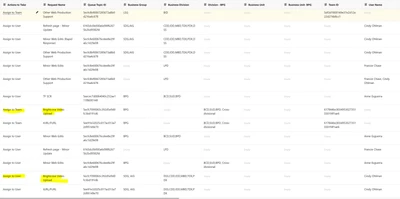
Does anyone else have issues with their data store finding a "match" record in their data store that is incorrect? This seems to happen anytime we try to add a new row to our data store. 


Example: User enters Business Division: BPG, Queue topic: Brightcove


Data store information:

BPG, Brightcove - assign to BPG Team

AIG, Brightcove - assign to a user


The data store assigns the request to the AIG user instead of the BPG team. 


Best answer by Sven-iX

Hi @jsanto16 


I looked over the filters but can't say much because I don't know what the incoming request looks like. 

2 suggestions: 

  1. Map out the flow on paper (or Mural) and then correlate to the filters - I find when I do that I sometimes find something I otherwise missed
  2. we can do a screenshare (DM me)


Also, dbl check the incoming request. Is the payload as expected (e.g. any of the search parameters blank? I had a wild goose chase once because of that)


1 reply

Sven-iX
Community Advisor
Community Advisor
February 28, 2025

Hi @JSanto16 

The data store doesn't do any assigning. It's a super simple data base and - garbage in, garbage out. 


Can you share the module settings that populates the data store? In general a bit more context on the scenario(s) and Workfront setup would help. 

JSanto16Author
Level 2
March 3, 2025

Hi @1882331 Here are the screen shots of the module settings. It is a little complex due to the number of different business groups and divisions we use in our company. There are 8 different filter rules. The theory was these filters should allow easy additions to the data store. Example

If I want a certain request type and business division or group to route to a specific person or team, I can just add that to the store and it will route correctly. However it is not the case. 

The example I first posted was for the Brightcove Video upload Request. The business Division and group are what determine the routing, but it is not filtering correctly. 


Sven-iX
Community Advisor
Sven-iXCommunity AdvisorAccepted solution
Community Advisor
March 3, 2025

Hi @jsanto16 


I looked over the filters but can't say much because I don't know what the incoming request looks like. 

2 suggestions: 

  1. Map out the flow on paper (or Mural) and then correlate to the filters - I find when I do that I sometimes find something I otherwise missed
  2. we can do a screenshare (DM me)


Also, dbl check the incoming request. Is the payload as expected (e.g. any of the search parameters blank? I had a wild goose chase once because of that)