


Workfront Community Lens: November 2025

Welcome Back to the Adobe Workfront Customer Newsletter!
In this Issue:
-
What’s new in Adobe Workfront (Q4 2025): redesigned “My Requests” widget, role-based Workload Balancer, and Planning enhancements with drag-and-drop and inline edits
-
Adobe Workfront Planning (Q4 2025): improved request forms, connected record editing, and refreshed UI for better usability
-
Adobe Workfront Fusion Release Activity Overview (Q4 2025): performance, connector, and monitoring improvements for smoother automation
-
[AMA] The Wizard’s Workshop: Demystifying Textmode & EXISTS in Workfront: RSVP now, post your questions in advance, and join the live discussion on October 26
-
New Blueprint Released: Baseline Dashboard: Track project trends, compare planned vs. actual results, and identify bottlenecks with this new dashboard template
-
Training Updates: New videos on proof management, requests, logging hours, lessons learned, and navigation in Enhanced Analytics
-
Featured Events in December: Including “Measuring What Matters,” Admin Chats, and “Workfront Collective” virtual sessions
-
Lend Your Expertise: Help answer questions with zero replies or unresolved discussions and strengthen the Workfront Community
-
Blueprints & Best Practices: Explore ready-to-use templates, dashboards, and organizational structures; subscribe to the System Admin Essentials email series
-
Community Spotlight: Top Contributors: Celebrating the Workfront and Fusion experts who drive knowledge sharing
-
Let’s Hear From You!: Question of the Month: What’s one Workfront tip, trick, or feature that’s completely changed the way you work this year?
What’s new in Adobe Workfront?
What’s new in Adobe Workfront (Q4 2025)
- The “My Requests” widget has been redesigned to show both Workfront and Workfront Planning requests, now with more customizable filters and layout control.
- The “Workload Balancer” is now available in every user’s profile, giving all users visibility into their own demand and capacity; role assignments are also displayed.
- Planning enhancements introduce drag-&-drop in timeline and calendar views, inline edits of connected projects, and smarter request-form behaviour (e.g., single-decision approver and auto-complete settings).
- Miscellaneous improvements: A blue-dot indicator now appears when filters/groupings are applied in lists, and administrators get a confirmation dialog before removing a custom form from an object to protect data.
Adobe Workfront Planning (Q4 2025)
- Enhanced request forms now let you auto-complete when a requested object is done, only require a single-decision approver when multiple exist, and support drag-&-drop start/end date edits directly in timeline and calendar views.
- Inline editing of connected projects from the “Connected Records” page streamlines your workflow, and a UI refresh replaces view tabs with dropdowns and moves toolbar icons/search box for greater usability.
- The revamped “My Requests” widget now combines both Workfront & Planning requests with improved filters and save-views, while the Workload Balancer appears in users’ profiles so every team member can view capacity/demand at a glance.
Adobe Workfront Fusion release activity overview (Q4 2024)
- The latest update (October 2025) continues to refine integrations and workflow automation across apps and web services, enabling fewer manual steps and more seamless hand-offs.
- Release activities span multiple weeks (August–October 2025) with incremental enhancements in connector performance, scenario-execution monitoring, and user-experience optimisations.
- The focus remains on enabling teams to automate more reliably and transparently — freeing them to concentrate on new tasks rather than repeating old ones.
[Workfront AMA] The Wizard’s Workshop: Demystifying Textmode & EXISTS in Workfront
- Date: October 26, 2025
- Location: Text-based (Workfront Communities Thread)
Step into the Wizard’s Workshop to uncover the secrets of Textmode and the powerful EXISTS statements in Adobe Workfront. This AMA is your opportunity to learn directly from experts, ask real-world questions, and see how advanced reporting and filtering can elevate your Workfront insights. This session is especially valuable for report creators, analysts, and power-users eager to take their reporting skills to the next level.
- Ready to join? RSVP now to reserve your spot and add it to your calendar.
- Have something specific in mind? Ask your question in advance on the event thread.
And don’t forget to share this AMA with your peers and teams. The more questions and scenarios we have, the richer the conversation becomes.
New Blueprint Released: Baseline Dashboard
Take your project insights to the next level with our newly released Baseline Dashboard Blueprint. This streamlined dashboard features four powerful reports – two for projects and two for tasks – allowing you to track both in-flight and completed work, quickly spot bottlenecks, and compare planned vs. actual results. Baselines serve as your project management time machine, enabling you to identify trends, problematic tasks, and scope changes at a glance.
Don’t just report on project history – learn from it. Leverage these insights to refine your templates and power up your project outcomes! Head over to the Community now to dive into the Baseline Dashboard blueprint!
Experience League Training Updates
Check out the latest updates to our Workfront Training videos!
- Manage proof versions: Learn how to find the details of a proof, how to download all versions of a proof, and how to delete a proof version.
- Find and manage requests: Learn how to find requests you’re assigned to, requests you've created, and requests that you manage.
- Log and review hours: Record outstanding hours and review logged hours before closing a project.
- Record lessons learned: Learn how to benefit from “lessons learned” when closing a project.
- Understand work and people charts: Work charts show you activity from the project and task perspective, while People charts show you activity from the perspective of a home team.
- Understand basic navigation: Learn to navigate the Enhanced Analytics area.
- Understand proof details: Dig deeper into the details behind a proof in Adobe Workfront through the summary panel and Document Details page.
Free Virtual Events
- December 3 at 8:00 a.m. PT – Measuring What Matters: How Schneider Electric Drives Workfront Efficiency with Fusion
- December 5 at 9:00 a.m. PT – Admin Chat for Marketing & Creative
- December 9 at 10:00 a.m. PT – The Relationship Builder: How Syracuse University leverages Workfront Planning to Connect Work
- December 16 at 8:00 a.m. PT – Admin 101: Getting Workfront Data
- December 18 at 8:00 a.m. PT – Admin 101: Bring Your Workfront Questions
- December 22 at 6:00 a.m. PT – Workfront Collective
Additional events will be published to the Experience League soon! Be sure to check out the Events page to view and register for all upcoming sessions.
Lend Your Expertise in the Workfront Community
The Workfront Community thrives because of the knowledge and generosity of its members — and your expertise makes a real difference! At times, some questions remain unanswered or unresolved, and this is where your skills are most valuable. We invite our Super Users, Advisors, and SMEs to take a moment to review and contribute:
These quick links provide a fast way to spot questions that most need attention. If you’re short on time, they’re a handy shortcut. Though we always encourage exploring the wider Community for new discussions as well.
Your thoughtful answers not only help fellow users succeed but also enrich the collective knowledge of the Workfront ecosystem. Even adding context or clarifying an existing reply can guide a question toward resolution. Thank you for sharing your expertise and continuing to support the Community!
Best practices, at your fingertips
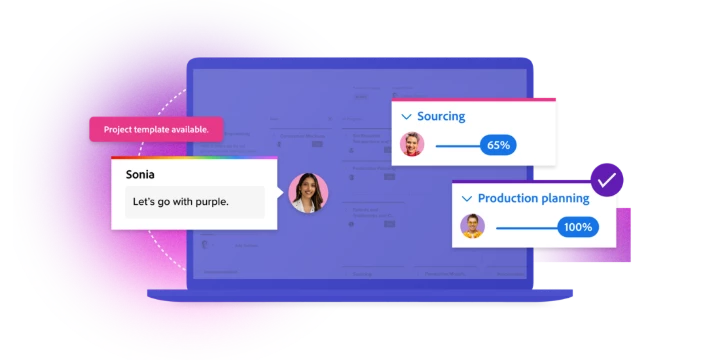
Did you know there is a catalog of ready-to-use project templates, dashboards, and organizational structures right inside of Adobe Workfront? Blueprints provide the basic building blocks, so you don’t have to start from scratch.
Sign up for our System Admin Essentials email series - or share it with new folks on your team - and for the next few months, you'll receive Workfront tips and best practices, including how to get the most from Blueprints.
Community Spotlight: Top Contributors
Every question answered strengthens the Workfront ecosystem. Thank you to our amazing Community experts for sharing their time and knowledge!
Top 10 Workfront Contributors (last 3 months): @skyehansen, @kelliegardner , @madalyn_destafney , @sven-ix, @monicacardoso , @kurt_jones , @kurt_jones, @katherinela , @justinrenteria2 and @rowvillbh1 | See the full Workfront leaderboard here
Top 5 Workfront Fusion Contributors (last 3 months): @Sven-iX , @IvanBebek-iX , @andrewshevchyk , @johnjosullivan , @lgaertner, @lawson02, @_manish_singh, and @chrisstephens | See the full Workfront Fusion leaderboard here
Let’s Hear From You!
We want the Community Lens to be more than just updates — we’d love to feature your voice, too.
 Question of the Month: What’s one Workfront tip, trick, or feature that’s completely changed the way you work this year?
“Great things in business are never done by one person; they’re done by a team of people.”
- Steve Jobs
(And if you have any feedback to share about this newsletter—good or bad! —We’d love to hear from you. Please reply to this email to tell us what you liked, what else you’d like to see, or to tell us a joke. We’re here for all of it. And if you’d like to spread the knowledge, please feel free to share our Newsletter Signup Form!)