searching for pages that have never been published | Community
Skip to main content
key-key
Level 4
May 18, 2020
Solved

searching for pages that have never been published

  • May 18, 2020
  • 3 replies
  • 5254 views

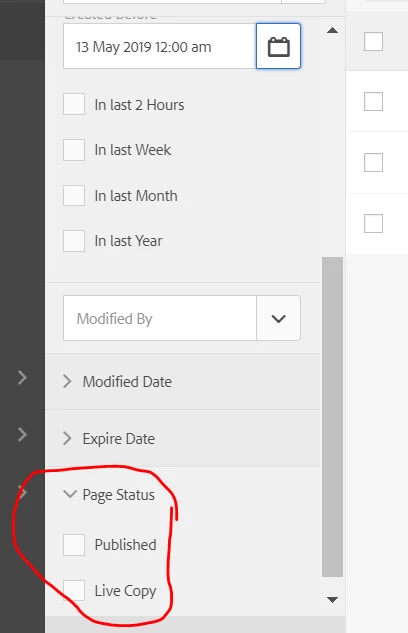
we want to search for pages that have not been published that were created before 1 year ago and delete them but there is not the option in the search console.  

AEM 6.1.  Does anyone have a solution? 


This post is no longer active and is closed to new replies. Need help? Start a new post to ask your question.
Best answer by Ankur_Khare

Use groovy script to achieve this-

Refer this link-

https://hashimkhan.in/aem-adobecq5-code-templates/groovy-script/


You need to write a query to achive this.


3 replies

Ankur_Khare
Community Advisor
Ankur_KhareCommunity AdvisorAccepted solution
Community Advisor
May 18, 2020

Use groovy script to achieve this-

Refer this link-

https://hashimkhan.in/aem-adobecq5-code-templates/groovy-script/


You need to write a query to achive this.


Theo_Pendle
Level 8
May 18, 2020

Hi @key-key,

If you don't mind deleting the pages by hand (if there aren't many) you can use the following SQL-2 query in CRX (by going to Tools.. > Query and changing the language to JCR SQL 2) and just click and delete each result (you'll have to adapt the date in the query):

select * from[cq:Page] as page inner join [cq:PageContent] as content on ischildnode(content, page) where content.[cq:lastReplicated] is null and page.[jcr:created] < CAST('2020-05-18T00:00:00.000Z' AS DATE)

If you need to delete the pages programmatically, I suggest creating a workflow. This sounds like the sort of thing you might do every year? Or more often even, if you wanted to. With a workflow, you can develop it once and then just launch it any time you want 🙂

You can create a workflow using the techniques in this tutorial. The workflow should:

  1. Programatically find the date n - 1 year
  2. Run the query
  3. Delete each resource that is returned

Hope that helps 🙂

arunpatidar
Community Advisor
Community Advisor
May 18, 2020

As @theo_pendle  and @ankur_khare already shared a solution with you.


Just sharing QueryBuilder code as well in case you want to use it or get a result as json 


path=/content/AEM63App
type=cq:Page
orderby=@jcr:score
orderby.sort=desc
property=jcr:content/cq:lastReplicationAction
property.operation=exists
property.value=false
daterange.property=jcr:content/cq:lastModified
daterange.upperBound=2019-05-19
orderby=@jcr:content/cq:lastModified
orderby.sort=desc
p.hits=selective
p.properties=jcr:path jcr:content/cq:lastModified

Arun Patidar