Not able to see styles plugin in richtext editor | Community
Skip to main content
Level 2
March 31, 2022
Solved

Not able to see styles plugin in richtext editor

  • March 31, 2022
  • 2 replies
  • 905 views

I have created a styles node under rtePlugins but not able to see it in the dialog 

Here is the rte dialog
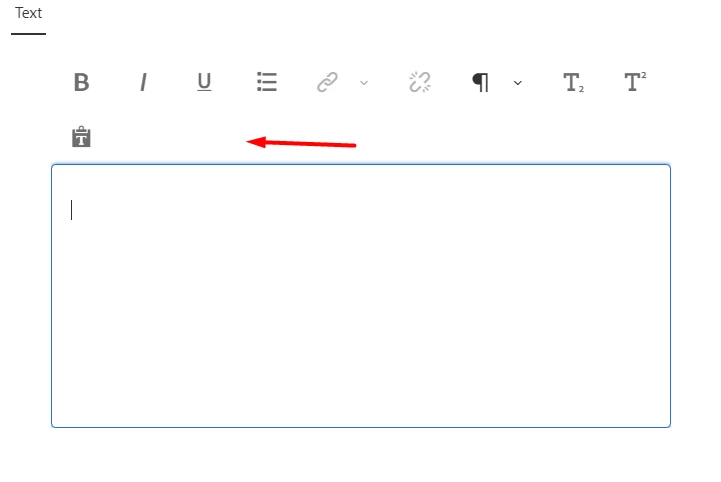


I'm using Adobe Experience Manager, Version 6.5.0 


This post is no longer active and is closed to new replies. Need help? Start a new post to ask your question.
Best answer by HiteshRa3

This solution worked for me
rte-styles-and-edit-in-touch-ui-dialog

2 replies

Anmol_Bhardwaj
Community Advisor
Community Advisor
March 31, 2022

You would need to add child nodes inside the style node in order for them to appear in the RT Editor.

You would need to declare a value and then a CSS name on which styling can be applied 

Something like this:

<styles 
 jcr:primaryType="nt:unstructured"
 features="*">
  <styles jcr:primaryType="nt:unstructured">
     <sampleStyle
       jcr:primaryType="nt:unstructured"
       cssName="sample"
       text="sample description"/>
  </styles>
</styles>


HiteshRa3Author
Level 2
March 31, 2022

Hi,

even without adding child nodes inside the style node we should still be able to see the "S" symbol right, with blank dropdown like in the screenshot below, which is not appearing in my case


HiteshRa3AuthorAccepted solution
Level 2
March 31, 2022

This solution worked for me
rte-styles-and-edit-in-touch-ui-dialog
