max min items core tabs component | Community
Skip to main content
Level 3
August 23, 2024
Solved

max min items core tabs component

  • August 23, 2024
  • 2 replies
  • 1934 views

Hi All,


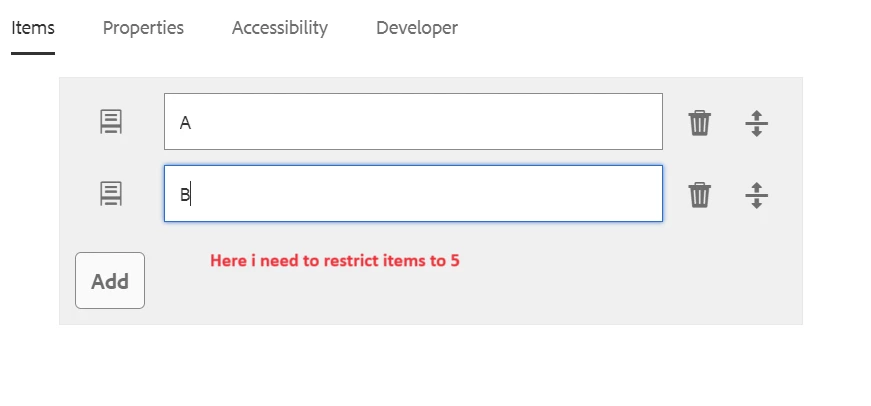
Could you please let me know if it's possible to limit the addition of components to the core tabs component(proxy component )? If so, could you provide the process for doing so?


Thank you,

Best answer by arunpatidar

Hi @arunpatidar ,

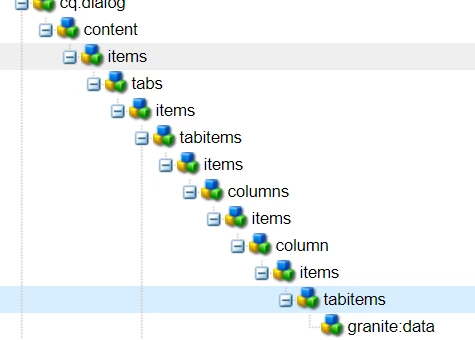
I tried the above approach but not at all restricting the max and min items . Please help me here , Do you have any other steps follow or Do you have any reference for it ? 


Thank you


Hi @satish2info-1 
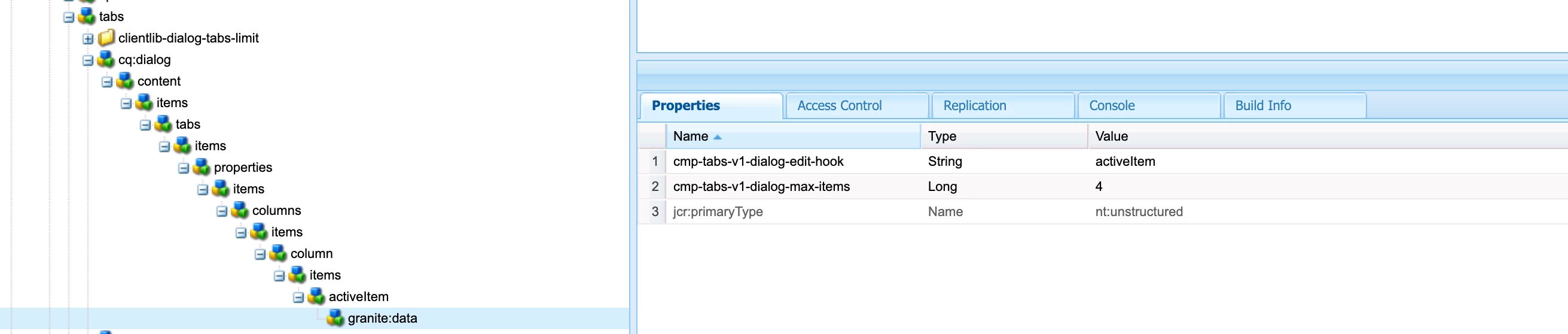
Here is the sample clientlibs/js - https://github.com/arunpatidar02/aem63app-repo/blob/master/js/tab-item-limit.js 


property added here: 


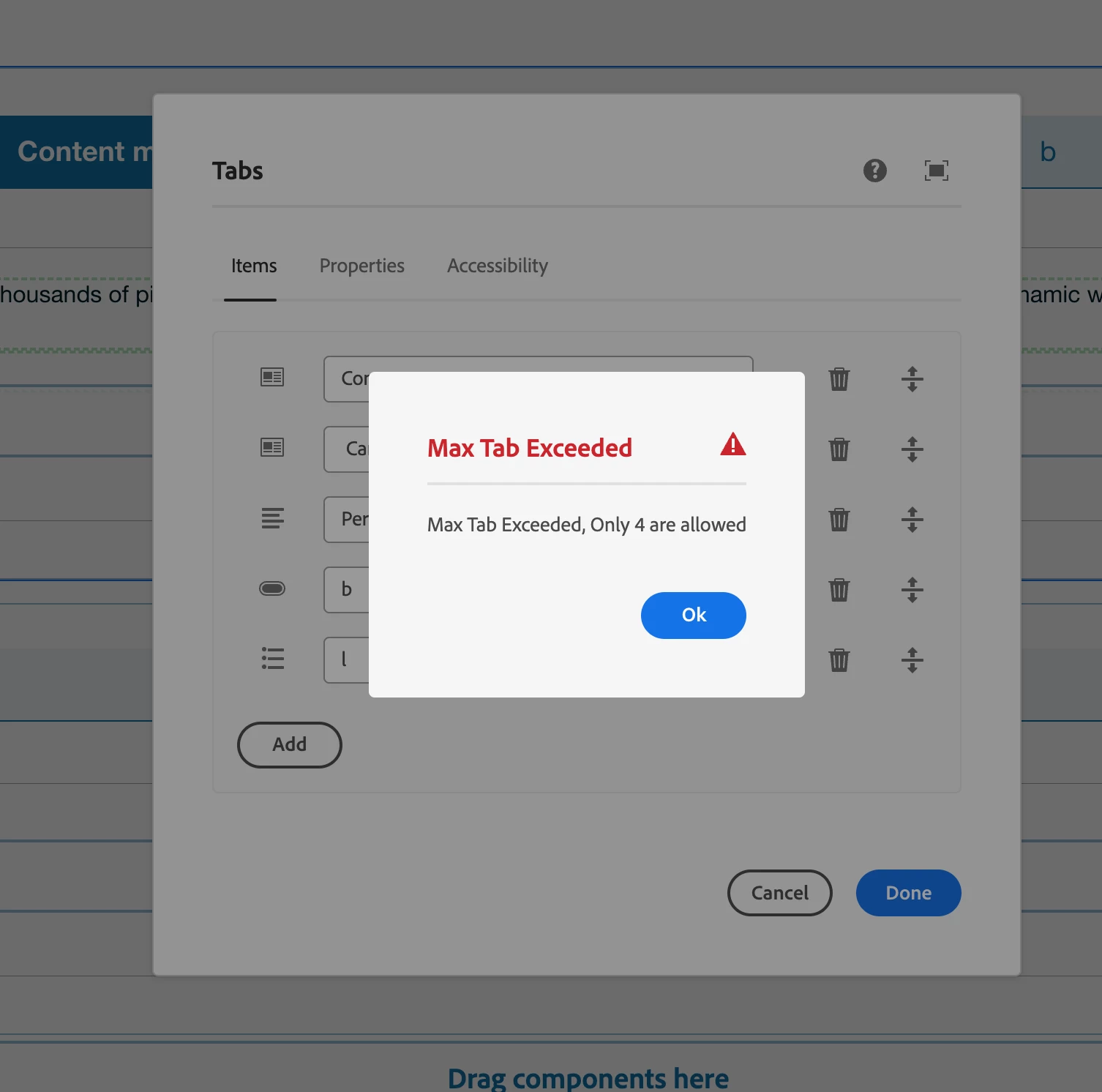
Validation on dialog submit
 

2 replies

arunpatidar
Community Advisor
Community Advisor
August 23, 2024

Hi @satish2info-1 
The item is a type of multifield, you can try min max for multifield 

https://experienceleaguecommunities.adobe.com/t5/adobe-experience-manager/multifield-max-and-min-items-validation/td-p/644963 


Since the Item is added from common, place, so you may need to add a hidden field in the tab, just to define min-max value otherwise hardcode in clientlibs js of tab dialog.
https://github.com/adobe/aem-core-wcm-components/blob/main/content/src/content/jcr_root/apps/core/wcm/components/commons/editor/dialog/childreneditor/v1/childreneditor/childreneditor.html 

Arun Patidar
Level 3
August 23, 2024

Hi @arunpatidar ,

Thank you for reply ,

Yes, it is a multifield, but it is rendering from  childreneditor.html instead of the dialog. I will define the maximum and minimum length, but where should I restrict these values and how should I display messages to authors indicating the allowed items?

Is there a built-in way to handle this in JavaScript, or do we need to write custom JavaScript to enforce these restrictions?

Level 3
August 26, 2024

Hi @satish2info-1 
1. Proxy the tab component

2. update only the dialog with your clientlib(to perform min-max check) and hidden field with granite:data to configure limit.

3. Read min-max value from hidden fields data attribute in js and show either popup or inline message. 


Hi @arunpatidar ,

I tried the above approach but not at all restricting the max and min items . Please help me here , Do you have any other steps follow or Do you have any reference for it ? 


Thank you


kautuk_sahni
Community Manager
Community Manager
August 30, 2024

@satish2info-1 Did you find the suggestion helpful? Please let us know if you require more information. Otherwise, please mark the answer as correct for posterity. If you've discovered a solution yourself, we would appreciate it if you could share it with the community. Thank you!

Kautuk Sahni