Issue with the Bulk Editor | Community
Skip to main content
akshatn
Adobe Employee
Adobe Employee
April 28, 2023
Solved

Issue with the Bulk Editor

  • April 28, 2023
  • 2 replies
  • 978 views

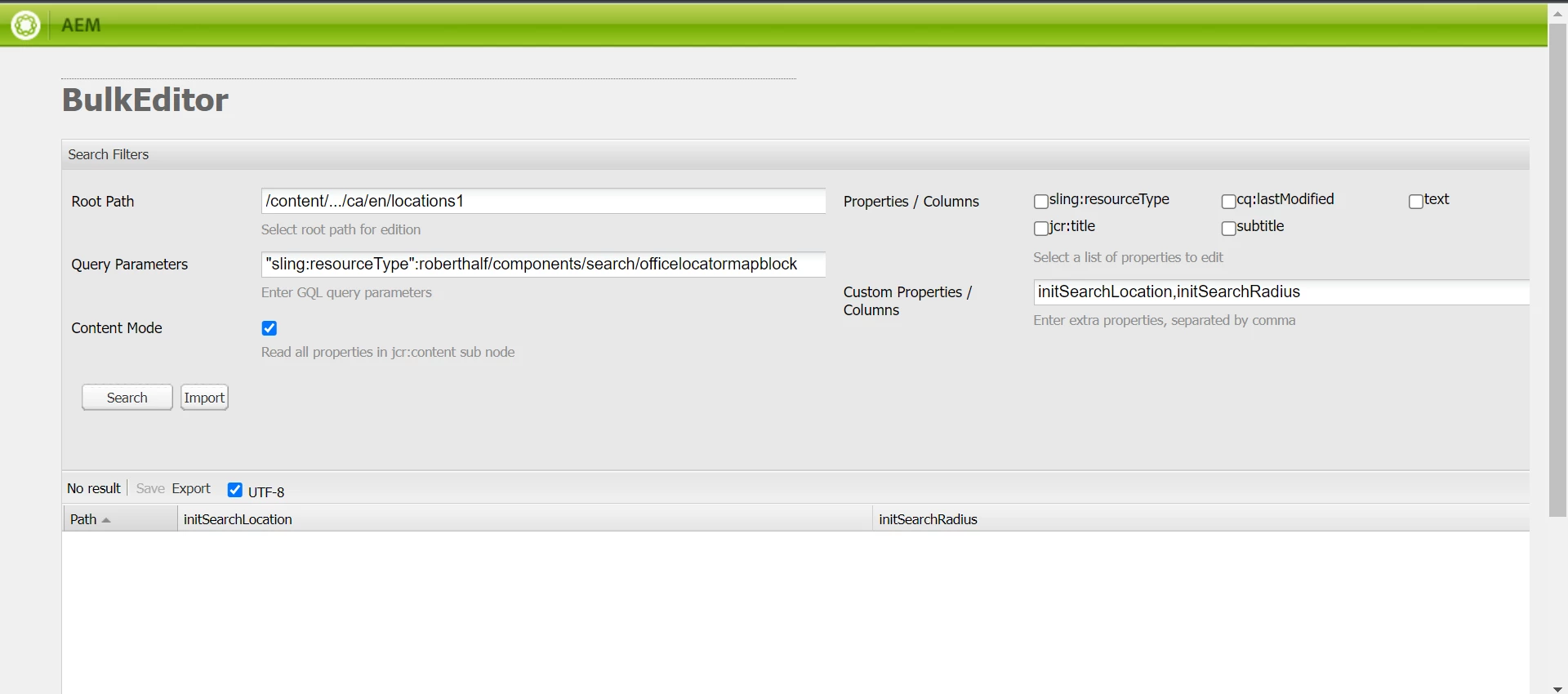
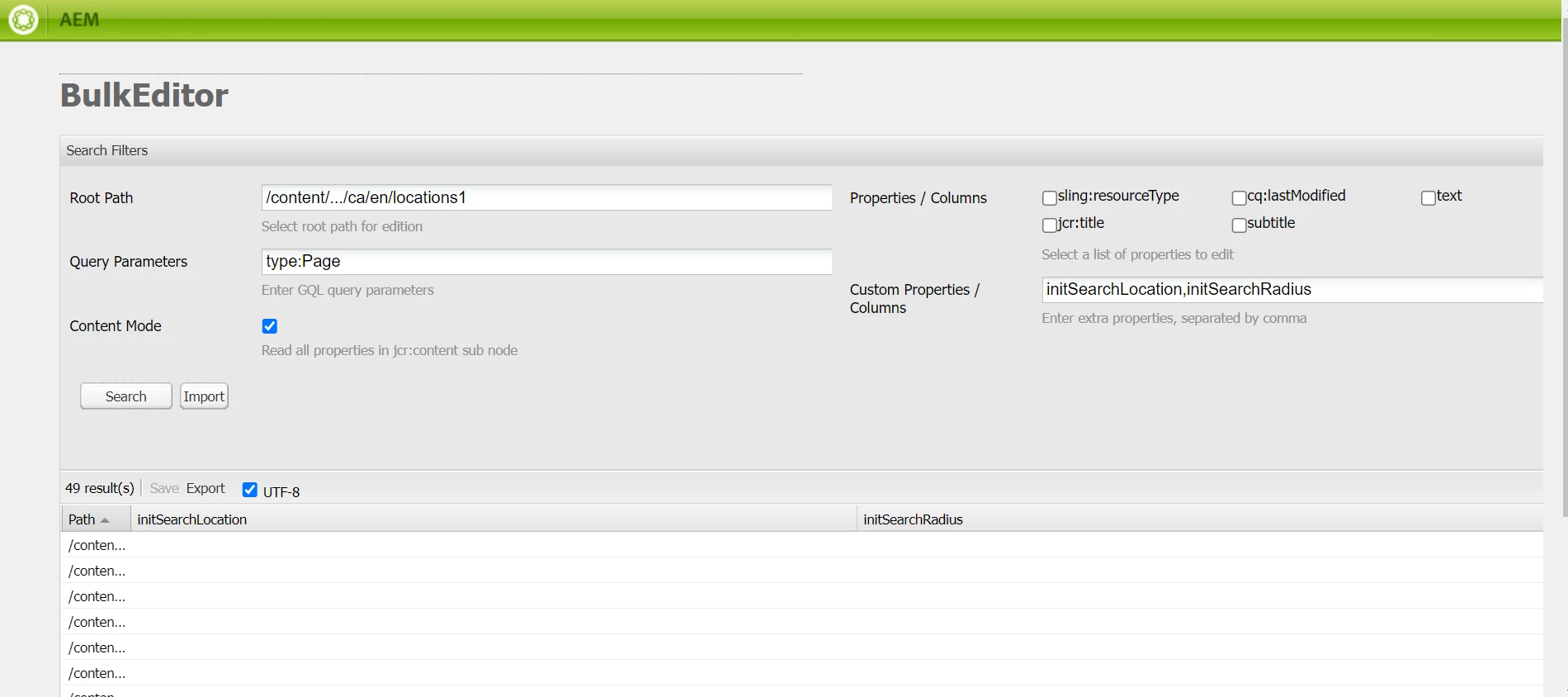
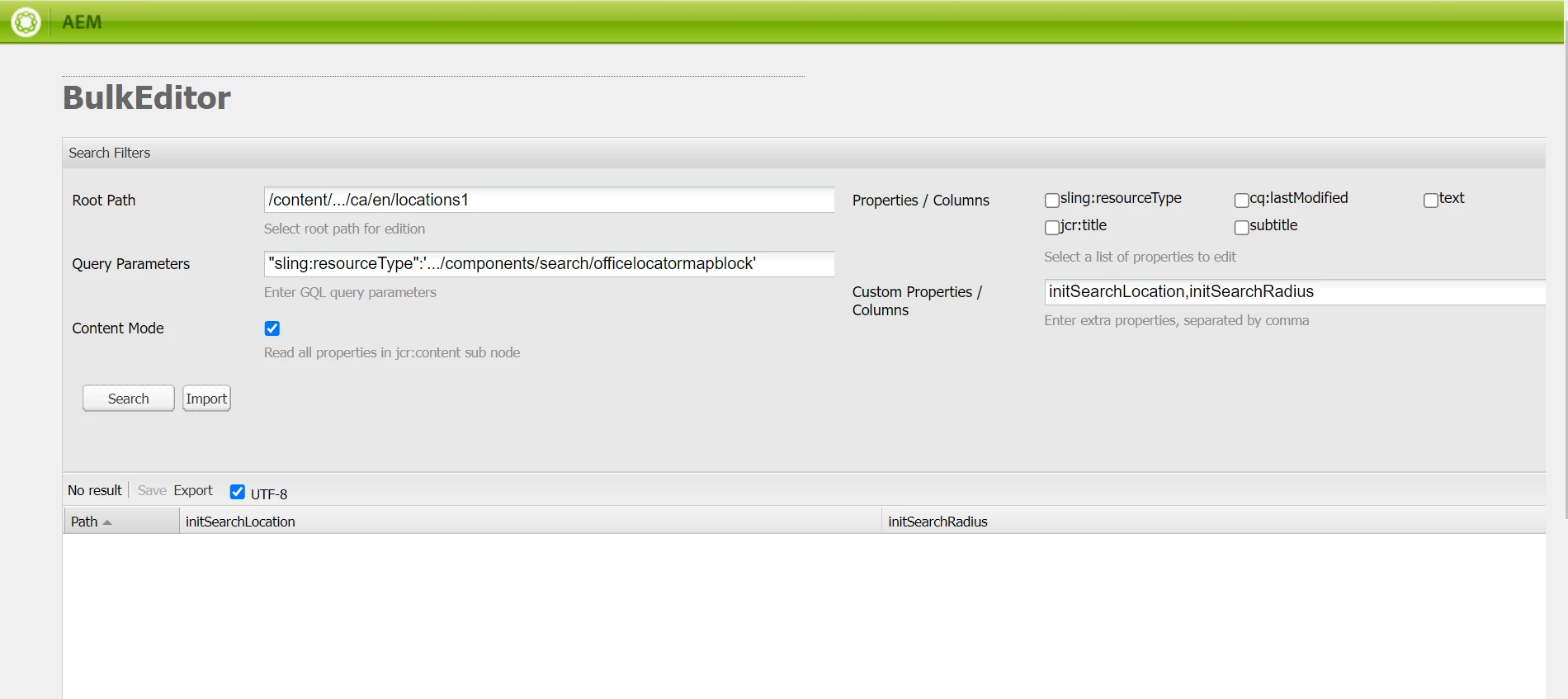
I want to pass the query parameter as "sling:resourceType":'.../components/search/officelocatormapblock' This component is available on the page but I am not getting any results whereas when I try to search for pages with type:Page it is showing me the pages. As per the documentation of Bulk Editor, we have to use "" for passing any query parameter. Kindly Help. Hereby I'm attaching the screenshot:


This post is no longer active and is closed to new replies. Need help? Start a new post to ask your question.
Best answer by arunpatidar

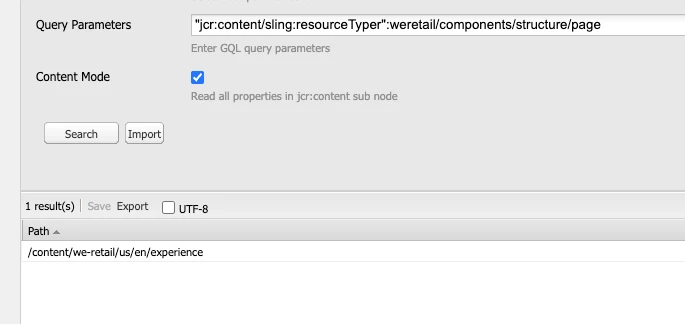
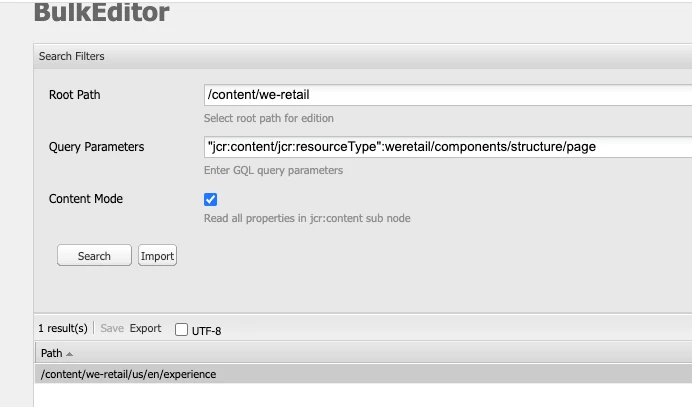
I am not sure if it supports sling namespace, I have tried with test jcr namespace properties and it returns the results but does not returns with sling.

It is not working only with sling:resourceType, I try added properties with different name it works with those


It could be possible that the index used for query exclude those properties

2 replies

arunpatidar
Community Advisor
Community Advisor
April 28, 2023

Hi @akshatn 
You need to pass in "" or without it


Query ParametersUsing GQL parameters, enter the search string you want the bulk editor to look for in the repository; for example, type:Page looks for all pages in the root path, text:professional looks for all pages that have the word "professional" in them, and "jcr:title":English looks for all pages that have "English" as the title. You can only search for strings.
Arun Patidar
akshatn
Adobe Employee
akshatnAdobe EmployeeAuthor
Adobe Employee
April 28, 2023

Hi @arunpatidar 

without "" also its not working.


arunpatidar
Community Advisor
arunpatidarCommunity AdvisorAccepted solution
Community Advisor
April 28, 2023

I am not sure if it supports sling namespace, I have tried with test jcr namespace properties and it returns the results but does not returns with sling.

It is not working only with sling:resourceType, I try added properties with different name it works with those


It could be possible that the index used for query exclude those properties

Arun Patidar