
Installing iText PDF in AEM 6.5.18 | Community
Skip to main content
stiegjo22
Level 4
March 5, 2024
Solved

Installing iText PDF in AEM 6.5.18

  • March 5, 2024
  • 2 replies
  • 1353 views

I've added the following to my pom.xml, however it's not getting deployed to my local instance of AEM author. 


<!-- iTextPDF --> <dependency> <groupId>com.itextpdf</groupId> <artifactId>itextpdf</artifactId> <version>5.5.13.3</version> <scope>provided</scope> </dependency>


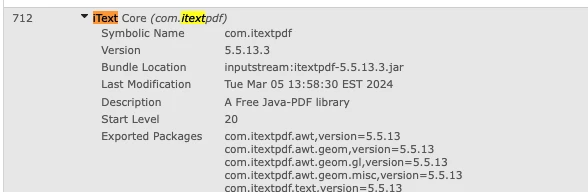
I have to manually install the jar file in bundles for it to work. Is there another workaround? Thanks.


This post is no longer active and is closed to new replies. Need help? Start a new post to ask your question.
Best answer by AMANATH_ULLAH

@stiegjo22 

Try creating new module similar to core in your maven project and include dependencies in it.

Here we need to create an OSGi bundle out of third party non-osgi dependency using maven-bundle-plugin

After deploying you will see a new bundle called commons.core

Below article mentions all the steps for it

https://myaemlearnings.blogspot.com/2021/08/embedding-third-party-dependencyosgi.html

2 replies

AMANATH_ULLAH
Community Advisor
AMANATH_ULLAHCommunity AdvisorAccepted solution
Community Advisor
March 6, 2024

@stiegjo22 

Try creating new module similar to core in your maven project and include dependencies in it.

Here we need to create an OSGi bundle out of third party non-osgi dependency using maven-bundle-plugin

After deploying you will see a new bundle called commons.core

Below article mentions all the steps for it

https://myaemlearnings.blogspot.com/2021/08/embedding-third-party-dependencyosgi.html

Amanath Ullah
Level 4
March 6, 2024

Hi @stiegjo22 


If you want to include the itextpdf library in your bundle automatically, remove the <scope>provided</scope> bit so that itextpdf gets embedded into your bundle when you build the project. Like below:


<dependency>
<groupId>com.itextpdf</groupId>
<artifactId>itextpdf</artifactId>
<version>5.5.13.3</version>
</dependency>


Also, examine the Import-Package configuration in your Maven Bundle plugin configuration. If the com.itextpdf packages are set to version="[0,1)", then it will try to resolve the iText packages from AEM rather than embedding them.


Thanks,

Venkat