
Solved
How to remove /home from URL AEM?
What's the best approach to remove "/home" from home page.
AEM home page:
https://localhost:4502/sites.html/content/companyname/home
What's the best approach to remove "/home" from home page.
AEM home page:
https://localhost:4502/sites.html/content/companyname/home
You can change the node name. There are two easy ways to achieve this.
1. Touch UI.
- Use the "move the page" functionality.
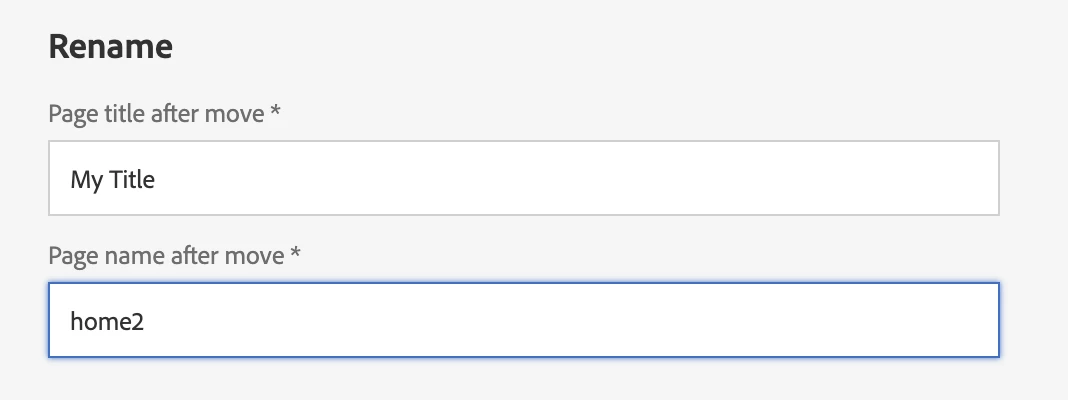
Touch UI will take care of the re-publish and un-publish of the page, and also it's references.
2. CRX/DE console
You can change the node name from the CRX/DE console, http://localhost:4502/crx/de/index.jsp#content/companyname/home, change this to home2 for example.
- Making sure you un-publish the page first, then re-publish the page after the change. This method will not be as handy as the Touch UI way, where references page links would not be automatically updated, and re-published.
3. Delete the page (from the Touch UI or CRX/DE)
If you don't want the /content/companyname/home page, just delete it.... making sure you unpublish the page first; no reference checks & clean up are done here.
Enter your E-mail address. We'll send you an e-mail with instructions to reset your password.