how to add a js file to a particular component dialog box | Community
Skip to main content
Level 4
April 6, 2022

how to add a js file to a particular component dialog box

  • April 6, 2022
  • 2 replies
  • 5170 views

hi, I want to know how can I add js file to a particular component dialog box and that file should not be included into other component dialog boxes.

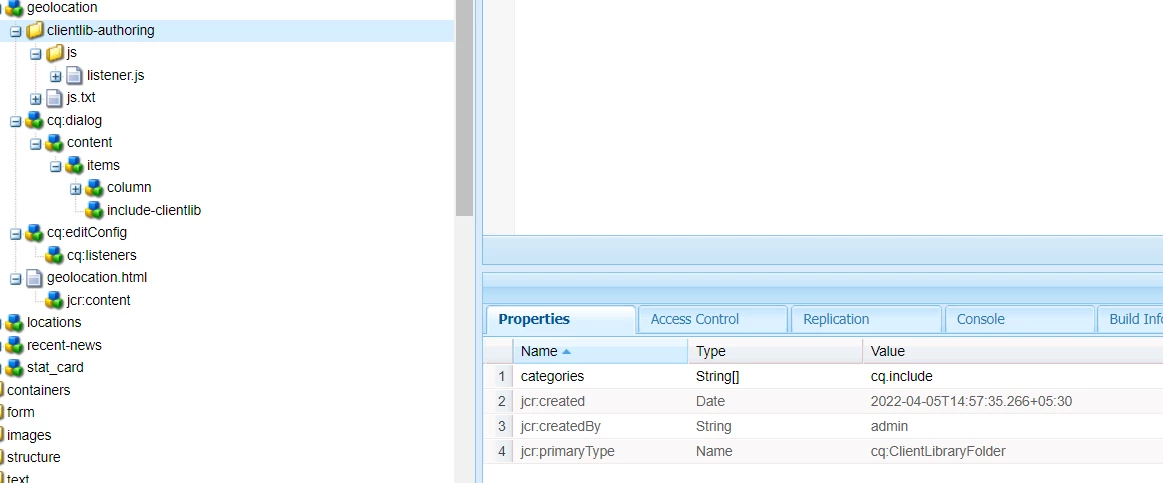
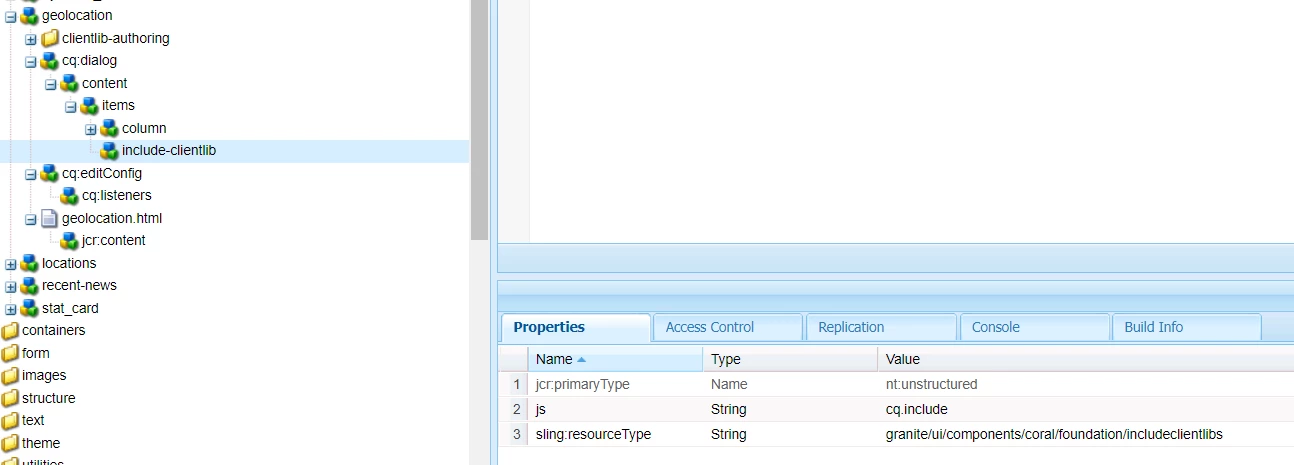
please look at the screen shots of how I am currently doing it. but seems like there are bugs in it because after I open the dialog box for the desired component the js gets loaded but after doing it if I open dialog box for another component (which should not load that js) it also gets loaded. 

I am using categories "cq.include" to include js file for particular component.
This post is no longer active and is closed to new replies. Need help? Start a new post to ask your question.

2 replies

Anmol_Bhardwaj
Community Advisor
Community Advisor
April 6, 2022

Hi @rahul234dabas 

You can just add a property "extraClientlibs" in the jcr:proprties for the dialog and the value would be the category for the custom clientlib which you created. This way it will only load for the dialog/s in which you have added the extraClientlibs property.

Level 4
April 6, 2022

can you show me where to put the the extraClientlibs and with what property to fill it


Anmol_Bhardwaj
Community Advisor
Community Advisor
April 6, 2022

in the jcr:properties of your dialog.


You can refer to this link, if it helps : https://adapttoaem.blogspot.com/2021/02/aem-create-custom-touch-dialog-ui-edit.html 

Shashi_Mulugu
Community Advisor
Community Advisor
April 6, 2022

@rahul234dabas  Revert all your changes for this, as suggested by @anmol_bhardwaj just do below steps:


  • Create a new clientlib with custom category ex: "clientname.componentname.customization.dialog", place your js files in it and configure js.txt
  • Goto your Component Cq:dialog node and add above clientlib as "extraClientlibs".


Let us know if you still face issues.

Level 4
April 7, 2022

yes @shashi_mulugu  I am still facing the same issue . if the component A 's dialog box is opened first then rest of the components also use the js file(which they shouldn't), but if instead of component A any other component's dialog box is being opened then the js file is not included. and it works fine but only after opening component A's dialog box the other components start using the js file

Shashi_Mulugu
Community Advisor
Community Advisor
April 7, 2022

@rahul234dabasyes the reported behavior is expected and it is browser behavior as when you open component A, js is pulled to browser, so all subsequently actions will have the js functionality.


May I know what are you doing with custom clientlib? So I can guide if we can restrict it's execution only to component A?