How can I create a groovy script to add pages under a node using same template? | Community
Skip to main content
Level 2
October 13, 2020
Solved

How can I create a groovy script to add pages under a node using same template?

  • October 13, 2020
  • 1 reply
  • 4083 views

Using one of my editable template, is there any way where I can create n-number of pages using any groovy script or any other script? 

This post is no longer active and is closed to new replies. Need help? Start a new post to ask your question.
Best answer by DEBAL_DAS

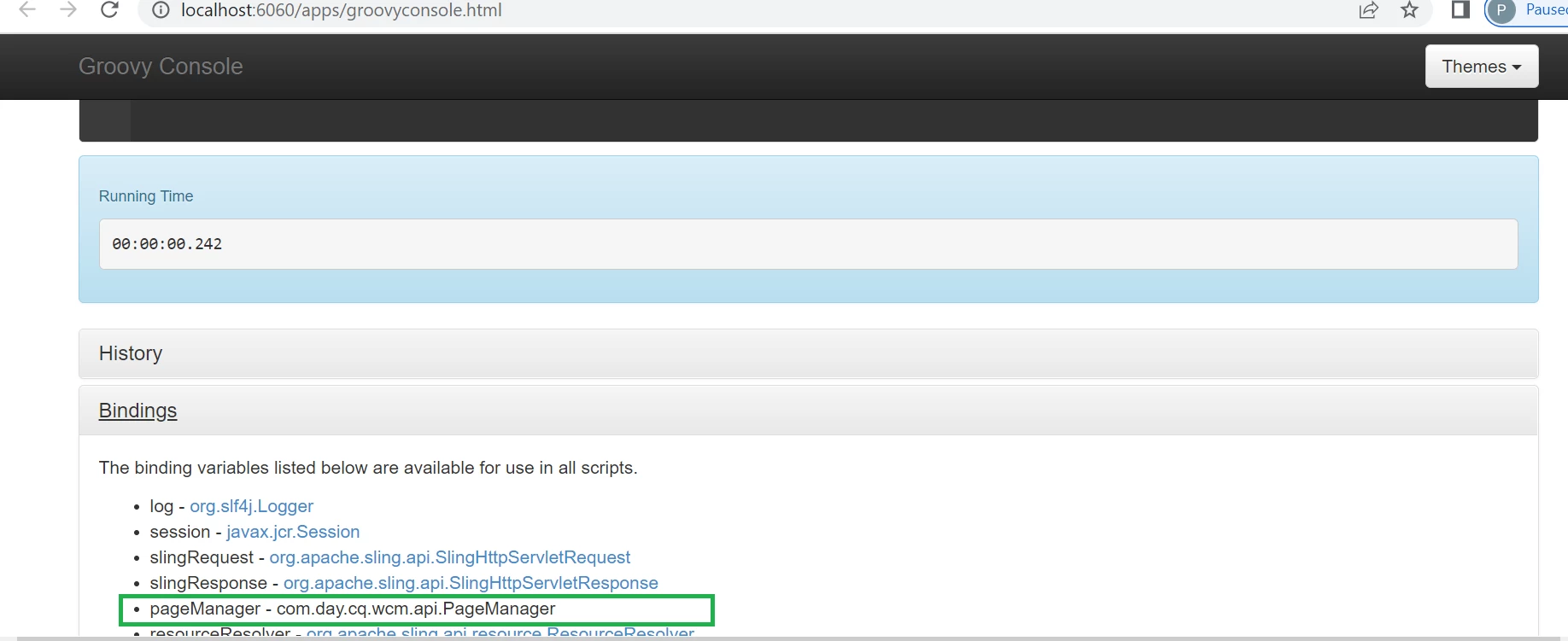
Once you click on Bindings tab in Groovy console then you will be seeing list of binding variables as shown below -


These are implicit objects , we don't need to create these objects explicitly to use in any script and these are ready to use.


I am using the similar script as given by @manjunath_k 

def rootPagePath = "/content/we-retail/language-masters/en/equipment";

for(int index=0; index < 5; index++){
    pageManager.create(rootPagePath,"Debal"+index,"/conf/we-retail/settings/wcm/templates/content-page","Test Page Title"+index);
}

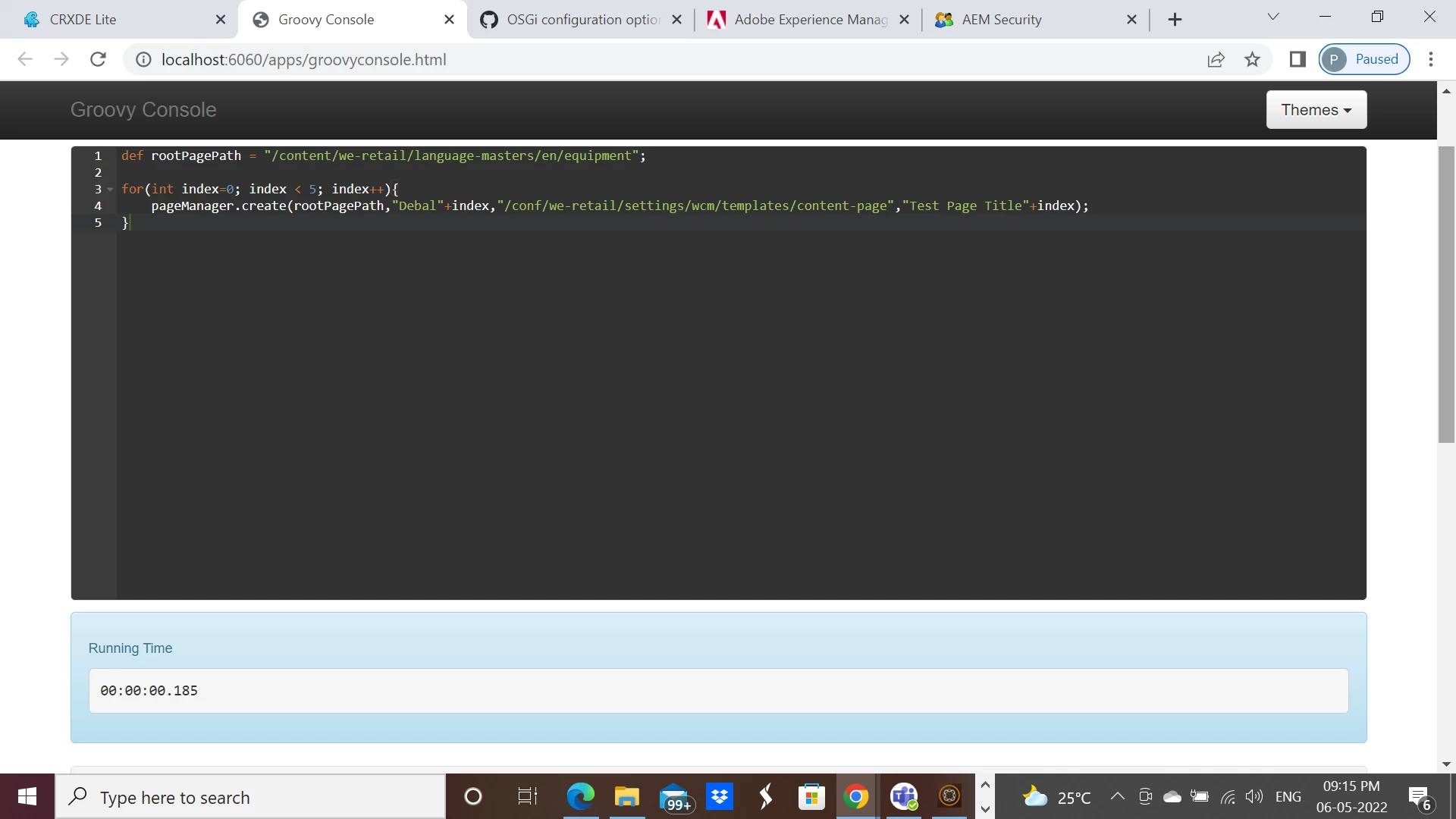
After successful execution -

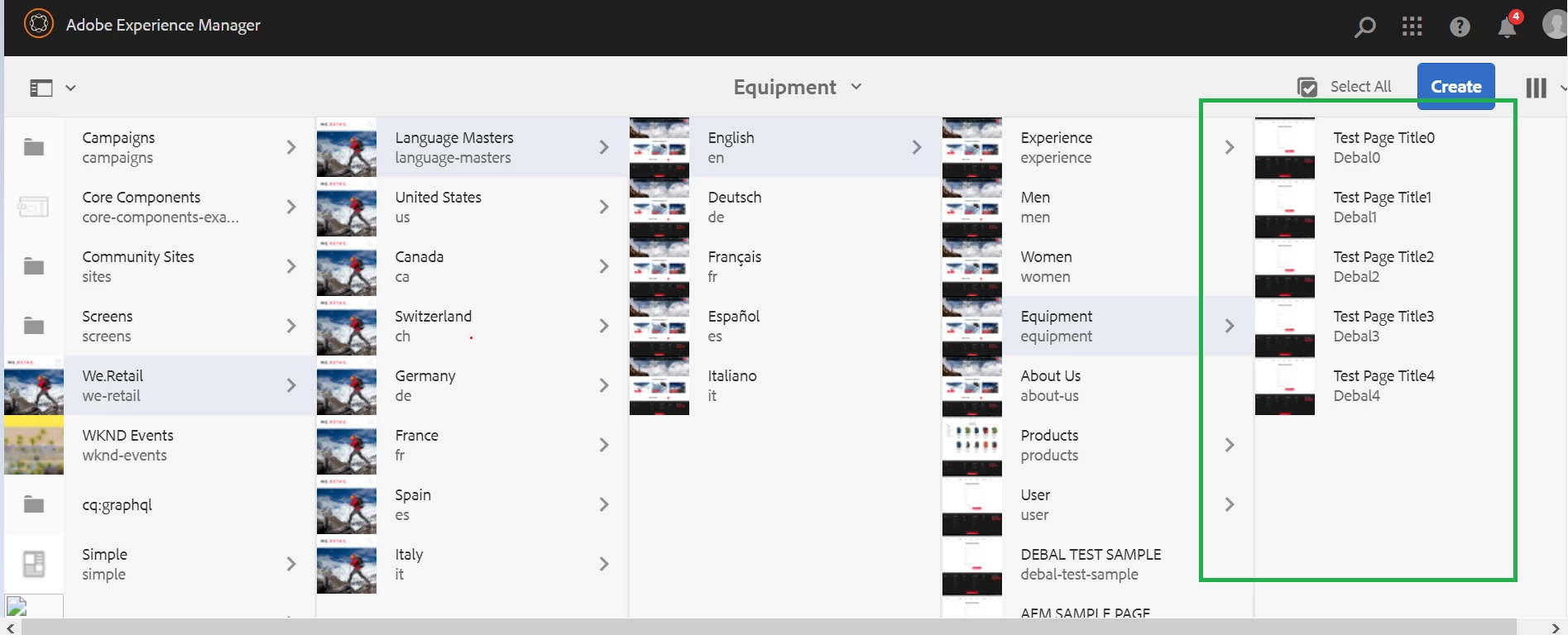
pages were created as shown below -


Executed on AEM 6.5.11. Please try and let us know.


1 reply

Manjunath_K
Level 7
October 13, 2020

Hi @zameer_abbas 

You can create pages under specific rootPath using editable templates by below mentioned groovy script.


def rootPagePath = "/content/we-retail/us/en/equipment/";
PageManager pageManager = resourceResolver.adaptTo(PageManager.class);


for(int index=0; index < 5; index++){
pageManager.create(rootPagePath,"test"+index,"/conf/we-retail/settings/wcm/templates/content-page","Test Page Title"+index);
}


Groovy console successful execution of code :


Pages created after executing script :


-Manjunath

October 4, 2021

Hi @manjunath_k ,

While running your code I am, getting this error:- 

"groovy.lang.MissingPropertyException: No such property: PageManagaer for class: Script1"

Can you please provide any solution for this? 

DEBAL_DAS
DEBAL_DASAccepted solution
New Member
May 6, 2022

Once you click on Bindings tab in Groovy console then you will be seeing list of binding variables as shown below -


These are implicit objects , we don't need to create these objects explicitly to use in any script and these are ready to use.


I am using the similar script as given by @manjunath_k 

def rootPagePath = "/content/we-retail/language-masters/en/equipment";

for(int index=0; index < 5; index++){
    pageManager.create(rootPagePath,"Debal"+index,"/conf/we-retail/settings/wcm/templates/content-page","Test Page Title"+index);
}

After successful execution -

pages were created as shown below -


Executed on AEM 6.5.11. Please try and let us know.


Debal Das, Senior AEM Consultant