Getting Deny in json response if I unchecked the modify permission to user. | Community
Skip to main content
This post is no longer active and is closed to new replies. Need help? Start a new post to ask your question.
Best answer by SantoshSai

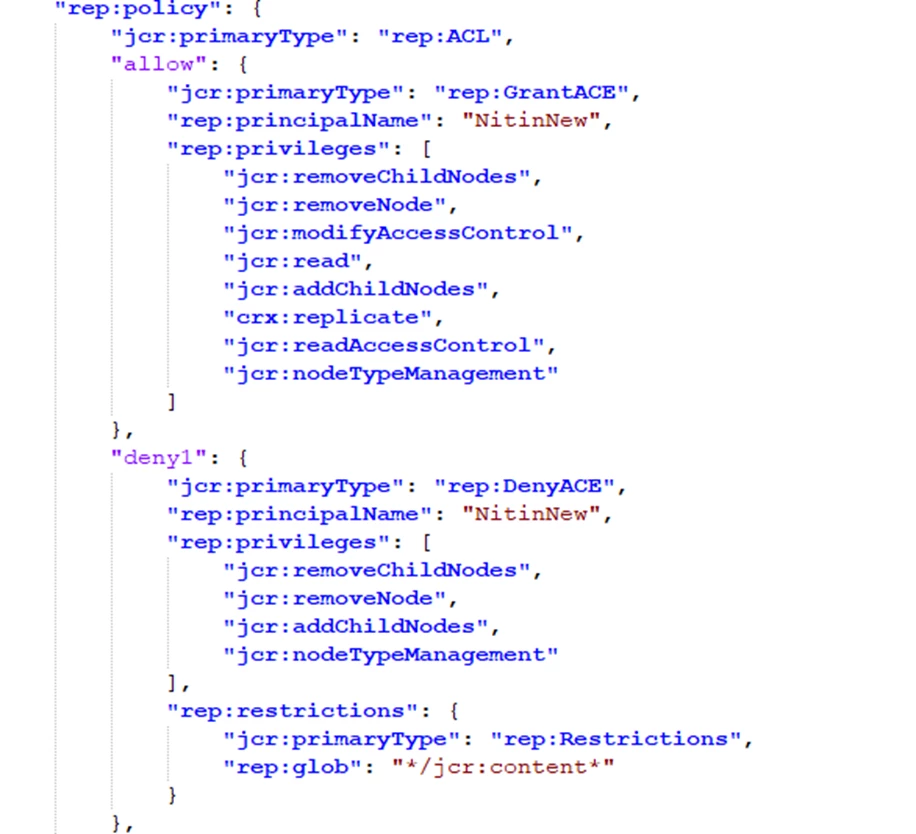
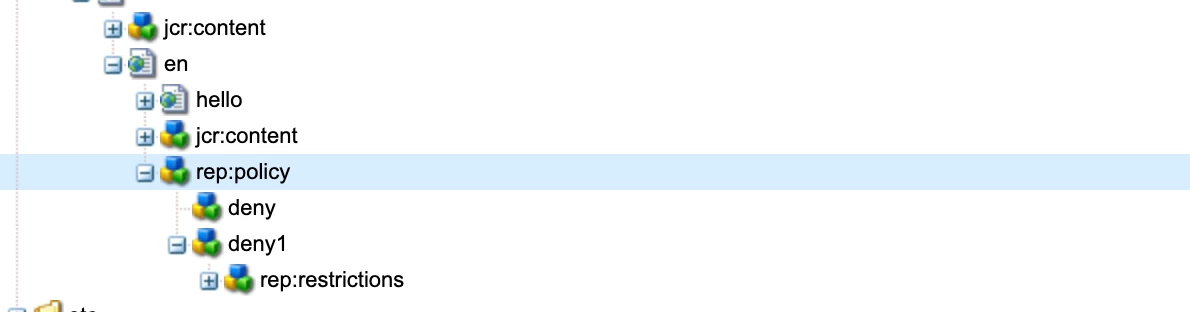
@akshaybhujbale That's expected behaviour - when you update ACL's those are stored under node as respective node as rep:policy as you see below and that's reflect in response of json 
3 replies

SantoshSai
Community Advisor
Community Advisor
July 4, 2022

Hi @akshaybhujbale ,

Would be appreciated if you give us a bit more background information, what you are trying to do and what is the exact issue.

Regards,

Santosh

Santosh Sai
Level 6
July 4, 2022

In the page json response we get Access policy info for that page.

if admin removed modify permission on useradmin portal then in json responce getting deny as shown in screenshot.

SantoshSai
Community Advisor
SantoshSaiCommunity AdvisorAccepted solution
Community Advisor
July 4, 2022

@akshaybhujbale That's expected behaviour - when you update ACL's those are stored under node as respective node as rep:policy as you see below and that's reflect in response of json 

Santosh Sai
Sachin_Arora_
Community Advisor
Community Advisor
July 5, 2022

In addition to what @santoshsai has explained, if you want to remove deny you can go to Touch UI permissions page : /security/permissions.html/principal/everyone and delete the deny permission.

I am not sure what URL you are using to get JSON but to avoid rep:policy in JSON response, you can hit model.json of the page(eg /content/we-retail.model.json ) or jcr:content.infinity.json(/content/we-retail/jcr:content.infinity.json)

ShaileshBassi
Community Advisor
Community Advisor
July 5, 2022

@akshaybhujbale

The permission model comes with the additive & inheritance model i.e.

  • If there are multiple groups assigned to the user the combined permission will be applicable to the user, and
  • if there is permission on the parent group then that will float to its child group.


Permission over here are applied as:

  • Implicit = Indirect
  • Explicit = Direct

Now if you are unchecking any checkbox over here, that means you might be overriding the permission coming from the parent group. And, therefore having the "DENY" permission states that over here the permissions are removed explicitly from that group/user.

Hope this helps!


Thanks