Hi,
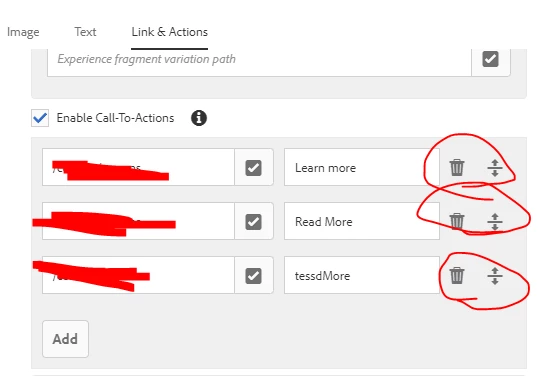
I also extended the teaser component CTA to add dropdown for CTA type. To achieve this -
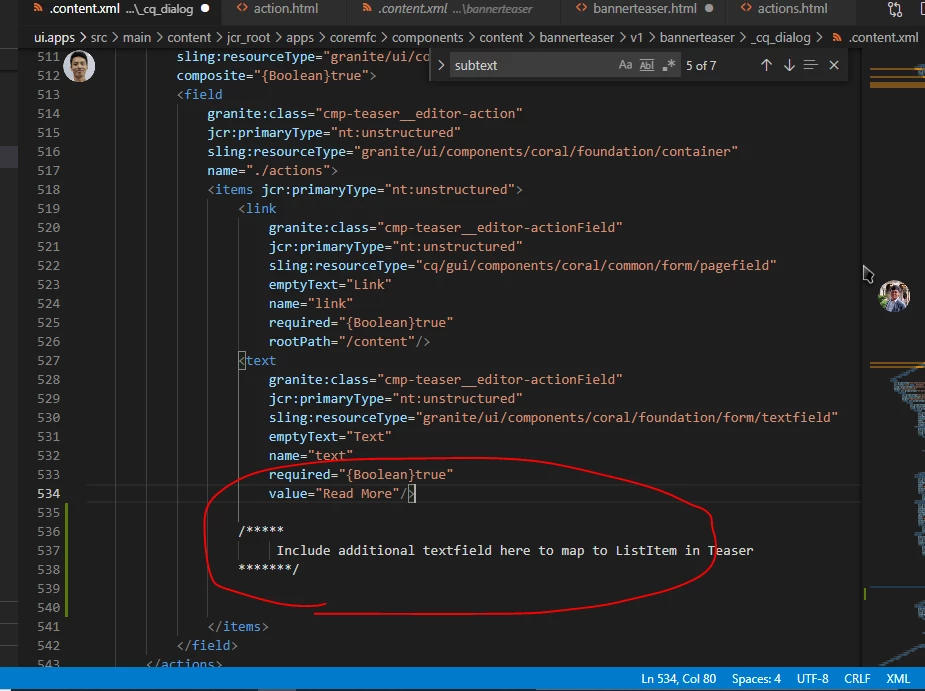
1. Extend the dialog
<actions
                                                granite:class="foundation-toggleable cmp-teaser__editor-multifield_actions"
                                                jcr:primaryType="nt:unstructured"
                                                sling:resourceType="granite/ui/components/coral/foundation/form/multifield"
                                                composite="{Boolean}true">
                                                <field
                                                    granite:class="cmp-teaser__editor-action"
                                                    jcr:primaryType="nt:unstructured"
                                                    sling:resourceType="granite/ui/components/coral/foundation/container"
                                                    name="./actions">
                                                    <items jcr:primaryType="nt:unstructured">
                                                        <style
                                                            granite:class="cmp-teaser__editor-actionStyle"
                                                            jcr:primaryType="nt:unstructured"
                                                            sling:resourceType="granite/ui/components/coral/foundation/form/select"
                                                            emptyText="Style"
                                                            name="style"
                                                            required="{Boolean}true"
                                                            Text="Style">
                                                            <granite:data
                                                                jcr:primaryType="nt:unstructured"
                                                                cmp-teaser-v1-dialog-edit-hook="actionStyle"/>
                                                            <datasource
                                                                jcr:primaryType="nt:unstructured"
                                                                sling:resourceType="myapp/components/includes/datasources/dl-dropdown"
                                                                options="/apps/myapp/components/includes/jsons/CTAStyles.json"/>
                                                        </style>
                                                    </items>
                                                </field>
                                            </actions>
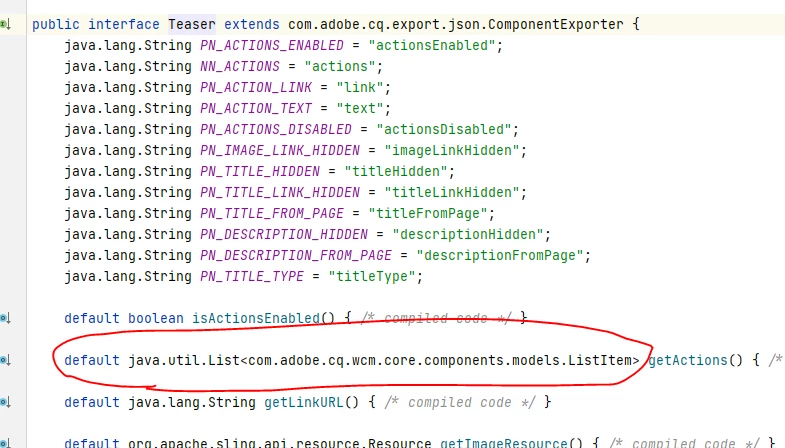
2. Create CustomTeaser.java
@Model(adaptables = SlingHttpServletRequest.class, adapters = {Teaser.class,CustomTeaser.class}, resourceType = MYConstants.TEASER_RESOURCE_TYPE, defaultInjectionStrategy = DefaultInjectionStrategy.OPTIONAL)
public class CustomTeaser implements Teaser {

        @1961677
	@Via(type = ResourceSuperType.class)
	private Teaser teaser;


private List<TeaserAction> customActions = new ArrayList<TeaserAction>();


	@PostConstruct
	protected void init() {
		Resource actionsNode = resource.getChild(Teaser.NN_ACTIONS);
		if(actionsNode != null) {
// this will return a list of action
customActions = ModelHelper.getChildrenModels(actionsNode, TeaserAction.class);
		}
	}

public List<TeaserAction> getCustomActions() {
		return new ArrayList<TeaserAction>(customActions);
	}
3. Create override action.html to call custom action method
<div class="cmp-teaser__action-container" data-sly-test="${teaser.actionsEnabled}" data-sly-list="${teaser.customActions}" data-sly-use.actionTemplate="action.html">
Note : this is not the complete code, I just share the code which will give you idea how to map model, html and dialog changes.