
Error in configuring MS translator Configurations | Community
Skip to main content
bhavigoyal
Level 4
August 30, 2024
Solved

Error in configuring MS translator Configurations

  • August 30, 2024
  • 1 reply
  • 834 views

My requirement is to translate a website using language copy in AEM.

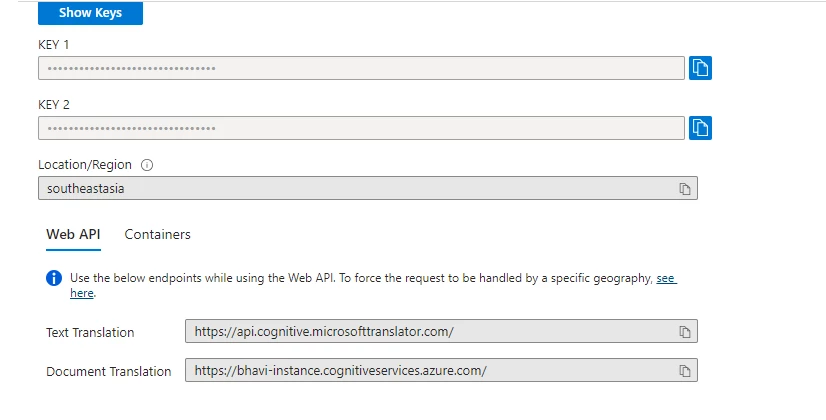
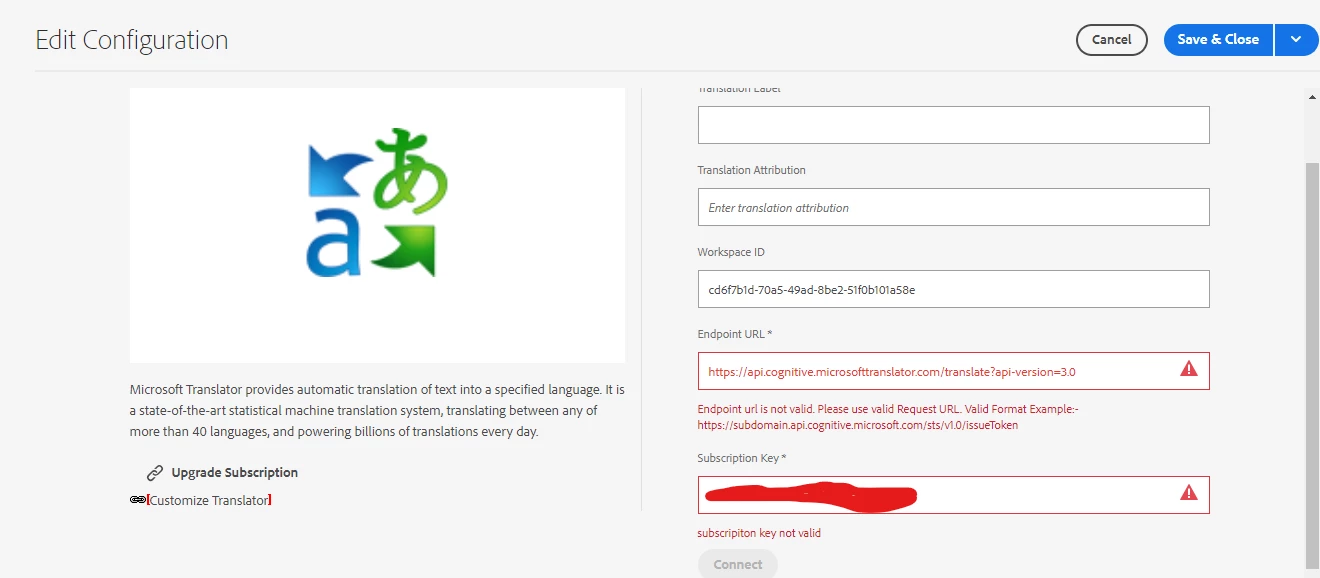
I need to translate a website using the language copy feature in AEM. To do this, I created an account on Azure and obtained a free trial translator resource, which provided me with two subscription keys and one subscription ID. I want to configure these in AEM to translate the website, as the out-of-the-box credentials aren't working. I have both the SDK running locally and a standalone jar. However, when I create the Microsoft Translator configuration and input the Azure-provided subscription key, I receive an error stating that the subscription key is invalid. Screenshots of the Azure setup and configuration are attached below.


This post is no longer active and is closed to new replies. Need help? Start a new post to ask your question.
Best answer by h_kataria

Check this https://www.albinsblog.com/2021/10/microsoft-translator-service-issue-aem.html It might help. While creating the account, it suggests that region should be selected as global. You can try it out

1 reply

h_kataria
Community Advisor
h_katariaCommunity AdvisorAccepted solution
Community Advisor
August 30, 2024

Check this https://www.albinsblog.com/2021/10/microsoft-translator-service-issue-aem.html It might help. While creating the account, it suggests that region should be selected as global. You can try it out

February 7, 2025

Hello, even after setting the region to global still can't submit the key and endpoint provided by azure.