Does AEM 6.5.21 allows to customize GraphQL schema or use GraphQL resolvers? | Community
Skip to main content
November 26, 2024
Solved

Does AEM 6.5.21 allows to customize GraphQL schema or use GraphQL resolvers?

  • November 26, 2024
  • 2 replies
  • 1729 views
I want to validate if is it possible to customize GraphQL schemas or use GraphQL resolvers while using GraphQL API for Content Fragments in AEM 6.5.21. Right now we can fetch CF data using a persisted query and it returns all the data just like it exists in the JCR, but we would like to transform some fields before providing the response: for example, for a string multifield (String[]) that is returning data like this:


{ "data": { "sampleCFByPath": { "item": { "title": "Sample CF", "section": [ "{\"field1\":\"value 1\",\"field2\":false}" ] } } } }​


We need to transform it to be a JSON array like this:


{ "data": { "sampleCFByPath": { "item": { "title": "Sample CF", "section": [ { "field1": "value 1", "field2": false } ] } } } }


Thanks in advance

This post is no longer active and is closed to new replies. Need help? Start a new post to ask your question.
Best answer by h_kataria

Based on the sample which you shared it does not look like a standard cf multifield but rather some customized version of it, hence it might be easier to process the graphql response on front end.


The js code which I shared will be used by the application consuming your graphql query. So, you can check the place where the graphql query is being invoked (For e.g in some headless app or within AEM) and then can easily process the response as per your requirements.

Hope this helps. 

2 replies

PRATHYUSHA_VP
Community Advisor
Community Advisor
November 26, 2024

Hi @elkinto 


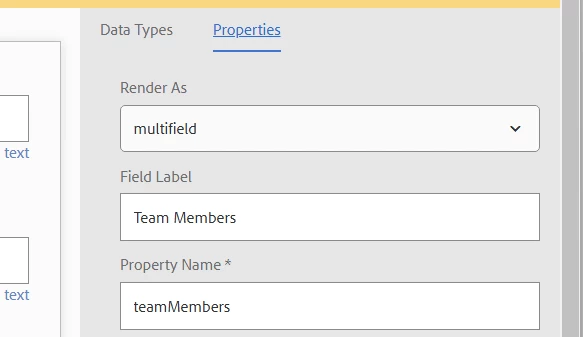
Is your fragment property is multifield like below ?


Please try below in graphQL query editor for multifield property. It should give desired output like you're expecting 

multifieldName { name // name property multi // string[] property }


Hope this helps

ElkinToAuthor
November 26, 2024

Hi @prathyusha_vp ,

Thanks for your help. I tried your suggestion but didn't work. I'm getting this error: 

Validation error (SubselectionNotAllowed@[staticLandingByPath/item/contentSection]) : Subselection not allowed on leaf type '[String]' of field 'contentSection'

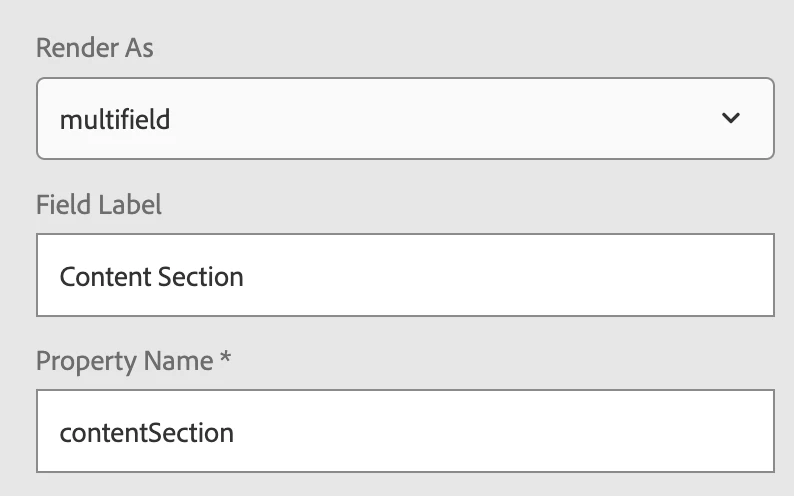
Field is defined like this:

My GraphQL query is:

query getStaticLandingByPath($fragmentPath: String!) { staticLandingByPath(_path: $fragmentPath) { item { pageTitle ... contentSection } } }

Any other ideas? Some way of customizing GraphQL API response?


PRATHYUSHA_VP
Community Advisor
Community Advisor
November 26, 2024

Hi @elkinto 


You're trying to access object directly, hence the error -


Please check below - 


https://experienceleaguecommunities.adobe.com/t5/adobe-experience-manager/nested-multifield-within-multifield-content-fragment-model/m-p/615312


https://graphql.org/learn/queries/#inline-fragments


If still facing issue, please share your content fragment model


Thanks

h_kataria
Community Advisor
Community Advisor
November 26, 2024

Could you share how does your model look like ?
And not sure about the possibility, but I think this can be easily handled on Front end rather than going for any customization.

JSON.parse("{\"field1\":\"value 1\",\"field2\":false}")


ElkinToAuthor
November 26, 2024

Hi @h_kataria ,

Thanks for your help. How and where could I add that JS code?

RiteshY18
Community Advisor
Community Advisor
November 26, 2024

@elkinto  Regarding - would like to transform some fields before responding: 


Suggest performing JSON operation at fronted, not at the backed schema level change as it seems like string transformation use case