
AEM Touch UI page property field validation
AEM Touch UI page property field validation by Debal Das
I have used Coral 3 — Granite UI NumberField as resourceType to achieve this functionality and JCR property structure associated with that Touch UI field has been shown below -
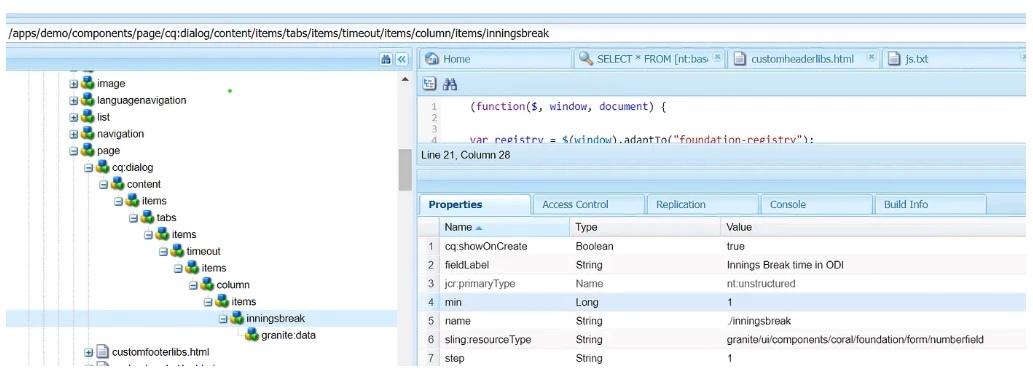
It has helped to stop entering values like -1, 0 , 1.9 , 5.6 and 7.999 but still authors were able to input 1.0 , 2.0 , 7.0 , 12.0.
Then I came to know about content structure : validation, that I can use to restrict authors to input values like 1.0 , 2.0 , 7.0 , 12.0
To understand the implementation of validation , I have referred two great documents and I will share those links at end of this blog.
Let me share the implementation steps associated with validation -
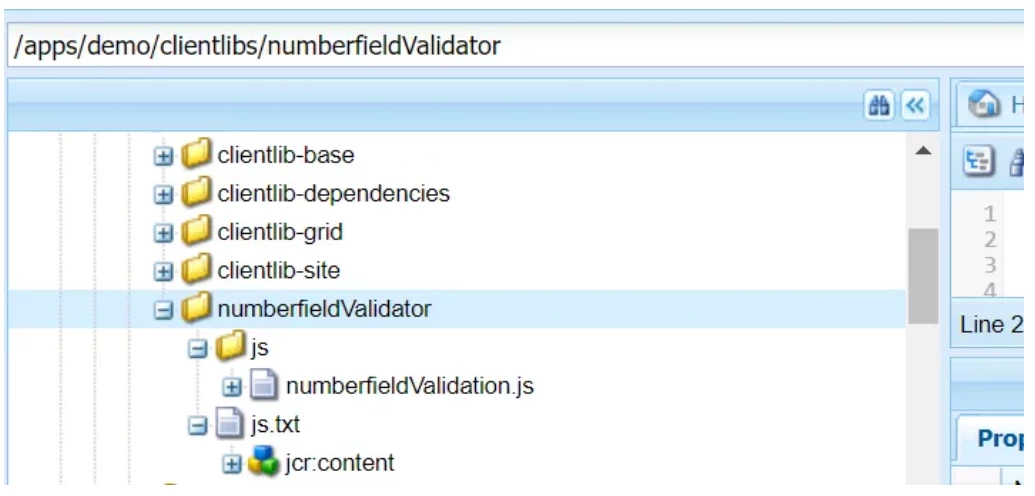
- Created a client-library folder with categories: demo.integer.validator and written a JS to set the validation so that author can’t make input like 1.0 , 2.0 , 7.0 , 12.0 via NumberField -
(function ($, window, document) {


   var registry = $(window).adaptTo("foundation-registry");


   registry.register("foundation.validation.validator", {

      selector: "[data-validation=integer-number]",
      validate: function (el) {
         var element = $(el);
         var pattern = element.data('pattern');
         var value = element.val();
         if (value.length == 0) {

            value = 0;
         }

         patterns = {

            integer: /^\d+$/

         }


         if (pattern) {
            if (patterns[pattern]) {
               error = !patterns[pattern].test(value);
            } else {
               error = !(new RegExp(pattern)).test(value);
            }

            if (error) {
               return "The field must match the pattern: " + pattern;
            }
         }


      }
   });
})
($, window, document);
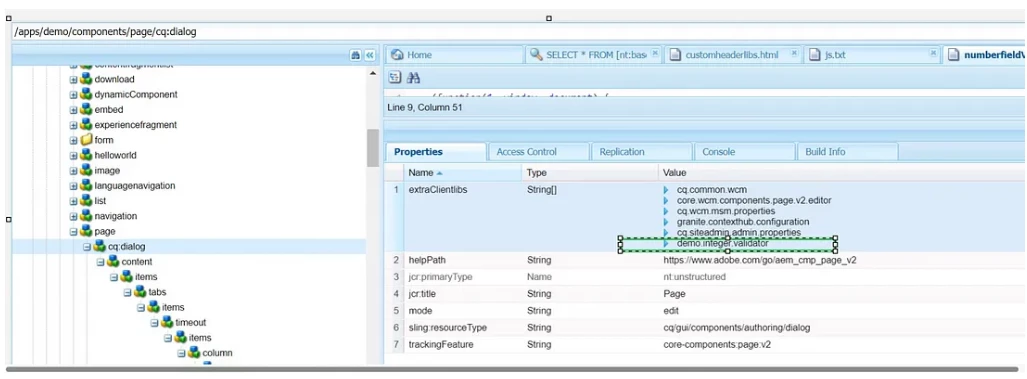
2. Added client-library category against extraClientLibs property at cq:dialog node of page component as shown below -
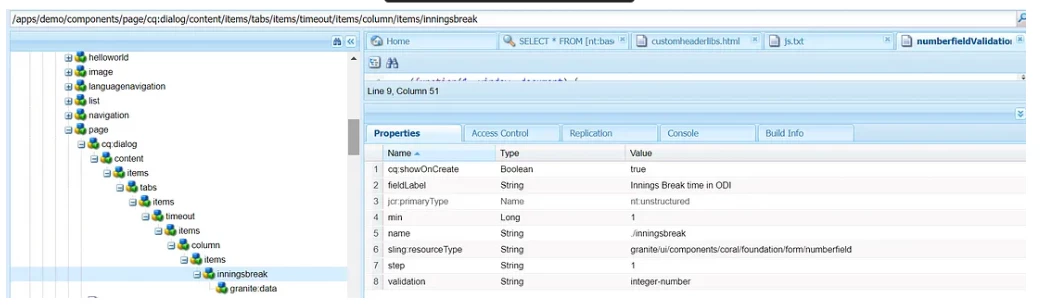
3. Added property named “validation” with the value registered with foundation.validation.validator in numberfieldValidation.js file i.e. integer-number as shown below -
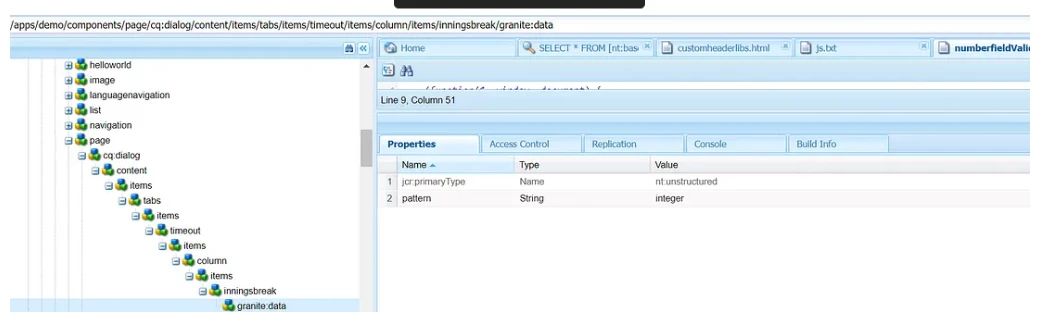
4. Created “granite:data” node (nt:unstructured) under node where I need to set validation and added additional attribute as property that is required for validation as shown below -
Finally I was able to restrict authors to enter value like 1.0 , 2.0 , 7.0 , 12.0 as shown below -

Wow! That’s really great but wait a second. Did I test this during page creation?
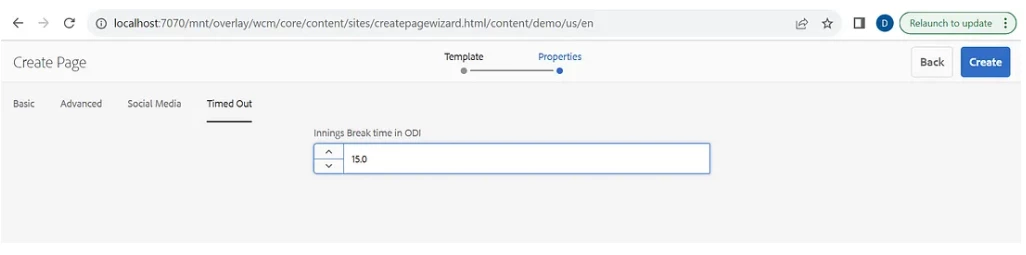
Unfortunately it was unable restrict authors to enter value like 1.0 , 2.0 , 7.0 , 12.0 during page creation as shown below -
Do we have any AEM capability to achieve this one also?
Earlier we have identified one OOTB client-library category named: cq.sites.validations plays crucial role during page creation as shown below -
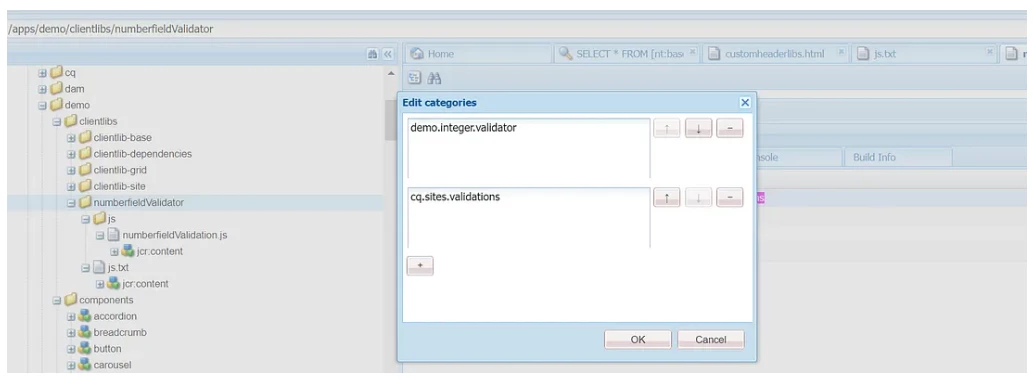
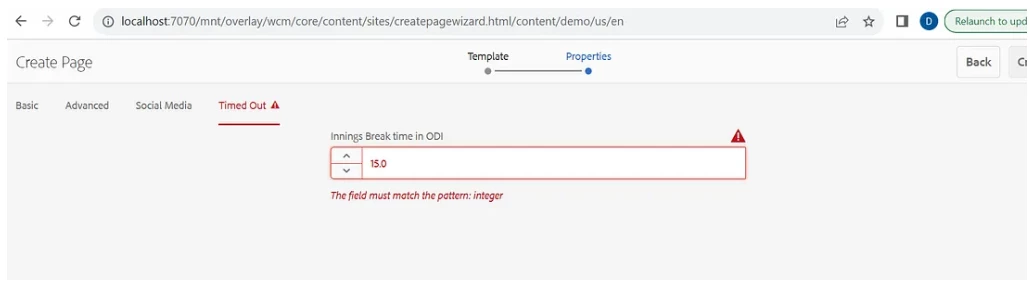
We have added cq.sites.validations as categories at our client-library and now we were able to restrict authors to enter value like 1.0 , 2.0 , 7.0 , 12.0 during page creation -
Please refer the following link: https://medium.com/@debal.india2014/aem-touch-ui-page-property-field-validation-1117556d8a46 to read the blog





