Solved
HOW TO FETCH Total count of opens and clicks for the specific delivery
I want to send the total count of opens and clicks for the specific delivery to CLIENT email ids,
then what are the different ways to do
please help!
I want to send the total count of opens and clicks for the specific delivery to CLIENT email ids,
then what are the different ways to do
please help!
@jefrii , You can try the below approach and send the delivery report as an email attachment to your client,
Create a campaign workflow as below,
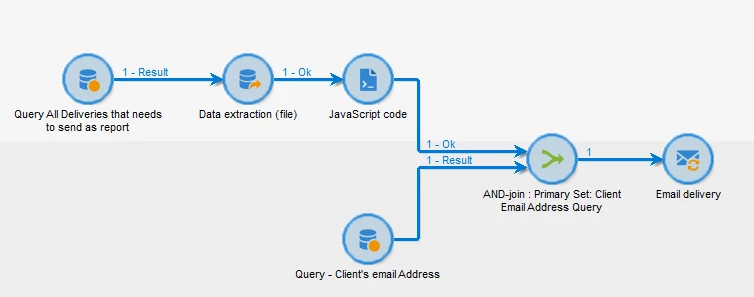
Query1:
Targeting and Filtering Dimension - nms:delivery
Filtering condition: Fetch the deliveries which you want to send as report
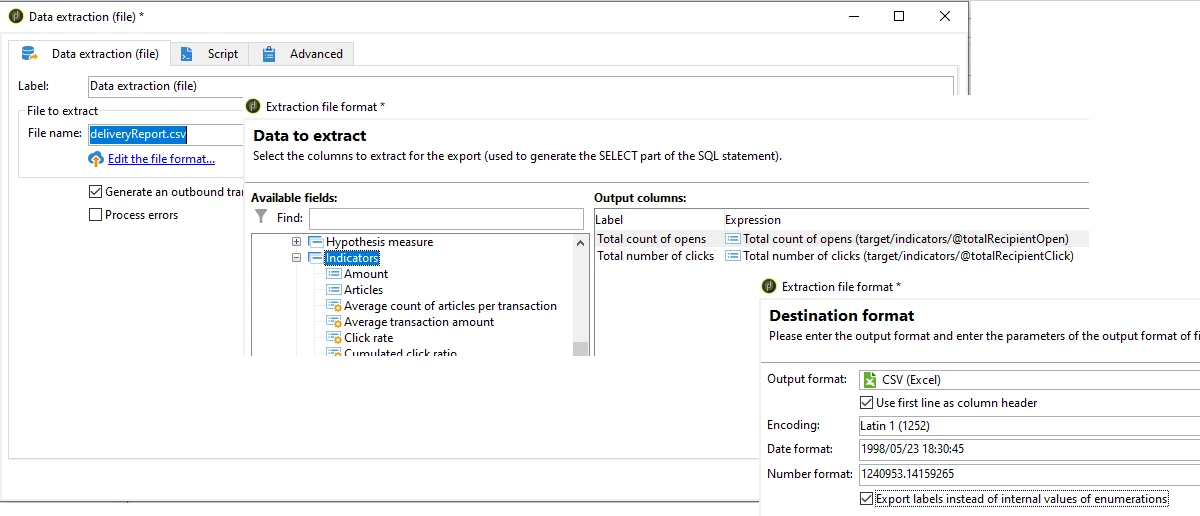
Data Extraction:
Configure the CSV file and configure the data to extract (Total count of opens and Total number of clicks are will be under 'indicators')
JavaScript Code Activity:
Paste the below script,
instance.vars.deliveryreport = vars.filename;
Query2:
Targeting and Filtering Dimension - nms:recipient
Filtering condition: Fetch the recipient (client's record) to whom you need to send the report
AND activity:
Select Recipient Query as Primary set
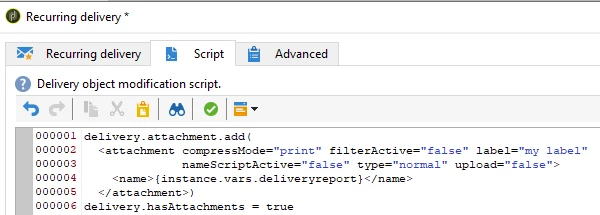
Recurring Delivery:
Right click the recurring delivery activity > script tab > paste the below code
delivery.attachment.add(
  <attachment compressMode="print" filterActive="false" label="my label"
              nameScriptActive="false" type="normal" upload="false">
    <name>{instance.vars.deliveryreport}</name>
  </attachment>)
delivery.hasAttachments = true
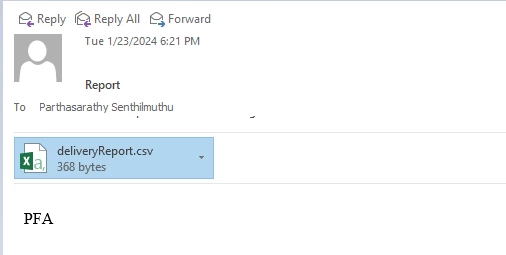
Now Run the workflow. The client will receive Email with the report file attached.
Enter your E-mail address. We'll send you an e-mail with instructions to reset your password.