Subscription to Newsletter service from web form in ACC
Hello, my team and I are stuck in the process of subscribing a recipient to 1 or more newsletter services in ACC.
Context:
We have an array called 'Categories' in context variable that contains 5 values (all of them are services), and we will need to iterate through it in order to dynamically render them in the landing page as checkbox options.
In our subscription page, we are running the next script in the HTML file (pageLoader is a function that allow us to access context variables and executes in the body of the HTML code as explained in a previous question https://experienceleaguecommunities.adobe.com/t5/adobe-campaign-classic-questions/web-app-accessing-context-variables-from-client-side/m-p/630288#M20228)
Script
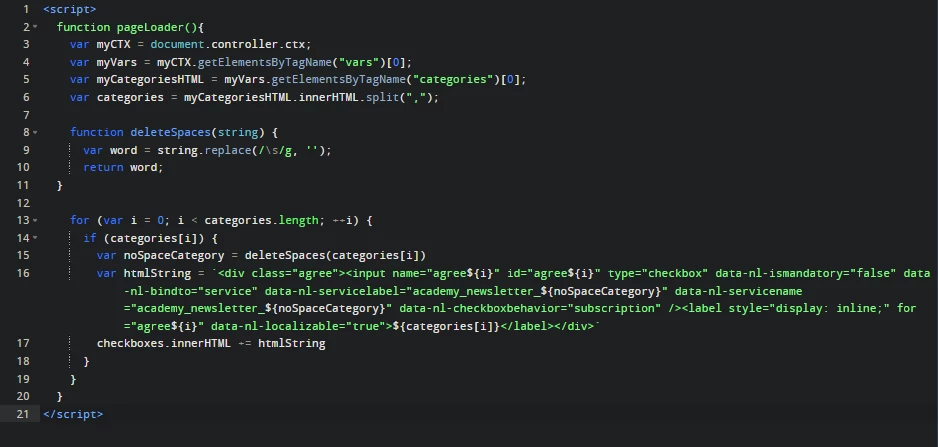
We use the 'noSpaceCategory' value in order to match the internal newsletter's name in ACC, so the main difference between 'noSpaceCategory' and categories[i] is just one allows having more than one word and the other does not.
HTML Body
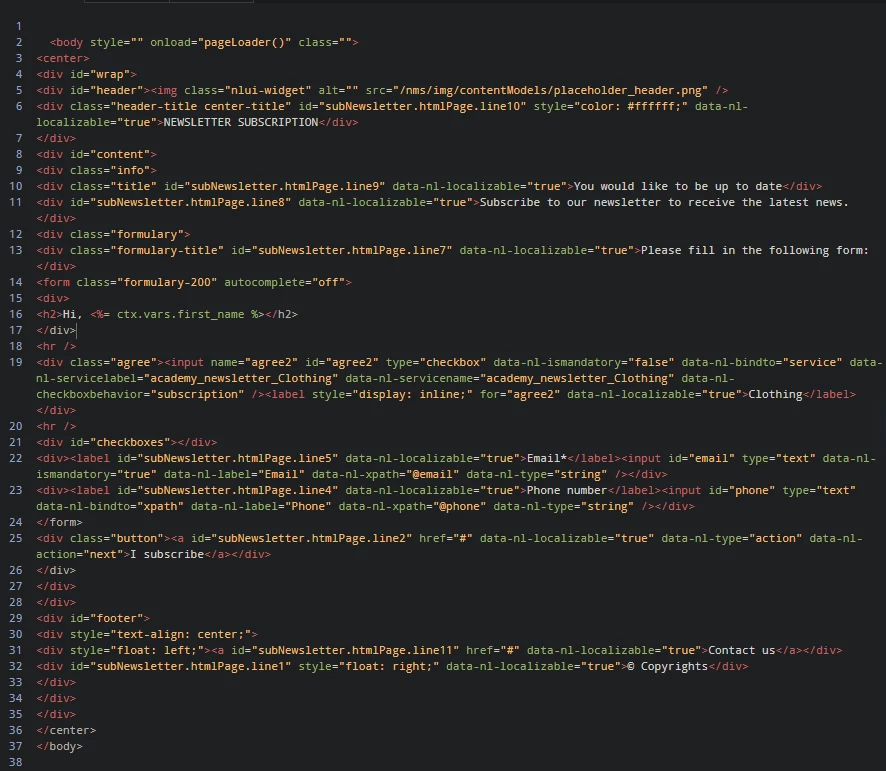
We have 2 important things here:
- Div element with id="checkboxes": where we are going to append all the checkbox elements with the for loop in script
- Div element with class="agree" (just after de first <hr.>): static element that comes by default in 'Subscription page' activity in a 'Newsletter subscription (subNewsletter)' workflow. Lets call it "Magic checkbox option".
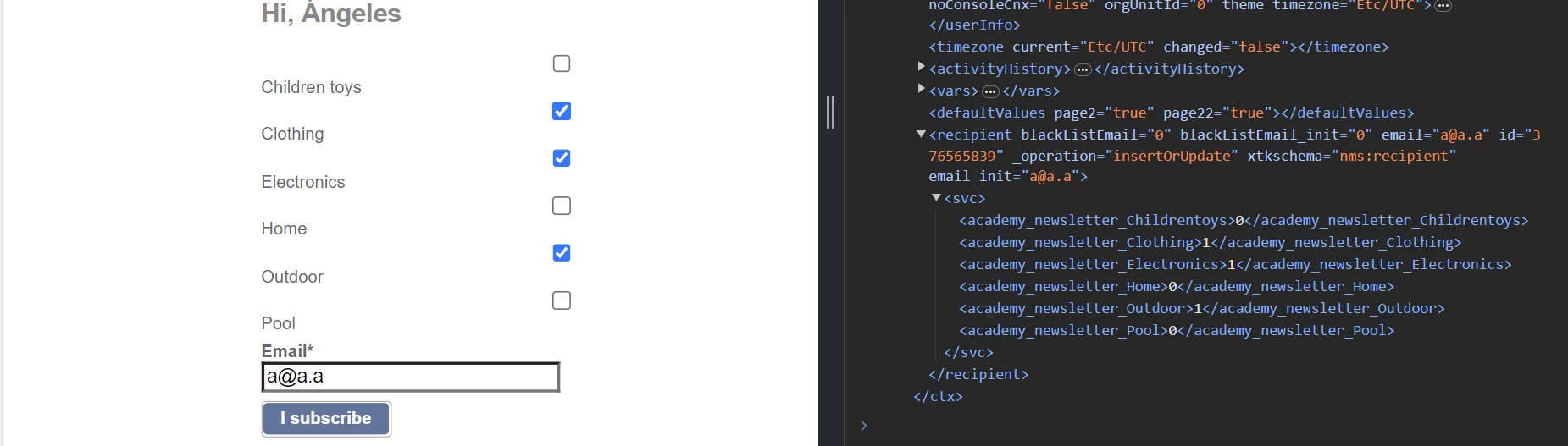
Rendered Page:
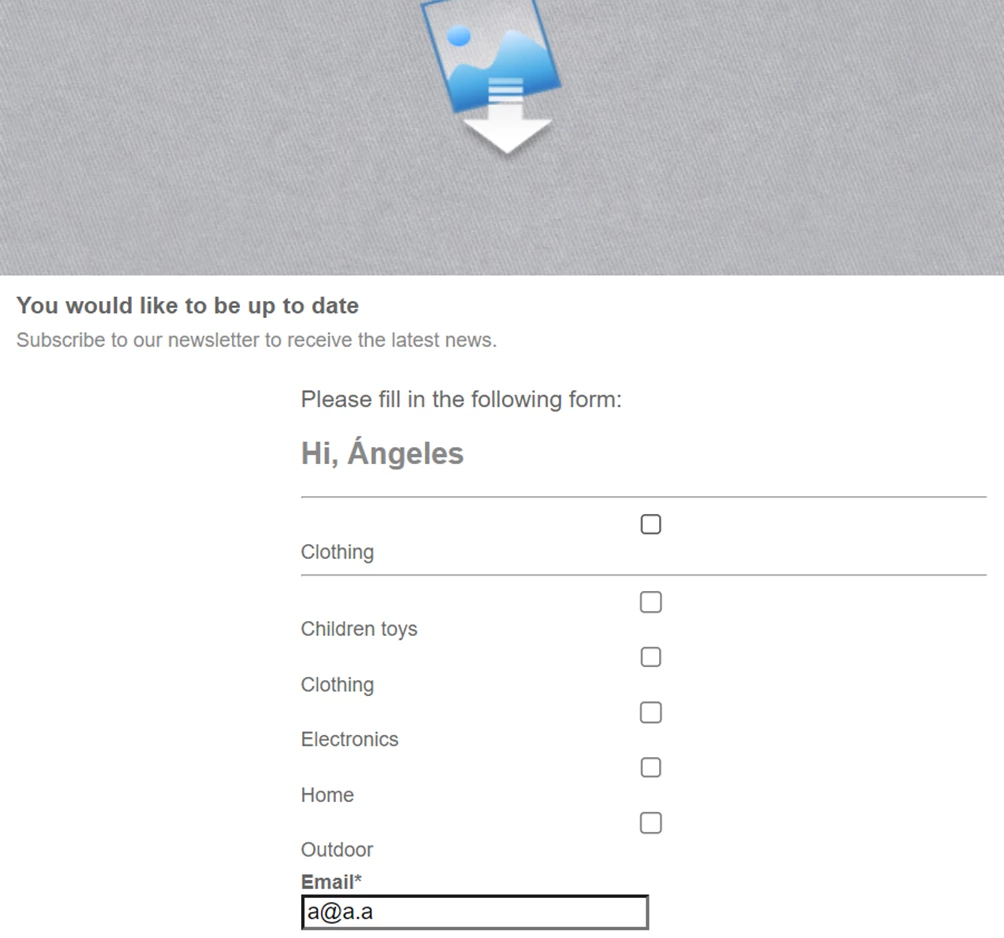
Problem:
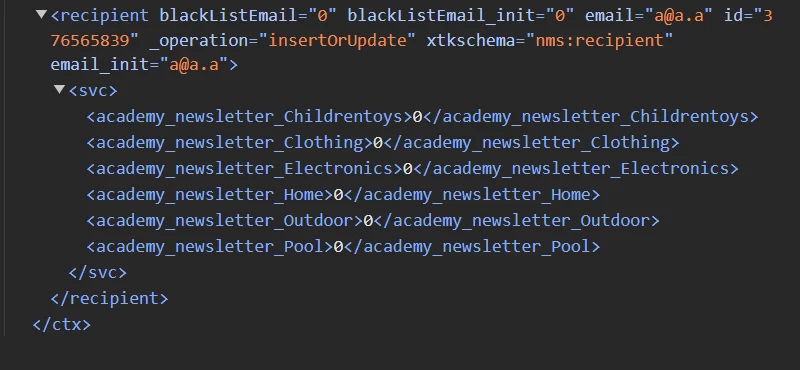
We can dynamically render the content with the for loop opening the Sandbox URL with Chrome, but none of the options actually works after clicking 'I subscribe' except for the "Magic checkbox option". That checkbox is the only one that actually subscribe the recipient in the newsletter specified in the line.
We made sure that the internal newsletter services names are the correct, and we don't have a clue about why is not working.
What did we try:
- Create a string with all the HTML code generated just as we did in the script but in a previous script and importing it by a context variable to append it inside of 'checkboxes' container.
- Result: Failed.
We could not find a way of converting the string into HTML code.
- Manually put all the "checkboxes" elements directly in the HTML code one by one.
- Result: Succeed.
Everything works just fine, but the thing here is that doing it this way we are not able to dynamically render more newsletter categories in case the 'Categories' array changes.
We have been trying to look for a better way to do this, but we can not avoid the 'Categories' array.
Can anyone help us on this taking a look at our logic?
Thank you.