
AC Tips & Tricks: Custom API - Load data into Adobe Campaign WebApp using AJAX (Part 2)
Context
In this topic, you will learn how to leverage a custom API created in this blog and load data into a WebApp form using AJAX.
Dependencies
- bootstrap@5.1.3
- jquery-3.6.0.min
WebApp HTML
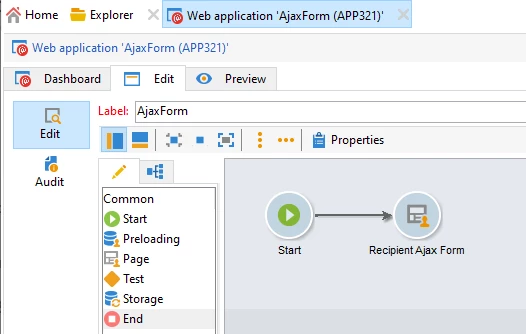
Copy the code attached in the recipientAjaxForm.docx and paste it into a page activity webapp such as below.
JS Script logic
The following script is pretty self explanatory, it calls custom API endpoint using AJAX, parses and retrieves response data into webapp form and does the error handling, complete html code is available in the attached file.
    <script type="text/javascript">
     $(document).ready(function() {
            checkErrors(); //check any errors on page load
          });

		  /*** event listeners ***/
          var btn = document.getElementById("search"); btn.addEventListener('click', getDetails);

		  /*
			 function which parses response data and loads it in the corresponding fields
			 this is possible by matching response keys with html form element fields names, they must have
			 the same name otherwise data won't be parse correctly.
		  */
          function addToForm(data) {
            Object.keys(data).forEach(key => document.querySelector(`input[name="${key}"]`) == null ? 0 : document.querySelector(`input[name="${key}"]`).value = data[key])
          }

		/* Function to check for any errors sent by API */
          function checkErrors(arg) {
            var err = document.controller.getValue('/ctx/vars/err');
            var id = document.controller.getValue('/ctx/vars/id');
            if (err) {
              $('#neoErr').modal('show');
              $(".modal-body").append("<span class='errNeo'>" + err + "</span>");
            }
            if (arg == 1) {
              $(".errNeo").remove();
            }
          }

		  /*
			Function to call API endpoint and retrieve data through http response
		  */
          var getDetails = function() {
            event.preventDefault();
            var id = document.getElementById("recipientId").value; //get recipient id from field
            var url = "/cus/recipientAPI.jssp?id=" + id; //url construct
            document.controller.setValue('/ctx/vars/id', id); //set recipient id to ctx context variable
            var request = $.ajax({
              type: 'GET',
              url: url,
              async: true,
              success: function(response) {
                $('#recipientData').trigger("reset");
                addToForm(response) //call function to map response data to field values

                /*** parse response errors ***/
                const errors = Object.keys(response).filter(k => k.startsWith('error')).map(k => response[k]);
                document.controller.setValue('/ctx/vars/err', errors);
                checkErrors(); //check for errors now
              }
            });
          }

    </script>
HTML Render
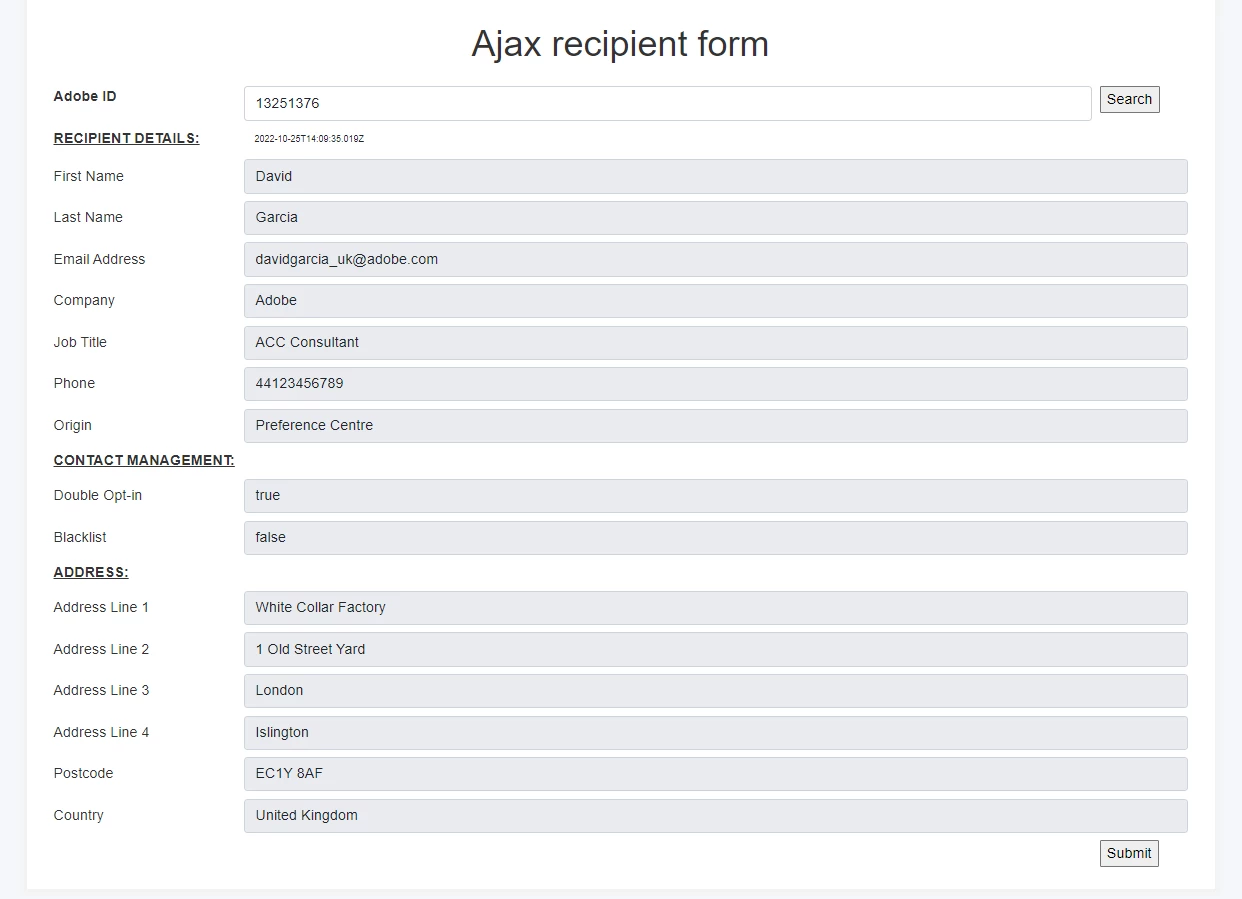
Operation
- Start by typing in the search box the ID of the adobe campaign recipient record you would like to load into the webapp form.
- After clicking search, JavaScript will construct the API endpoint and include the id param, then it makes a call to our custom API created in our previous blog.
- If the ID of the operator does not exist, you will get an error in a popup, otherwise, data is loaded into the form.
Enhancements
Ideas to further develop this project:
- Modify the API to load data from custom schemas rather than the recipient schema
- Enforce bootstrap validation rather than adobe campaign validation
- Retrieve and submit data without page refresh