


💡 How to Monitor and Manage your MARGINS: PART 1 [VIDEO + DISCUSSION]
WELCOME!
This is PART 1 in a series of related Meaningful Discussions. Once you've caught up on this one, join us for PART 2, noting that this one has enough replies that you'll need to click the Load More Replies button at the bottom to see the latest content.

BACKSTORY
For my entire tenure with Workfront, the phrase "you can’t do financials" has been the disappointing standard response to those business owners seeking to make decisions based on profit margins, rather than just hours. That is about to change.
With many thanks to @jon_chen for helping make this [VIDEO + DISCUSSION] possible, I invite you to join my interview with Ross Allmark, Vice President for Transformations at Vice Media Group, who explains the details of our new AFA Burn Report with Baselineᐩ solution, which allows Workfront users to track margins at the Project, Department, Role, and User level over time.
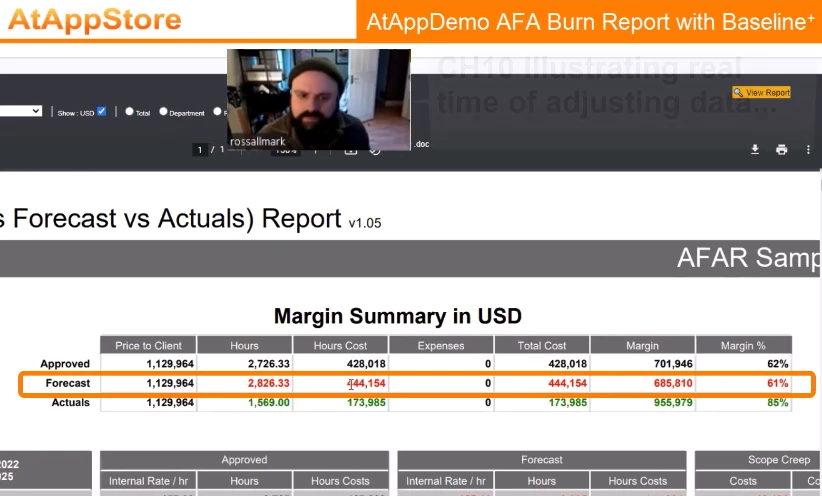
VIDEO
The video is broken into the following chapters:
- 00:00 CH01 Introducing Ross Allmark, Vice Media Group
- 00:33 CH02 Select Report, Project Filter, Dates, and Settings...
- 01:34 CH03 Choose Currency (USD vs Project)...
- 02:08 CH04 Choose Total, Department, Role, or User level...
- 02:33 CH05 The importance of Rate Cards...
- 03:03 CH06 Generate the AFA Burn Report...
- 03:29 CH07 Zooming in on the Margin Summary...
- 03:55 CH08 Defining Approved vs Forecast vs Actuals...
- 04:53 CH09 Margin Summary details...
- 05:41 CH10 Illustrating real time of adjusting data...
- 07:23 CH11 Zooming in on the Selected Detail vs Summary...
- 08:34 CH12 Moving down to "the real action"...
- 09:00 CH13 Total, Department, Role and User Rates, Hours, and Hour Costs rollups...
- 09:07 CH14 Approved details...
- 09:39 CH15 Forecast details...
- 09:58 CH16 Scope Creep details...
- 11:04 CH17 Actuals details...
- 11:30 CH18 Approved Remaining details...
- 11:44 CH19 Burn Projection details...
- 12:47 CH20 Why Projection is the Most Viewed Section...
- 13:20 CH21 Data Cutoff (+/- Highlighting) details...
- 14:13 CH22 How to identify and manage Scope Creep...
- 14:42 CH23 Signoff
DISCUSSION
At your earliest convenience, I invite you to watch the full video (or chapters, above) and then share your thoughts below whether they are questions, answers, comments, or ideas.
To make this post as valuable and interesting as possible, I suggest you copy and paste the 00:00 CH## link from above into your post, for context and quick access. I will reply similarly, and will also periodically make targeted post for each chapter as a conversation starter.
This [VIDEO + DISCUSSION] approach will lead to some interesting sidebars below the umbrella of the overall topic, allowing others to discover it, watch the video, and contribute to the discussion over time. I will kick that concept off momentarily using Chapter 12 to illustrate, below.
Thanks for your interest, and especially (in advance) your participation. I look forward to further discussion in due course!
Regards,
Doug
TIP: click the three dots above and then click "Follow" to be alerted when others add to the conversation