
Many to Many between Workfront and Salesforce
I recently worked through a need to create and maintain a many-to-many relationship that would be partially managed in Workfront and partially managed in Salesforce. I'm sharing an overview of our solution in case it helps someone down the road.
The business need is to link the implementation effort (managed in a Workfront Project) with the product sold (managed in a Salesforce Asset).
- We can implement multiple products (aka asset) in a single implementation effort (aka project)
- It can take multiple implementation efforts (aka projects) to implement a single product (aka asset)
In Workfront
- The [implementation effort] is a project
- Salesforce assets are replicated into Workfront and stored as projects in a special "reference" portfolio [asset project]
- The relationship between the project and asset is maintained in an issue attached to the project. To help make it easier to find it's in a unique issue type (Linked Asset) and the attached custom form has a field that defaults marking the issue as an asset. [asset issue]
- Within the Issue record we use a typeahead field to build the relationship with the [asset project]
In Fusion
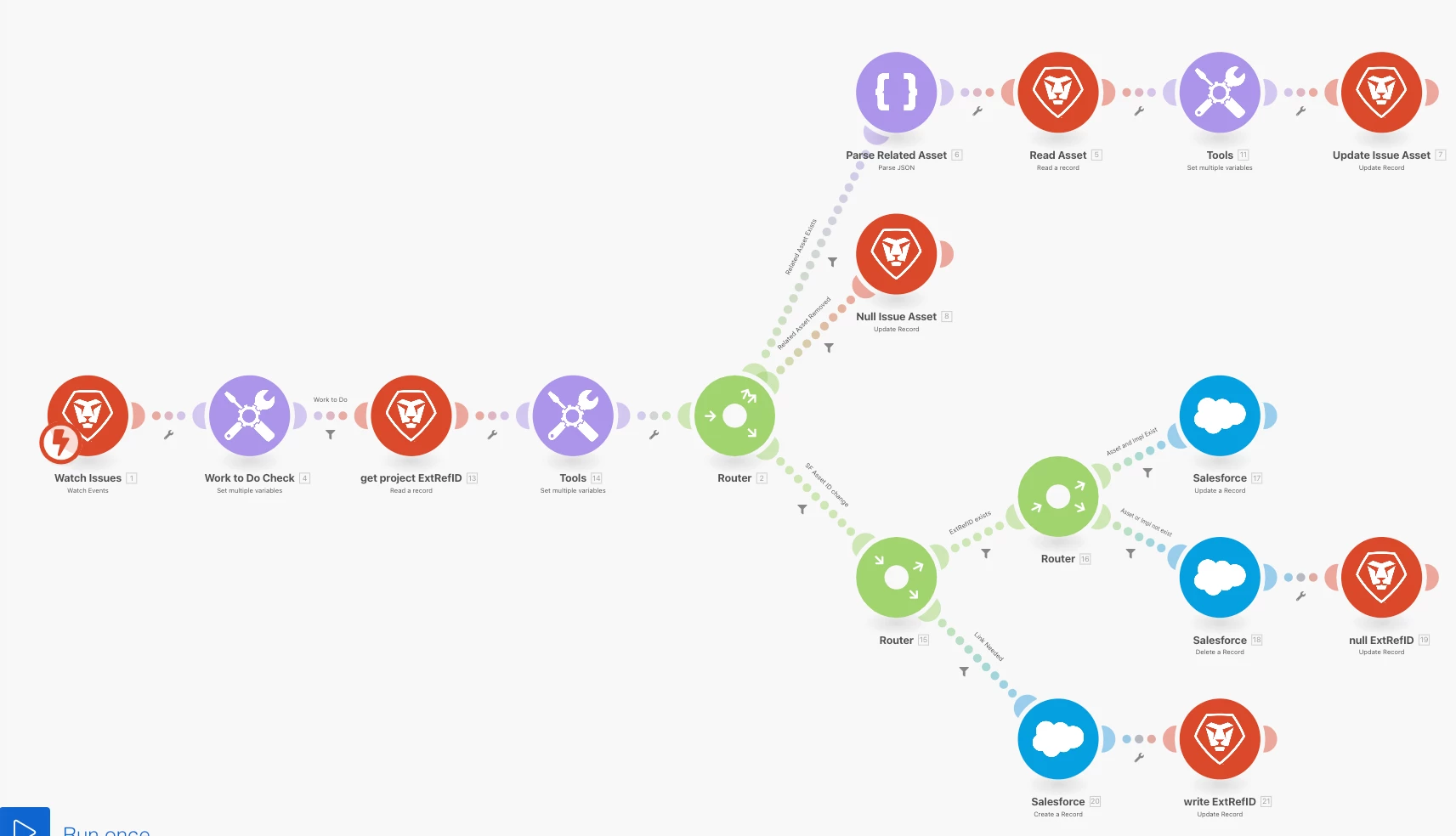
- Fusion creates and updates the [asset project] based on a message sent from Salesforce to a webhook
- Fusion copies attributes from a custom form on the [asset project] to the [asset issue] to support integration and reporting
- Fusion creates a record in a custom Salesforce object [process] and replicates/maintains key information from the [implementation effort]
- Fusion creates, updates, and deletes a record in a custom Salesforce junction object [AssetProcessAssoc] to maintain the relationship between the [implementation effort] and [asset] based on changes made in Workfront
In Salesforce
- [Assets] are created and maintained
Here's a look at the Fusion scenarios:
Scenario to manage related asset (copies attributes to [asset issue] and manages Salesforce
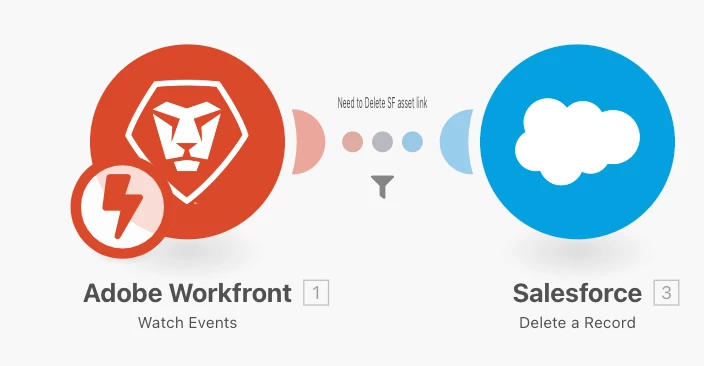
Unique scenario to manage deleted [asset issue] in Workfront
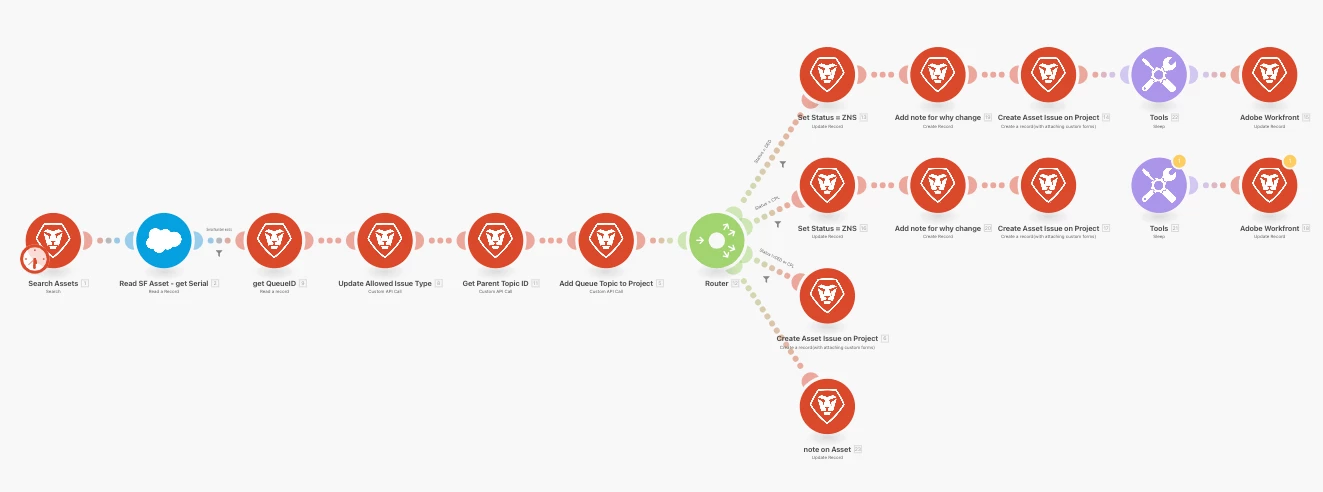
Scenario to backload [asset issues]. There is additional complexity when creating the issue record to account for closed and dead projects that need flipped to a current status to make the update. Initially I'd included a sleep instruction to allow for the other scenario to complete, but I ended up just manually flipping the status back because of delays in Fusion processing the Salesforce record creation.
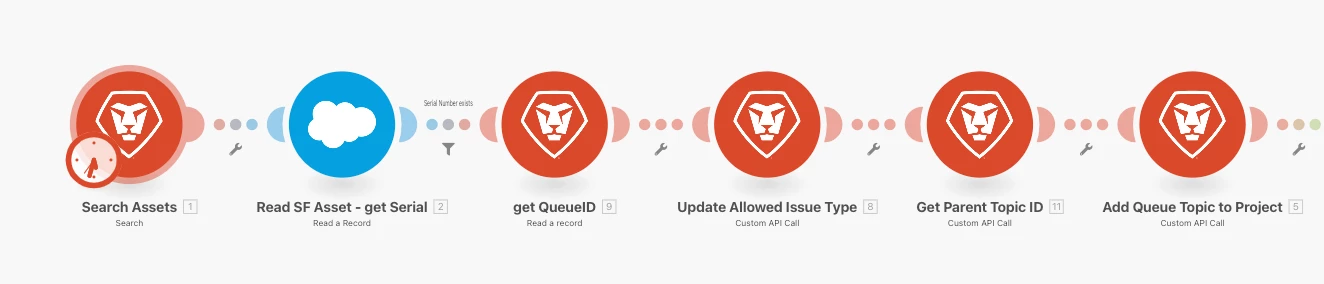
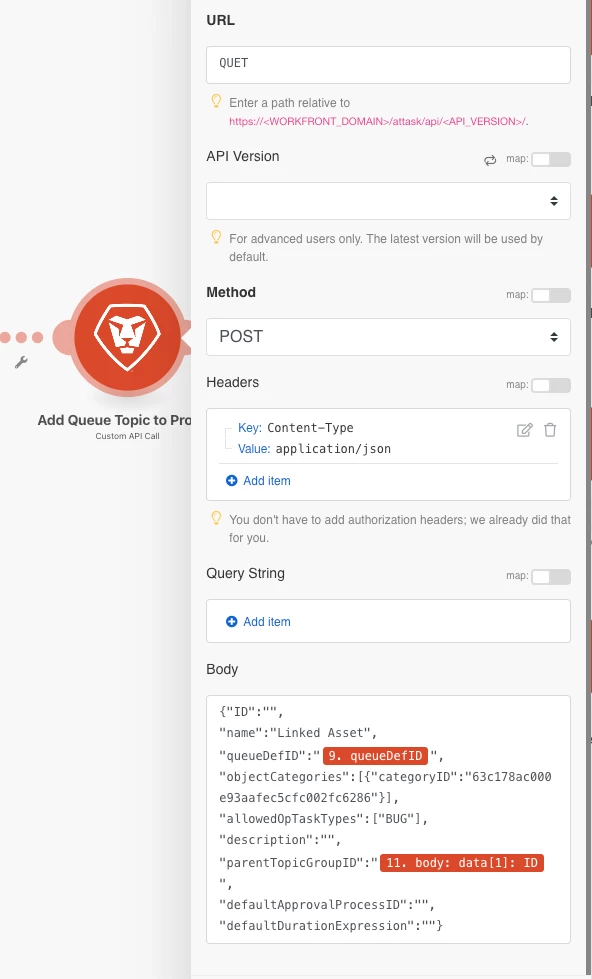
One of the "cool" things in the above is the process to update the project Queue (QUED) and create the new Queue Topic (QUET).
Thanks to @doug_den_hoed__atappstore, Glenn Coward, and support for tips at places I got stuck.