

You can now manage your Authorized Support Contacts in the Admin Console!
Exciting news! Once your account has been migrated to the Adobe Admin Console, you can now manage your Authorized Support Contacts in the Admin Console! Skip the wait on phone or email support and manage things right from your Admin Console (AC). Authorized Support Contacts (or Support Administrators in AC) are non-administrative roles that have access to support-related information, such as customer-reported issue reports. These users can also submit support cases via Experience League.
Note: Once on AC, the support team can no longer manage this for you and action must be taken within your AC. If you haven't been migrated to AC yet, please contact your Account Executive. Please also note that you must be a System Administrator role within the Admin Console to mange this.
 .
.
So how does this work? Below I've posted the steps along with some pictures. But we've also got an AC help article you can reference right here.
- Open your Admin Console - https://adminconsole.adobe.com/
- If needed, select the correct organization
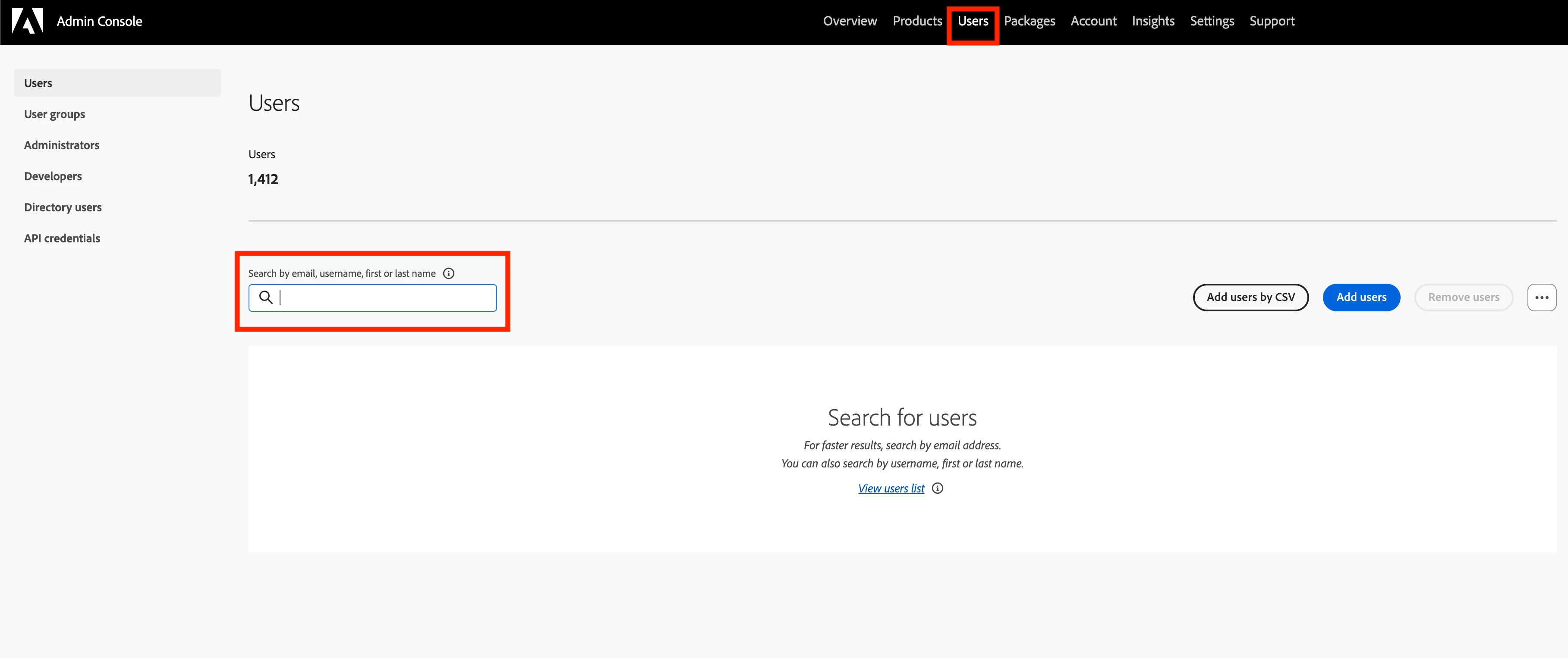
- Click on Users at the top of the page
- Search for the user you want to add/edit
- Click on the user's name to see their profile
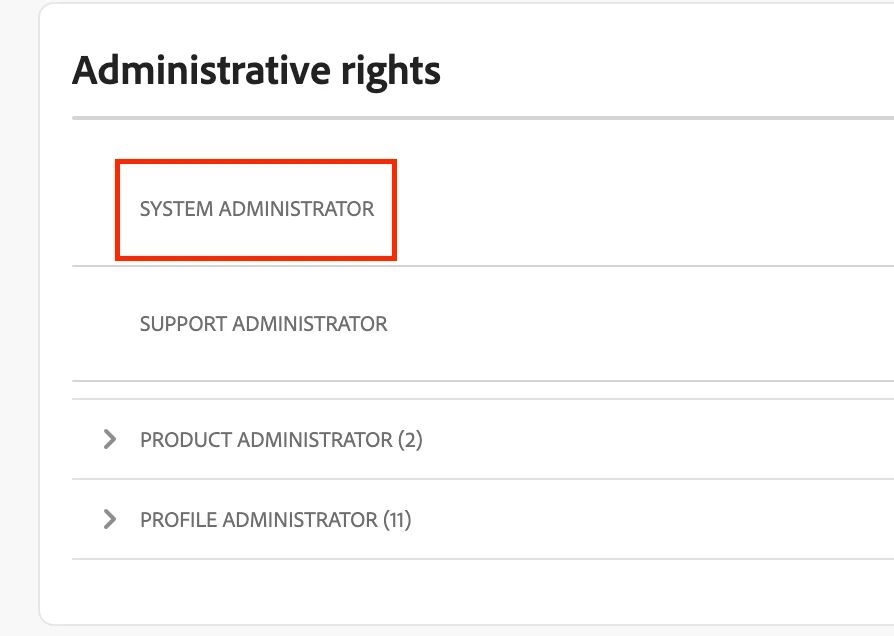
- On the user's page, scroll down to 'Administrative rights'
- Click the 3-dot menu and select edit
- Scroll down to 'Support administrators' and set the toggle to on/off
- Save the user