
Number of tasks in a project | Community
Skip to main content
AndyKent
January 4, 2024
Solved

Number of tasks in a project

  • January 4, 2024
  • 3 replies
  • 1379 views

Hi, has anyone created a calculated field to display the number of tasks in a project?


I can achieve this using textmode (as a new column) but struggling to work out how to 'Count' the number of tasks using an expression.

Thanks!
This post is no longer active and is closed to new replies. Need help? Start a new post to ask your question.
Best answer by KellieGardner

Unfortunately, Workfront has limited "count" functions available. I have a column I use with the following code in it:


displayname=Total Tasks
linkedname=direct
querysort=totalTaskCount
textmode=true
valuefield=totalTaskCount
valueformat=int


I should note, this includes parent tasks. 


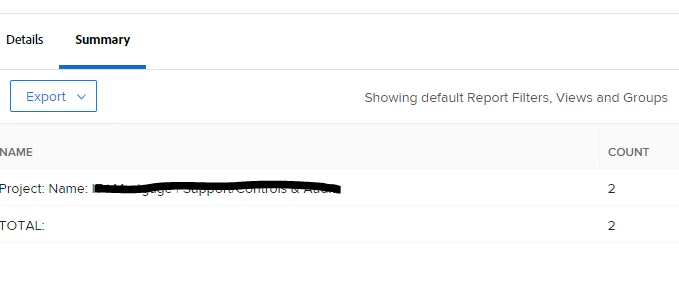
Otherwise, reversing this as noted by Doug into a task report could work and you could filter out parent tasks if needed. Then group by project and view the summary tab to see how many are for each project.


3 replies

Doug_Den_Hoed__AtAppStore
Community Advisor
Community Advisor
January 4, 2024


Hi @andykent,


Since each Task has an attribute called Task Number, one way would be to create a Task Report, add the Task Number column to the view and set to show the "Max", then grouped (and sorted) by Project with the grouping set to automatically be collapsed by default: as a result, you'd then see each Project (sorted) with the MAX Task Number (essentially, the count) beside each.


Bonus marks...


If you instead group by Task Number (descending) and then by Project Name, you can then also add a bar chart by MAX Task Number (i.e. "biggest" projects) to smallest in an interesting ever-shorter-diagonally-down-the-page manner.


Regards,

Doug

KellieGardner
Community Advisor
KellieGardnerCommunity AdvisorAccepted solution
Community Advisor
January 4, 2024

Unfortunately, Workfront has limited "count" functions available. I have a column I use with the following code in it:


displayname=Total Tasks
linkedname=direct
querysort=totalTaskCount
textmode=true
valuefield=totalTaskCount
valueformat=int


I should note, this includes parent tasks. 


Otherwise, reversing this as noted by Doug into a task report could work and you could filter out parent tasks if needed. Then group by project and view the summary tab to see how many are for each project.


January 5, 2024

This text code is just what i needed, thank you.


Do you also have code that covers Issues? I tried to replace the word "Task" with "Issue" but that didn't seem to work.


Thanks!

KellieGardner
Community Advisor
Community Advisor
January 9, 2024

Through the API issues are referred to as OpTask so you'll want to change to totalOpTaskCount


displayname=Total Issues
linkedname=direct
querysort=totalOpTaskCount
textmode=true
valuefield=totalOpTaskCount
valueformat=int


skyehansen
Community Advisor
Community Advisor
January 5, 2024

I'm not sure if I've read your question correctly, but if you're searching for a way to create a custom calculated field on the project custom form, that will display number of tasks, this isn't possible.