Workfront Proofs: Uploading a New Version is No Longer Available Within a Proof | Community
Skip to main content
ConnorO2
Level 4
December 3, 2024
Question

Workfront Proofs: Uploading a New Version is No Longer Available Within a Proof

  • December 3, 2024
  • 5 replies
  • 1537 views

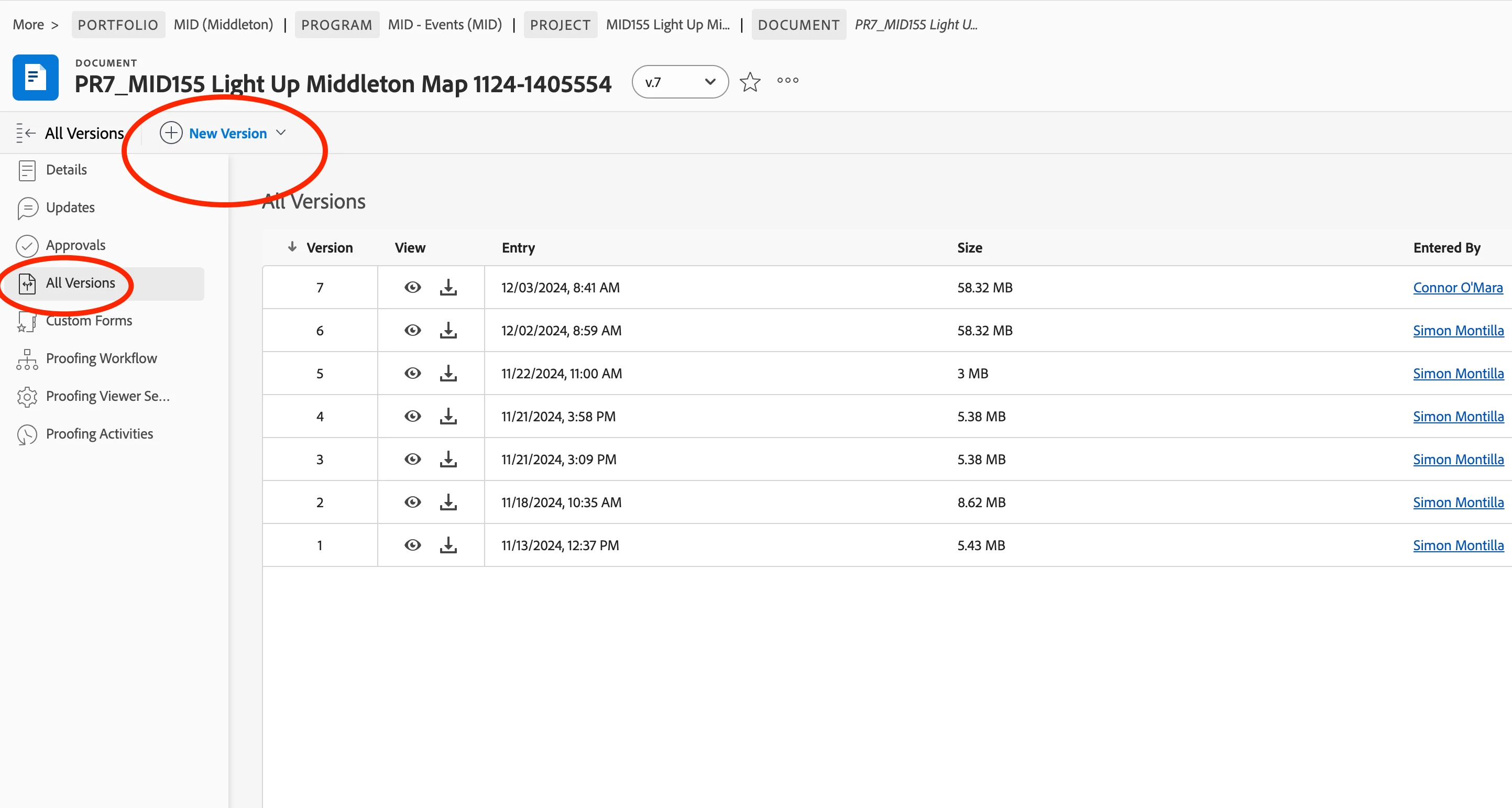
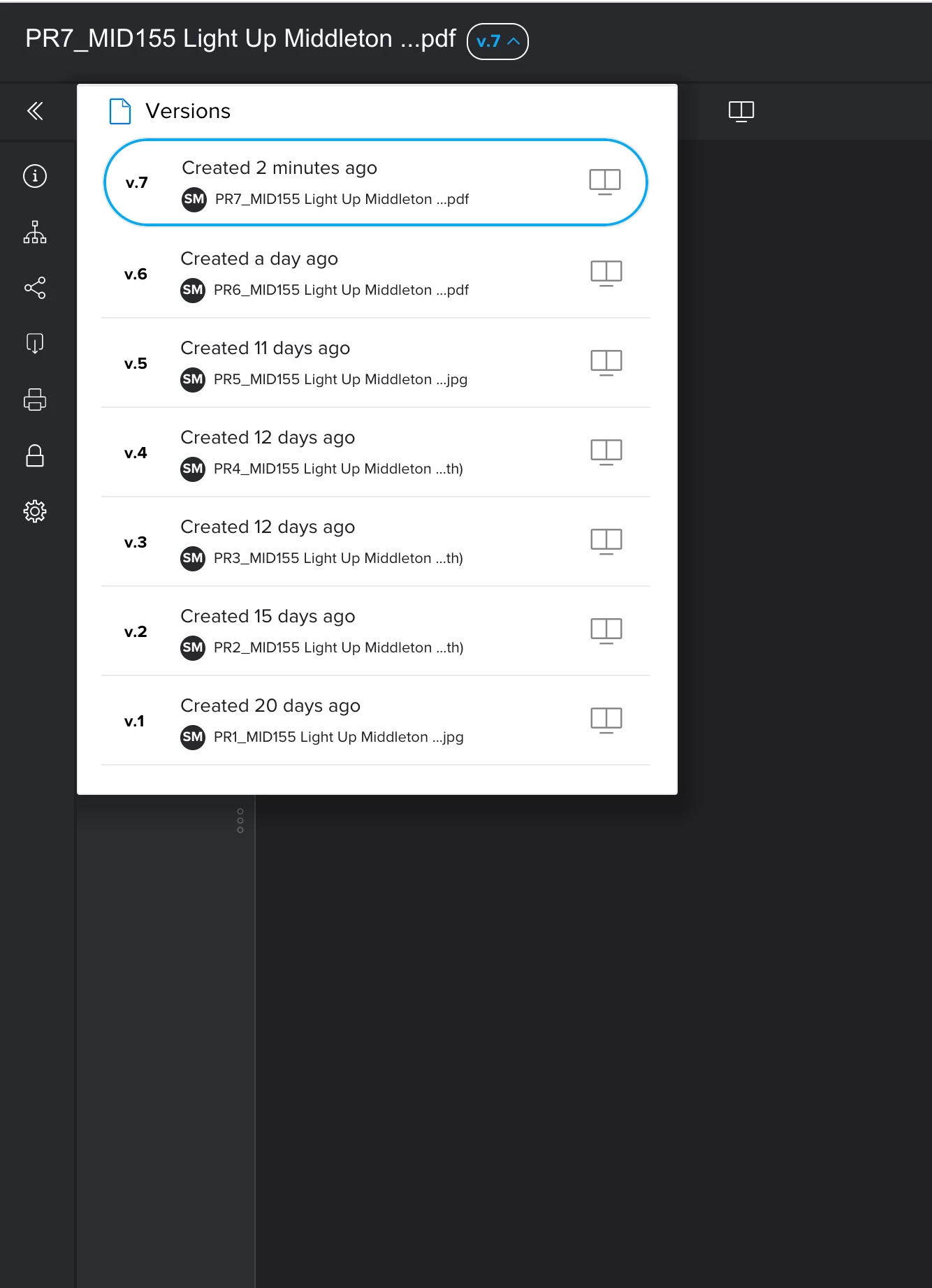
We noticed today that you can no longer upload a new version straight from a proof. Has anyone else noticed this change this morning? I did find a work around but the documentation is not updated in Experience League and there was no notice given of this change. 
 

This post is no longer active and is closed to new replies. Need help? Start a new post to ask your question.

5 replies

skyehansen
Community Advisor
December 3, 2024

It's working in my instance. Can I ask what other troubleshooting steps have you run through? (e.g. trying with other users, deleting cache and cookies, trying on other browsers, etc.)

ConnorO2
ConnorO2Author
Level 4
December 3, 2024

Yes, I have tried clearing cache and cookie data, signed in as other users, and tried incognito window as well.


This seems to be the only way I can upload a new version as of right now. 


skyehansen
Community Advisor
December 3, 2024

if it were me, I would start recording my screen, and then create a new project, upload a proof, and then try and upload a second version of the proof. Send the recording to Support (make sure you clarify on camera that you've cleared cache and cookies, and which type of PC and browser you're using).

December 3, 2024

I had to restart my computer to upload a new proof. Very inconvenient when I have multiple new versions of different projects to upload this morning. I don't have a work around but just wanted to chime in so you didn't feel crazy like I have all morning.

Richard__Carlson
Community Advisor
Community Advisor
December 3, 2024

Are you trying to upload a proof from within Proof HQ?  Our typical process for uploading a proof version is in Workfront, not PHQ.


Go to Project -> Click on Documents Tab - Click on Document / Proof to be updated

Click Add New -> Version -> Proof


Hope this helps

December 4, 2024

Hi, I'm seeing the same issue, and so are others in my company. I'm going to raise a support ticket after checking the release update area for any sneaky change.


Thanks
Matt

Richard__Carlson
Community Advisor
Community Advisor
December 4, 2024

Ordinarily is there a button inside of the proof which allows users to upload a new version?

December 4, 2024

Yes, when you select the versions drop down, the +Version button is on the top right which uses the same UI as from the project documents area. I've had a number of users report this is missing to me know.

December 5, 2024

Hi all,


This is now working for me. Support asked me to check after they could see it and there it was without me needing to do anything.


Thanks

Matt