Where do you include specs for design projects? | Community
Skip to main content
September 27, 2021
Question

Where do you include specs for design projects?

  • September 27, 2021
  • 3 replies
  • 756 views

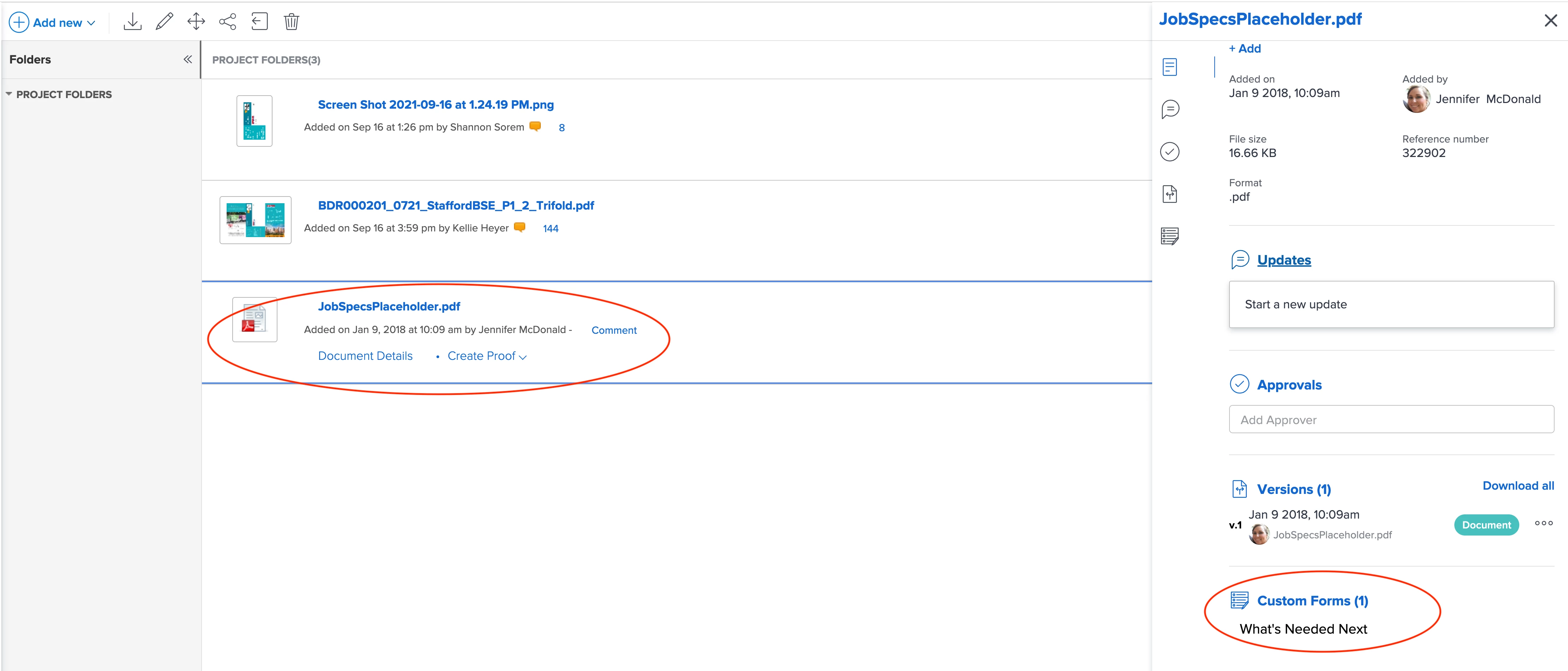
We have only found to place them in a custom doc attached to the project - in the new experience it is buried and takes more click throughs - there must be a better way.

This post is no longer active and is closed to new replies. Need help? Start a new post to ask your question.

3 replies

Level 10
September 28, 2021

Not sure why you find documents buried, why is it so many clicks for you?

We use a field in the custom form on the request or project and the designers know to look there.. If there is a document to reference, the custom form says “see document”. We use sharepoint to attach word docs so it’s easier to click and see them. PDFs that aren’t proofs also open easily.

jmedauAuthor
September 28, 2021

Two is more than what I used to have: I used to be able to click the PDF at left (in screengrab) and see the custom form information (at right in screengrab). Now I have to go to Documents > Job Specs PDF Placeholder > Custom Doc - that is how you view them?

skyehansen
Community Advisor
Community Advisor
September 28, 2021

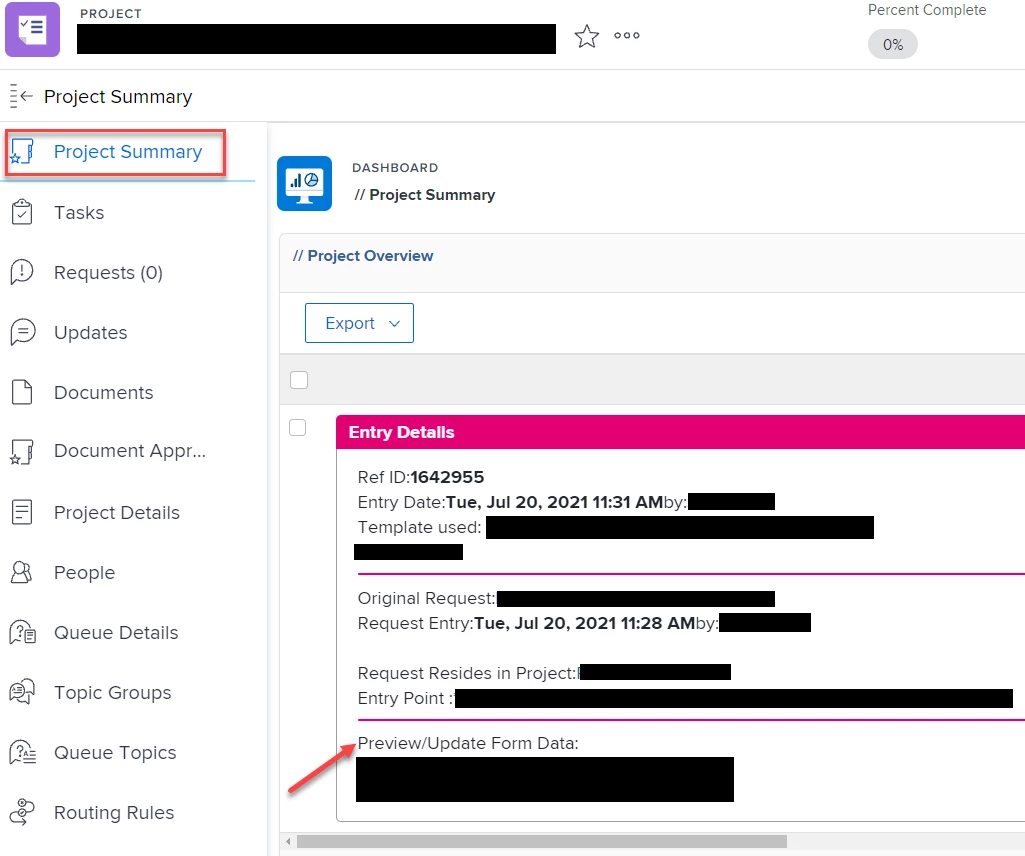
I think the only way to make less clicks is through reporting and a custom dashboard. In our org, the top tab is a custom dashboard with the universally useful information for each project in the system so that this can be seen at-a-glance. If you put a document report filtering down to only job specs documents, and one column of that is a link to the custom form, then you could get it down to one click. For example, here's a part of our tab in this screenshot with an arrow pointing at the custom form.

Level 10
September 28, 2021

It looks to me like you are burying things down deep which is why so many clicks. We don't do that, keep everything at the project level so it's easy to find. First, we don't put documents in folders so there is one less click. Looks like you have a folder in the project where you put the specs. We use folders only after there are too many documents and it gets confusing to sort through. Second, we use the Custom Form on the PROJECT which is found on the left hand nav under "Project Details" so that is one click away from the Task list or Document list. We don't use custom forms attached to a document or a task because it's too deep down into the belly and I don't think anybody would ever find it or know to look there. I'm sure that highly complex organizations that put in a ton of detail on every moment use these features but we find that it's too complex for our designers to figure out.