WF - Milestones in a Project or Task Report | Community
Skip to main content
Level 2
December 17, 2024
Solved

WF - Milestones in a Project or Task Report

  • December 17, 2024
  • 1 reply
  • 885 views

Hello 

I would like to create a report that includes the active Milestone status. This would be brought in for a task report where I can detailing work due this week or a project report for all active projects. 


Any thoughts?  Currently, when I choose Milestone name, color etc. It does not appear. 


Appreciate any thoughts or experience with adding this into a non Milestone report. 

Thanks and Happy Holidays!

Angie
 

This post is no longer active and is closed to new replies. Need help? Start a new post to ask your question.
Best answer by KellieGardner

@angieh1 - yes this is possible but you'll have to reference the parent task milestone with some text mode. If you aren't familair on how to do this, I'll post the steps.


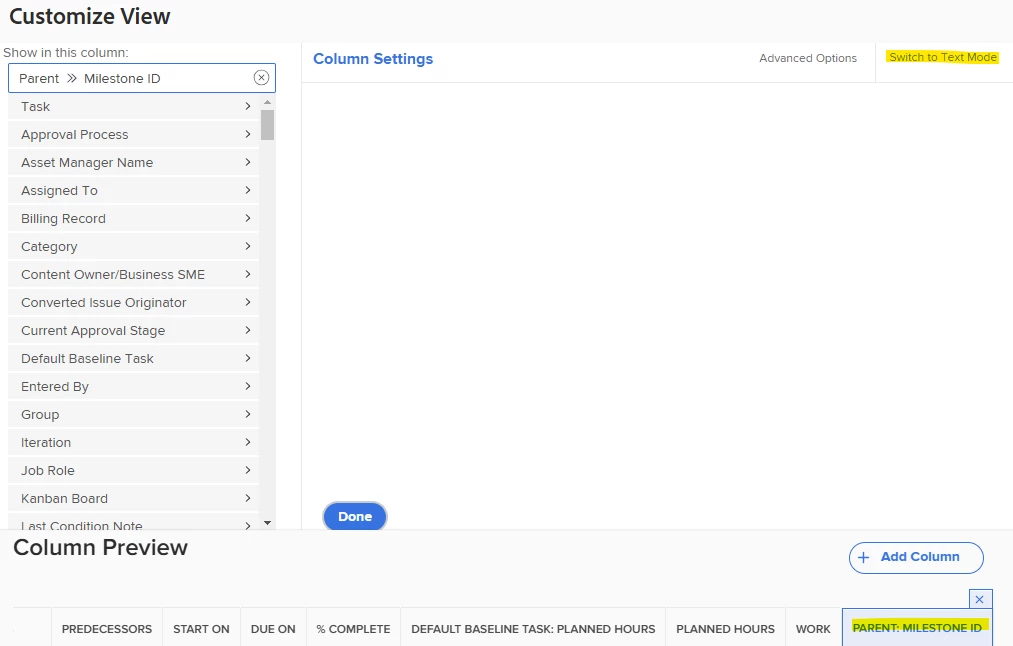
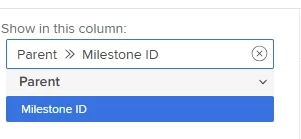
First you'll want to pull in native column of "Parent Milestone ID" into your task report or view 


Once it's added to your view select "switch to text mode" in the column settings

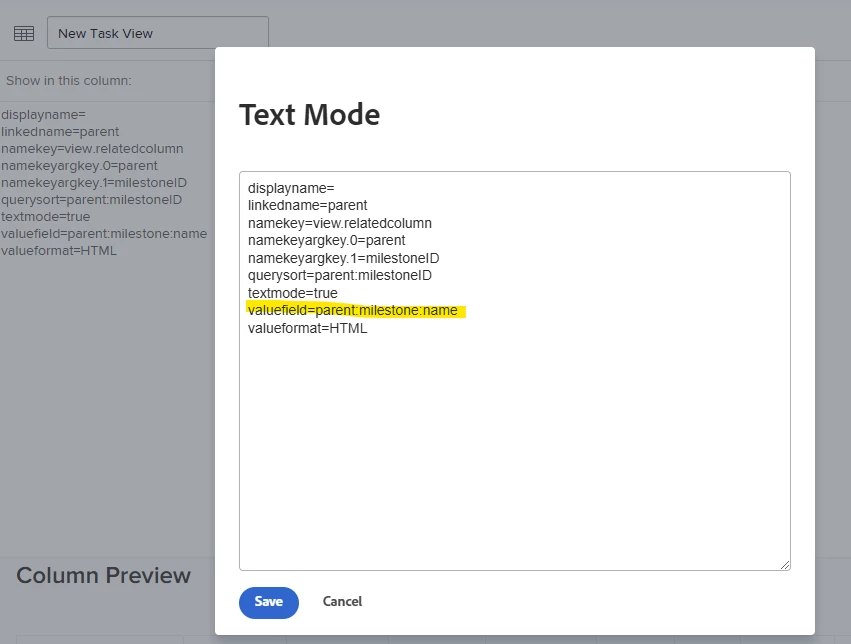
Click into the text mode and change the valuefield line to be parent:milestone:name instead of ID


It should then populate the milestone name of the parent into this column


1 reply

KellieGardner
Community Advisor
Community Advisor
December 17, 2024

@angieh1 - Do you have milestones attached to your tasks in your project plan already?


You said: "Currently, when I choose Milestone name, color etc. It does not appear." Are you doing this in a task report and is the task you are looking at tied to a milestone already? 

AngieH1Author
Level 2
December 18, 2024

HI Kellie 

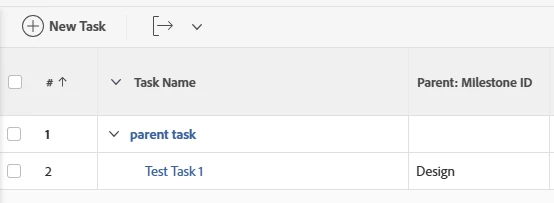
I can only align a Milestone to the Header Task and not the subtasks beneath it.  On a task report I bring in any open tasks (not the header task). I was looking to pull in the Milestone name aligned to the Header task to the open subtasks to highlight the associated milestone.


Hope that makes sense.   My image attached shows the example.   


Angie

AngieH1Author
Level 2
December 31, 2024

@angieh1 - yes this is possible but you'll have to reference the parent task milestone with some text mode. If you aren't familair on how to do this, I'll post the steps.


First you'll want to pull in native column of "Parent Milestone ID" into your task report or view 


Once it's added to your view select "switch to text mode" in the column settings

Click into the text mode and change the valuefield line to be parent:milestone:name instead of ID


It should then populate the milestone name of the parent into this column


Not that I doubted you.  LOL - but it worked!!  Awesome!    Thank you so much!