Task Report showing approvers by stage | Community
Skip to main content
Level 4
October 9, 2024
Question

Task Report showing approvers by stage

  • October 9, 2024
  • 1 reply
  • 611 views

I'm trying to create a task report that groups by task then by approval stages. In essence it would show each approval stage as its own line item along with approvers and the statuses of their decisions. Giving insight into who hasn't completed their stages.  I haven't figured how to group by approval stages as it doesn't appear to be native field for grouping.

1 reply

Sven-atClient
Level 3
October 10, 2024

Hi @omahaomaha 


"showing approval stages" in a task reports is mixing apples and oranges: In WF reports you can only report on/list one object. 


2 choices: 

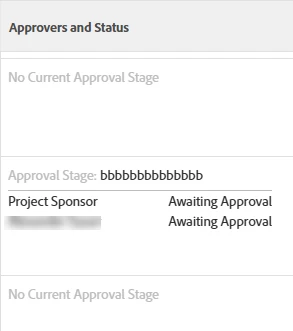
Use the built in "Approvers and statuses" field in the task report: Shows the the current pending approvals

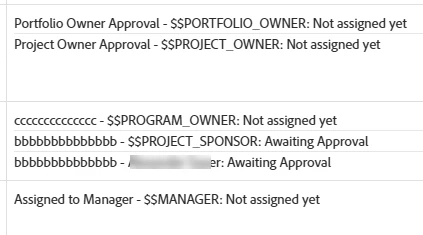
Or roll your own by iterating over the approverStatuses collection


Iteration code:

valueexpression={approvalStep}.{name}+" - "+{stepApprover}.{role}.{name}+{stepApprover}.{team}.{name}+{stepApprover}.{user}.{name}+{stepApprover}.{wildCard}+": "+if({status}="NA","Not assigned yet",if({status}="AA", "Awaiting Approval",if({status}="AD", "Approved", if({status}="RJ","Rejected",""))))+if(isblank({approvedByID}),""," ("+{approvedBy}.{name}+")") listdelimiter=<hr> textmode=true listmethod=nested(approverStatuses).lists valueformat=HTML type=iterate