Summarize column of calculated fields | Community
Skip to main content
Level 5
December 6, 2022
Solved

Summarize column of calculated fields

  • December 6, 2022
  • 1 reply
  • 1341 views

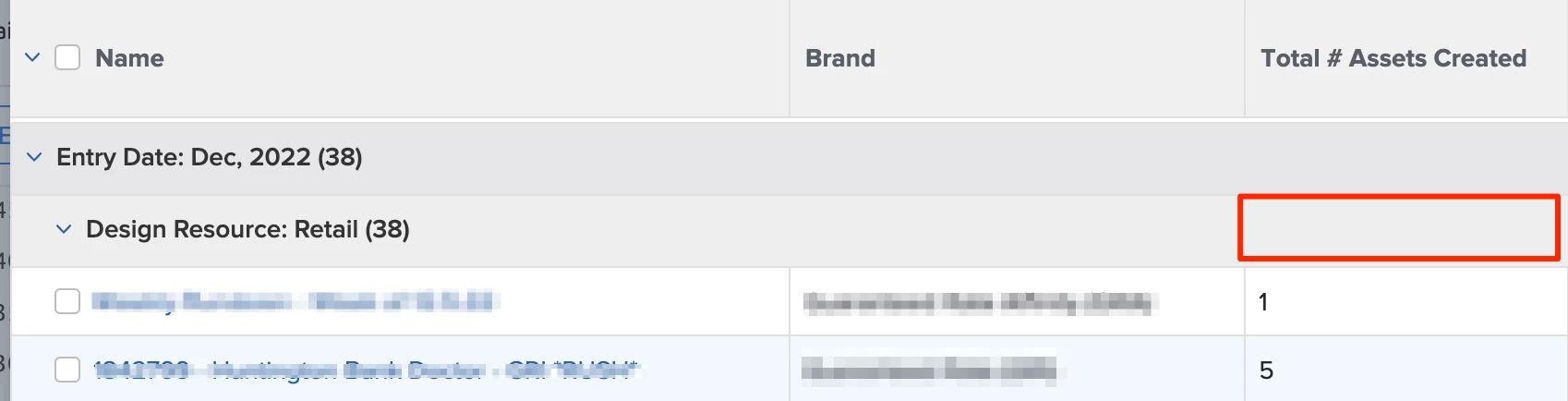
I have a report that is pulling a column for a calculated field that we use on a custom form and am trying to figure out how to summarize it (by SUM) so that it shows the total at the grouping level. 


Is there text mode that can accomplish this?


This post is no longer active and is closed to new replies. Need help? Start a new post to ask your question.
Best answer by Richard_Le_

Hi Kasey,


The better approach is definitely to get the data format right. This will enable you to great graphs/charts from the data in the future should you need to.


If however, you can't change the format (since you can't amend once the field is created and making a new field might be problematic), you could use the following text mode for the column in your report:


aggregator.displayformat=HTML
aggregator.function=SUM
aggregator.valueexpression=NUMBER({DE:FIELD NAME})
aggregator.valueformat=HTML
displayname=
linkedname=direct
namekey=FIELD NAME
querysort=DE:FIELD NAME
textmode=true
valueexpression=NUMBER({DE:FIELD NAME})
valuefield=FIELD NAME
valueformat=customDataLabelsAsString

This should SUM all of the values into your group header.


Best Regards,

Rich. 
1 reply

Community Advisor
December 6, 2022

Hi Kasey,


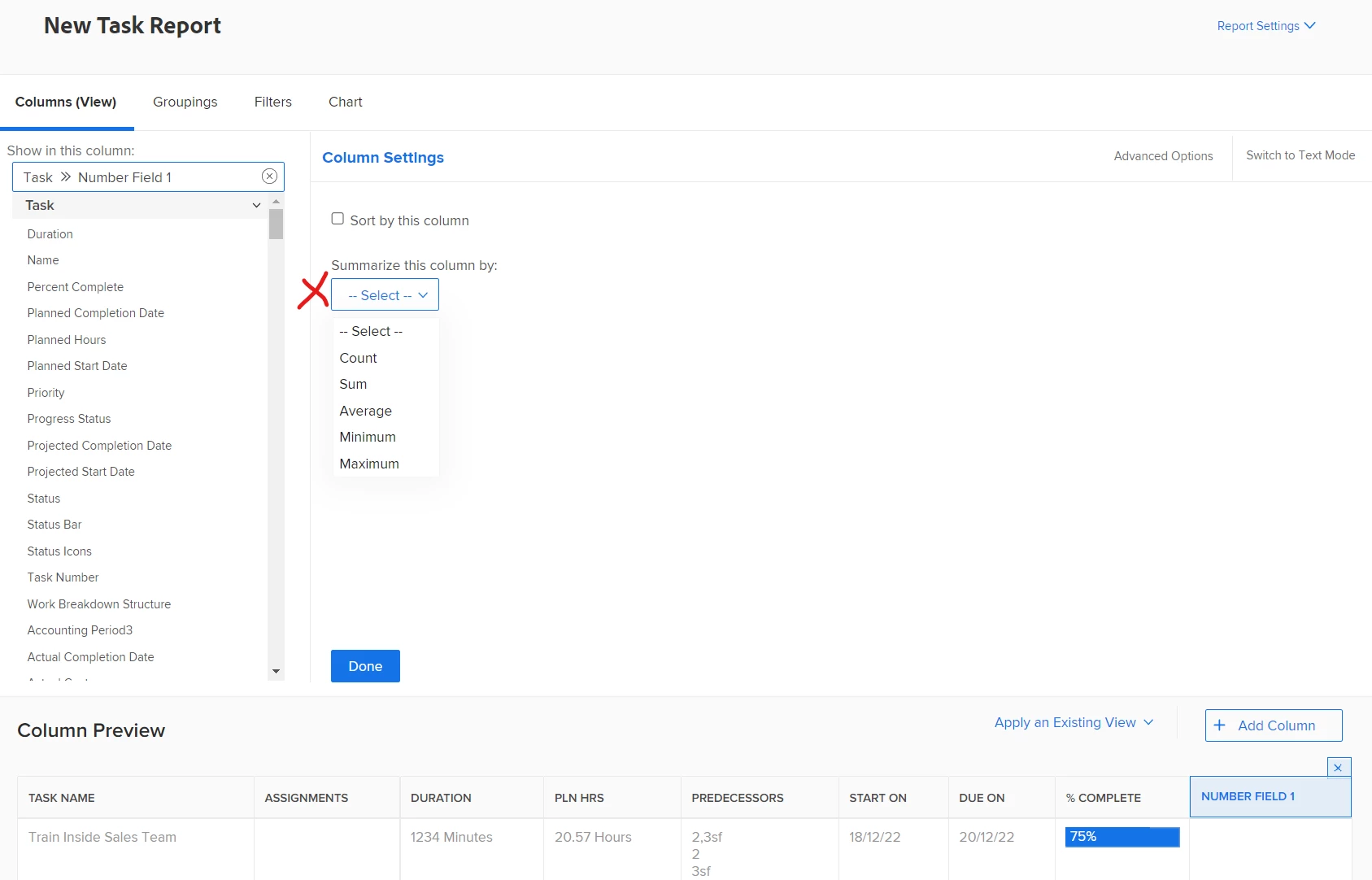
As long as your calculated field is in a number format, you should have the ability to summarise that column by SUM from within the report builder, without any need for text mode. Simply click on that column when configuring your view, and there is a drop-down menu where you can choose how you want to summarise that column 


Best Regards,

Rich


Level 5
December 6, 2022

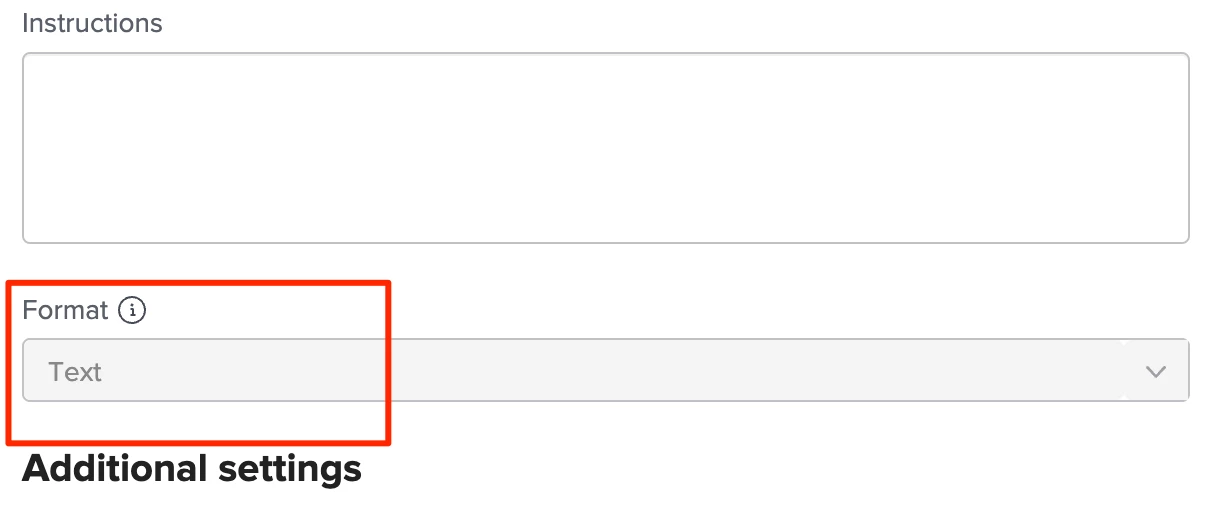
Thank you!! I don't have that option at the moment - but when looking into my calculated field on the form it's set to "text" format rather than "number" but does not allow me to change it.. which must be the issue... I will look into how I can fix this! I appreciate your help 🙂 


Richard_Le_Community AdvisorAccepted solution
Community Advisor
December 7, 2022

Hi Kasey,


The better approach is definitely to get the data format right. This will enable you to great graphs/charts from the data in the future should you need to.


If however, you can't change the format (since you can't amend once the field is created and making a new field might be problematic), you could use the following text mode for the column in your report:


aggregator.displayformat=HTML
aggregator.function=SUM
aggregator.valueexpression=NUMBER({DE:FIELD NAME})
aggregator.valueformat=HTML
displayname=
linkedname=direct
namekey=FIELD NAME
querysort=DE:FIELD NAME
textmode=true
valueexpression=NUMBER({DE:FIELD NAME})
valuefield=FIELD NAME
valueformat=customDataLabelsAsString

This should SUM all of the values into your group header.


Best Regards,

Rich.