Show Text option selected in a report's Column rules removes field editability in final report | Community
Skip to main content
Level 2
July 10, 2023
Solved

Show Text option selected in a report's Column rules removes field editability in final report

  • July 10, 2023
  • 1 reply
  • 539 views

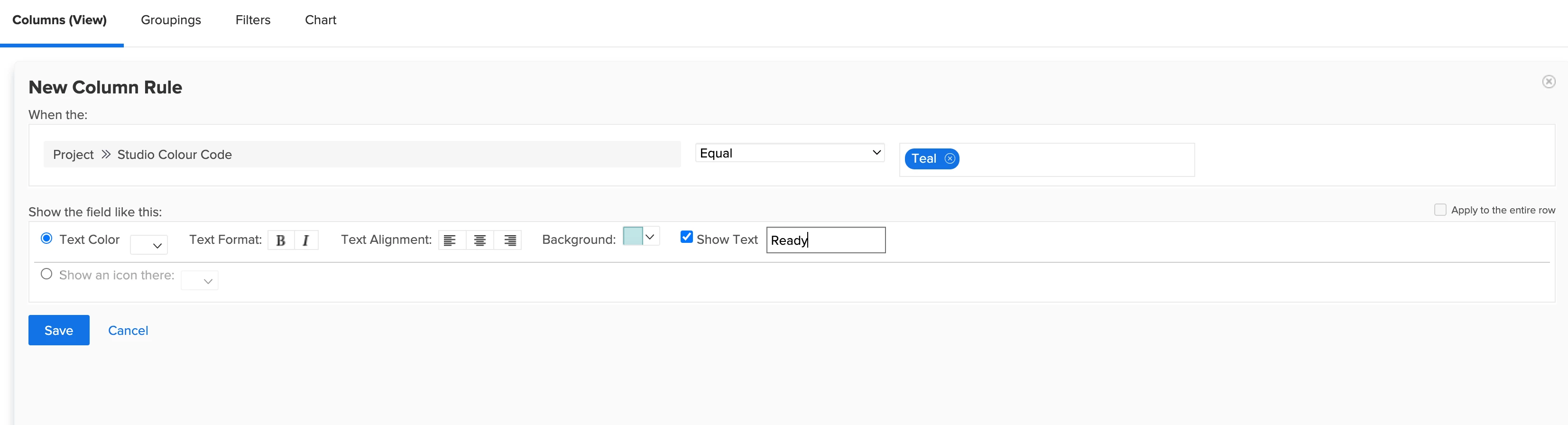
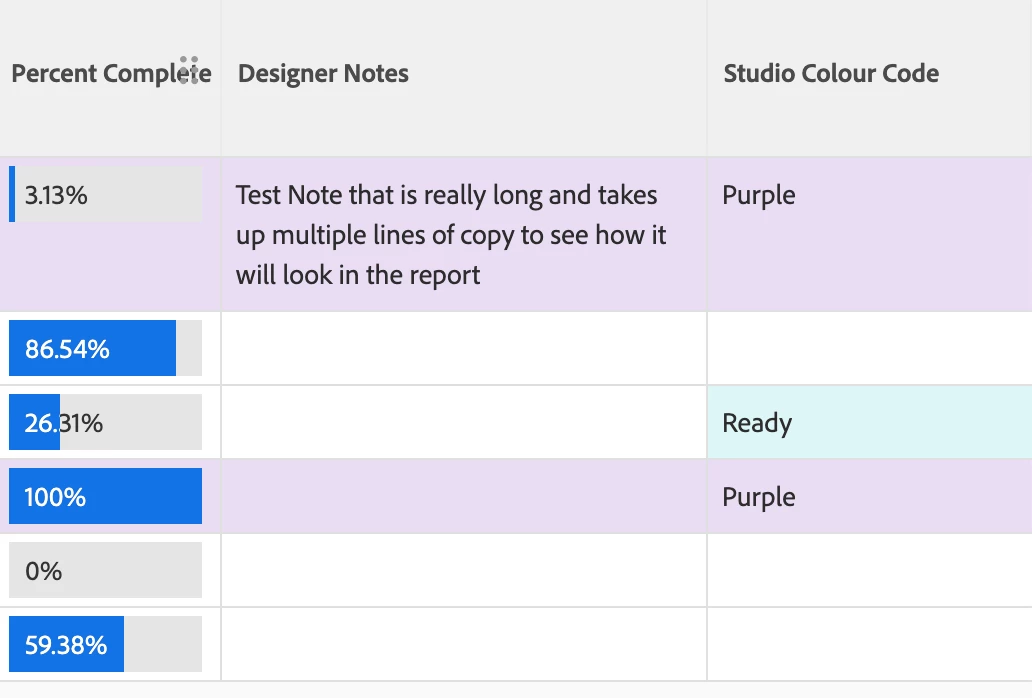
I have a report that pulls a field from a custom form to populate one of the columns. The field is editable by my users in the report. If I set up a Column rule to highlight the line item a certain bckground colour based on an if statement, and select the "Show Text" option, the column becomes uneditable. Why is that?
  

This post is no longer active and is closed to new replies. Need help? Start a new post to ask your question.
Best answer by NicholeVargas

@joshawajones This is intended behavior, based on the language in the documentation article, Use conditional formatting in views. When you choose to display custom text over the original field value, the system is not able to recognize that you want to edit the original text. What you may want to do, is add the column twice to your report (one with conditional formatting, one without) so that you can edit the original text in-line.

Language pulled from the documentation article:

Important: Selecting Show Text disables the ability to inline edit the text in this column.


1 reply

NicholeVargas
Adobe Employee
NicholeVargasAdobe EmployeeAccepted solution
Adobe Employee
July 17, 2023

@joshawajones This is intended behavior, based on the language in the documentation article, Use conditional formatting in views. When you choose to display custom text over the original field value, the system is not able to recognize that you want to edit the original text. What you may want to do, is add the column twice to your report (one with conditional formatting, one without) so that you can edit the original text in-line.

Language pulled from the documentation article:

Important: Selecting Show Text disables the ability to inline edit the text in this column.