Show Completion Time on Work list | Community
Skip to main content
October 17, 2022
Solved

Show Completion Time on Work list

  • October 17, 2022
  • 1 reply
  • 1032 views

Does anyone know how to add the planned completion time to the homepage worklist for all users with a worker license?

This post is no longer active and is closed to new replies. Need help? Start a new post to ask your question.
Best answer by Rafal_Bainie

Hi Laura,

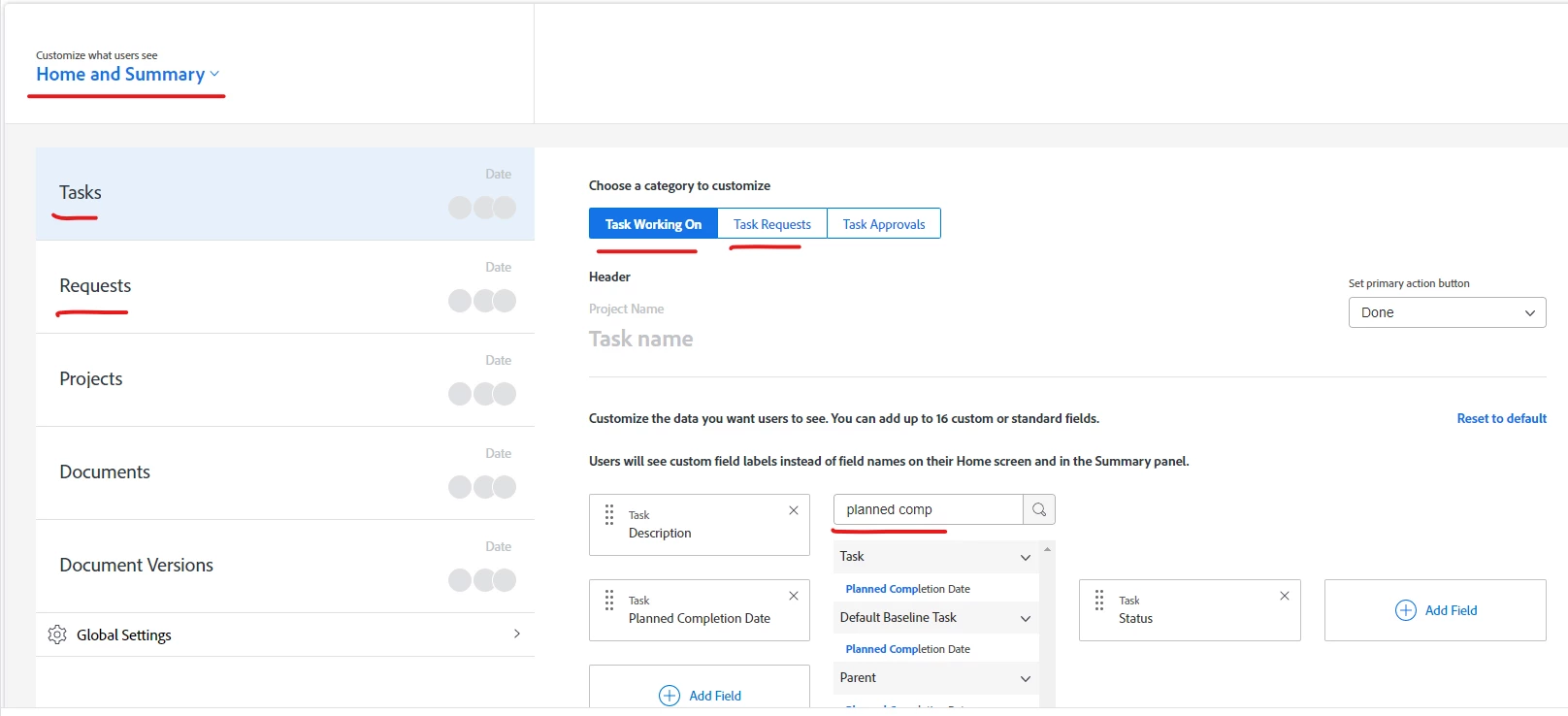
you can do this via layout template configuration and make sure this layout(s) are assigned to the right users.

Select "home and summary" and specify on which object types you want users to see Planned Completion Date, e.g. Task, Issues. 

One more thing to watch out for, home area would distinguish between task/issue requests and task/issue working on
good luck!

1 reply

Rafal_Bainie
Community Advisor
Rafal_BainieCommunity AdvisorAccepted solution
Community Advisor
October 18, 2022

Hi Laura,

you can do this via layout template configuration and make sure this layout(s) are assigned to the right users.

Select "home and summary" and specify on which object types you want users to see Planned Completion Date, e.g. Task, Issues. 

One more thing to watch out for, home area would distinguish between task/issue requests and task/issue working on

good luck!

October 18, 2022

Thank you!  I already have it set up exactly like that for both planners and workers BUT only the planner shows the time.  Workers do not.

Rafal_Bainie
Community Advisor
Community Advisor
October 18, 2022

ahh, I get now emphasis on "time".
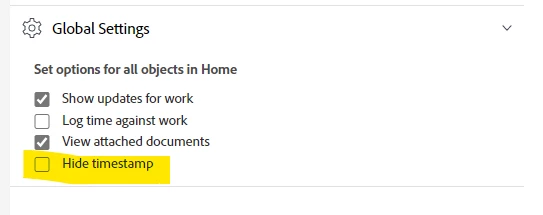
if the field is there, but time is missing, please uncheck "hide timestamp" setting in the same area