*SCHEDULES in Workfront* - Assigned a schedule to a project with exception dates blocked out, project is not recalculating schedule! | Community
Skip to main content
Level 4
December 1, 2022
Solved

*SCHEDULES in Workfront* - Assigned a schedule to a project with exception dates blocked out, project is not recalculating schedule!

  • December 1, 2022
  • 1 reply
  • 1508 views

Someone created a project schedule, then asked for specific dates to be blocked out that are different to our default schedule in Workfront. I created a custom schedule with different dates blocked out as exception dates, and assigned it to that project. The project is not recalculating the schedule based on that calendar. (Meaning, even though the calendar schedule I created has dates of 12/18-1/9 blocked off as full exception dates, the project schedule is still telling me certain task due dates are falling within that window of time). Is there a trick to this I am missing? Thank you - Olivia 
This post is no longer active and is closed to new replies. Need help? Start a new post to ask your question.
Best answer by OliviaMi

I wouldn't think the project status would matter, but I could be wrong.  You could try manually recalculating the timeline by clicking the three dot menu by the project name.  

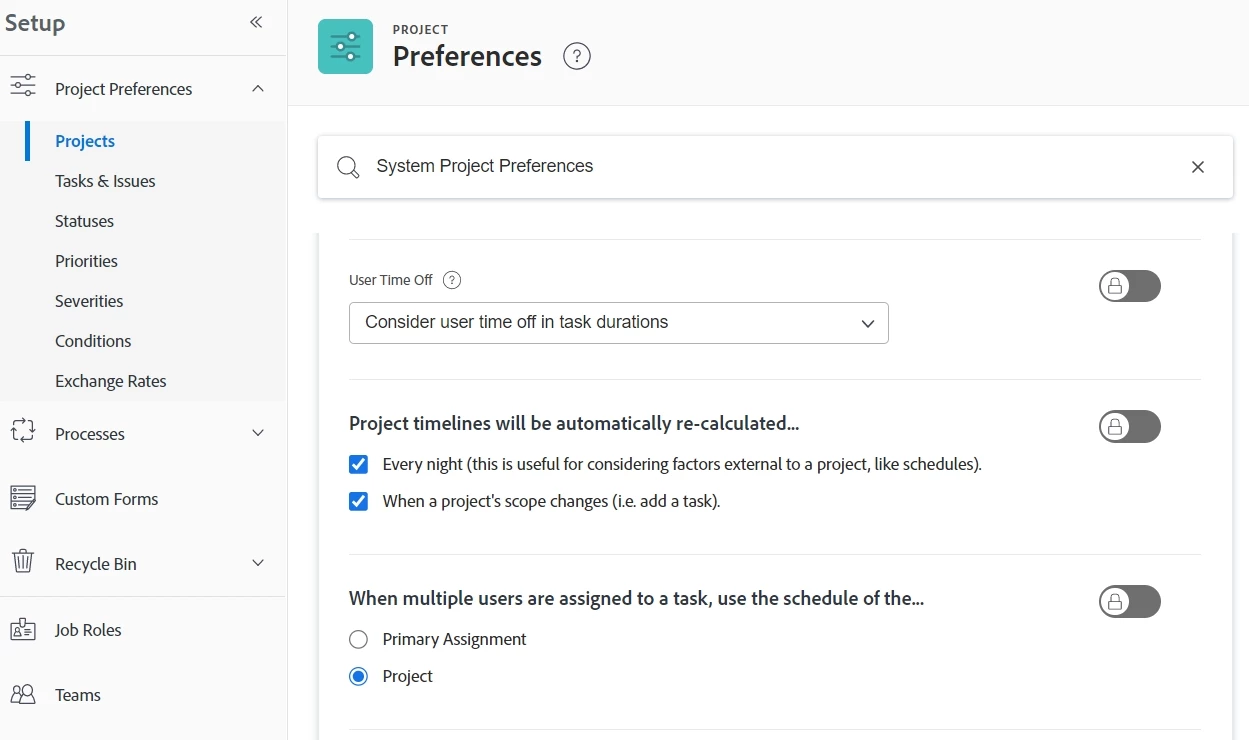
The only other idea I have is if you go to Setup -> Project Preferences -> Projects and double check the settings there.  This would apply to all projects, but it could help.  

Good luck!  


Thanks Chloe! I figured out why this is happening after a bit of digging.... https://experienceleague.adobe.com/docs/workfront/using/administration-and-setup/set-up-wf/configure-timesheets-schedules/schedules-overview.html?lang=en

There is a project schedule hierarchy, and WF will always take the users schedule per their profile OVER the schedule that is selected in the Project's Settings. I did not know that!! SO what I did was just remove the Default Schedule we have applied to every user's profile, and now the Project is calculating correctly with the correct dates "blacked out".

1 reply

ChloeWY
Level 6
December 5, 2022

Hi @oliviami , what sort of task constraints are you using on the project? I think (although I'm not positive) that Fixed Dates, Must Finish On, and Must Start On ignore the project schedule.

OliviaMiAuthor
Level 4
December 5, 2022

I did check that!! All the tasks are set to As Soon As Possible. The project was in Current status when I updated the schedule - would that have anything to do with it?

ChloeWY
Level 6
December 5, 2022

I wouldn't think the project status would matter, but I could be wrong.  You could try manually recalculating the timeline by clicking the three dot menu by the project name.  

The only other idea I have is if you go to Setup -> Project Preferences -> Projects and double check the settings there.  This would apply to all projects, but it could help.  

Good luck!