Resource Management: Will reducing Schedules from 8 to 6 hours negatively affect other areas of Workfront? | Community
Skip to main content
Level 5
February 22, 2023
Solved

Resource Management: Will reducing Schedules from 8 to 6 hours negatively affect other areas of Workfront?

  • February 22, 2023
  • 2 replies
  • 1507 views

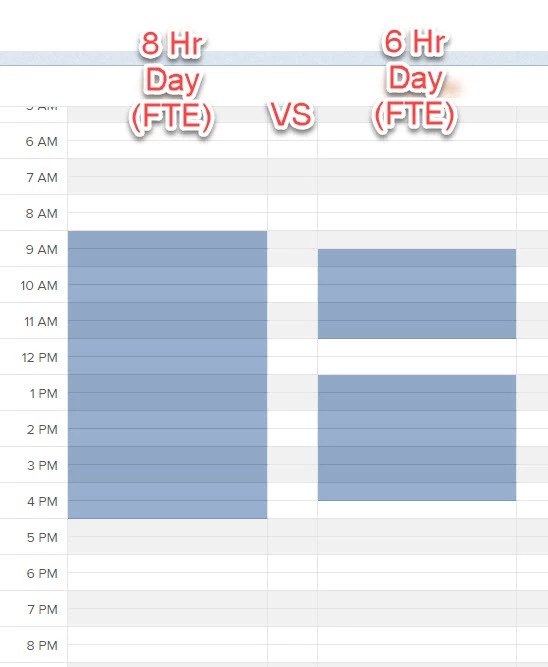
In support of Resource Management and Capacity Planning in we want to reduce the hours considered for an FTE to about 75 - 85% to avoid overloading our team and account from indirect activities. For simplicity lets say reduce from 8 to 6 direct hours per day. The FTE field in the user profile does not seem to do anything so we are considering changing our schedule in Setup to reflect 6 hour days. 

Question: What are the implications to other areas of Workfront? Will this affect project schedules/timelines or the resource tools (i.e. Planner and Balancer) in unintended or negative ways?


Update schedule from 8 to 6 hour days:
This post is no longer active and is closed to new replies. Need help? Start a new post to ask your question.
Best answer by Richard_Le_

Hi Matt,


Before making any changes to your schedules, I recommend that you take a look at the new "Work Time" functionality that will be released in early March that should solve this exact problem (it's available right now in preview to test too). . . .  With this new capability, you can specify how much of a users day is dedicated to project work. Take a look at the release notes here, there's also a short video explaining the functionality. 


The best thing to do is to test your changes (whether they be to schedules or the new "work time" field) in your preview environment to get an understanding of the impact they have before making the change in live. Updating schedules in particular can affect lots of different areas of Workfront, but the extent depends on how your Workfront instance is configured. More info on this can be found here.


I hope this helps!


Best Regards,

Rich. 

2 replies

Richard_Le_Community AdvisorAccepted solution
Community Advisor
February 22, 2023

Hi Matt,


Before making any changes to your schedules, I recommend that you take a look at the new "Work Time" functionality that will be released in early March that should solve this exact problem (it's available right now in preview to test too). . . .  With this new capability, you can specify how much of a users day is dedicated to project work. Take a look at the release notes here, there's also a short video explaining the functionality. 


The best thing to do is to test your changes (whether they be to schedules or the new "work time" field) in your preview environment to get an understanding of the impact they have before making the change in live. Updating schedules in particular can affect lots of different areas of Workfront, but the extent depends on how your Workfront instance is configured. More info on this can be found here.


I hope this helps!


Best Regards,

Rich. 

MattMc2Author
Level 5
February 22, 2023

Very helpful. Thank you, Rich!

RandyRoberts
Community Advisor
Community Advisor
February 22, 2023

I agree with Richard. We tried fiddling with the schedules so that our users could only be assigned 6 hours of work per day, but that started messing with our project timelines. If all your users are on the same schedule, you can use the "FTE" field at .75 to get your 6 hour days. But if you have users on different schedules the FTE option is disabled. The new "Work Time" field should fix that.

I'm still not clear on how "Work Time" interacts with "FTE" if all the users are on the default schedule though. Perhaps some can chime in and explain it.

MattMc2Author
Level 5
February 22, 2023

Thanks, Randy. That was my concern too (messing with our project timelines). I'll have a play with the new functionality. Users in our group all use the same schedule but from what I can tell the FTE setting ignores time off etc. That seems less than useful.

RandyRoberts
Community Advisor
Community Advisor
February 22, 2023

The FTE setting ignores time off but the Workload Balancer honours time-off, and I believe that's the goal, right?

Make sure you have the right setting for FTE activation here>