Report Prompts - user-selected date range | Community
Skip to main content
Level 2
February 22, 2023
Solved

Report Prompts - user-selected date range

  • February 22, 2023
  • 2 replies
  • 1152 views

I'm trying to customize a report where the person pulling the report can select a date range of their choosing. I have been advised to add a prompt to the report build but don't know how to format that to offer a start and end to the report date range. The filters only allow for wildcards "$$TODAY" and "$$NOW" and adding or subtracting from that starting point. But I want this date range to be more open and customizable. 
This post is no longer active and is closed to new replies. Need help? Start a new post to ask your question.
Best answer by gunaymusayeva

Dear Adrian,

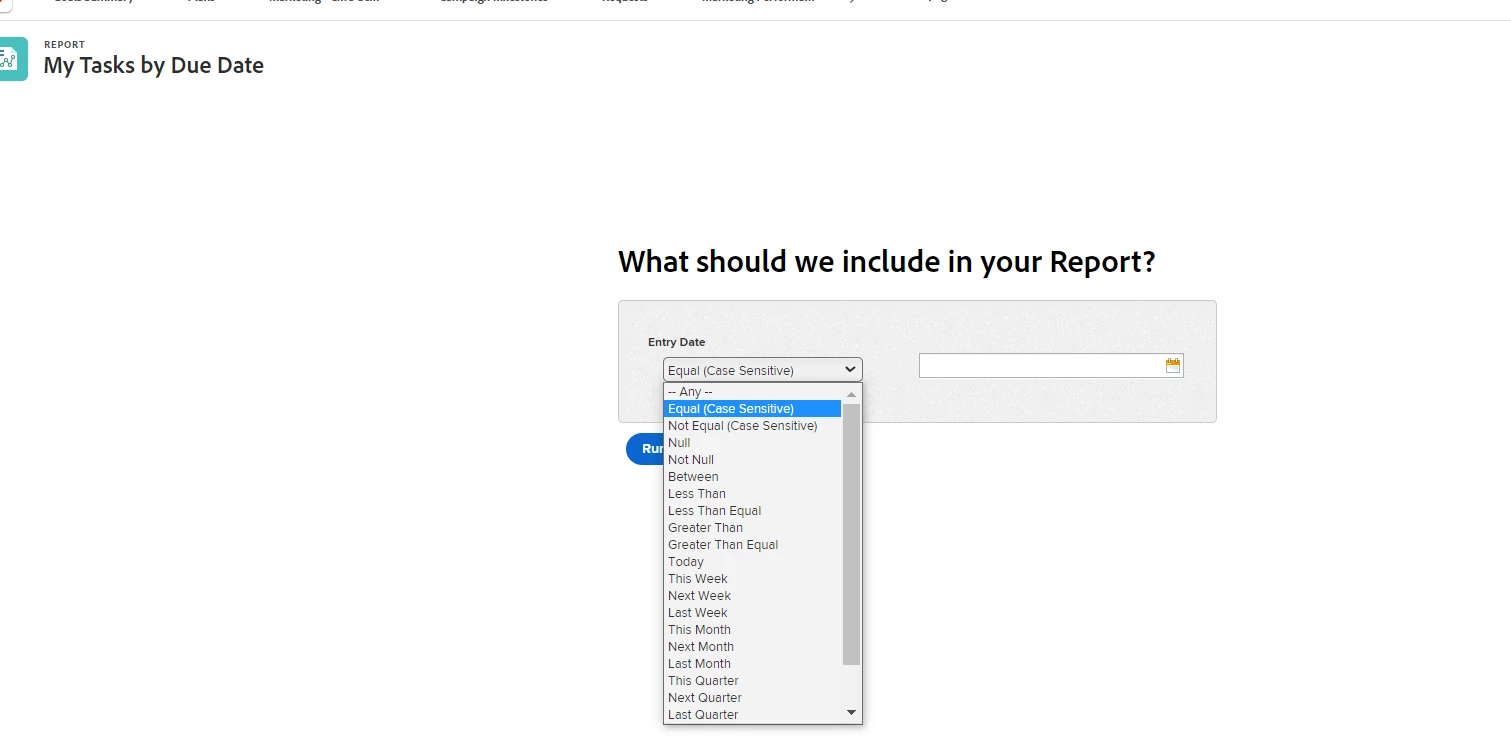
Please follow these steps, if you want to add promts to your report  which looks like this:

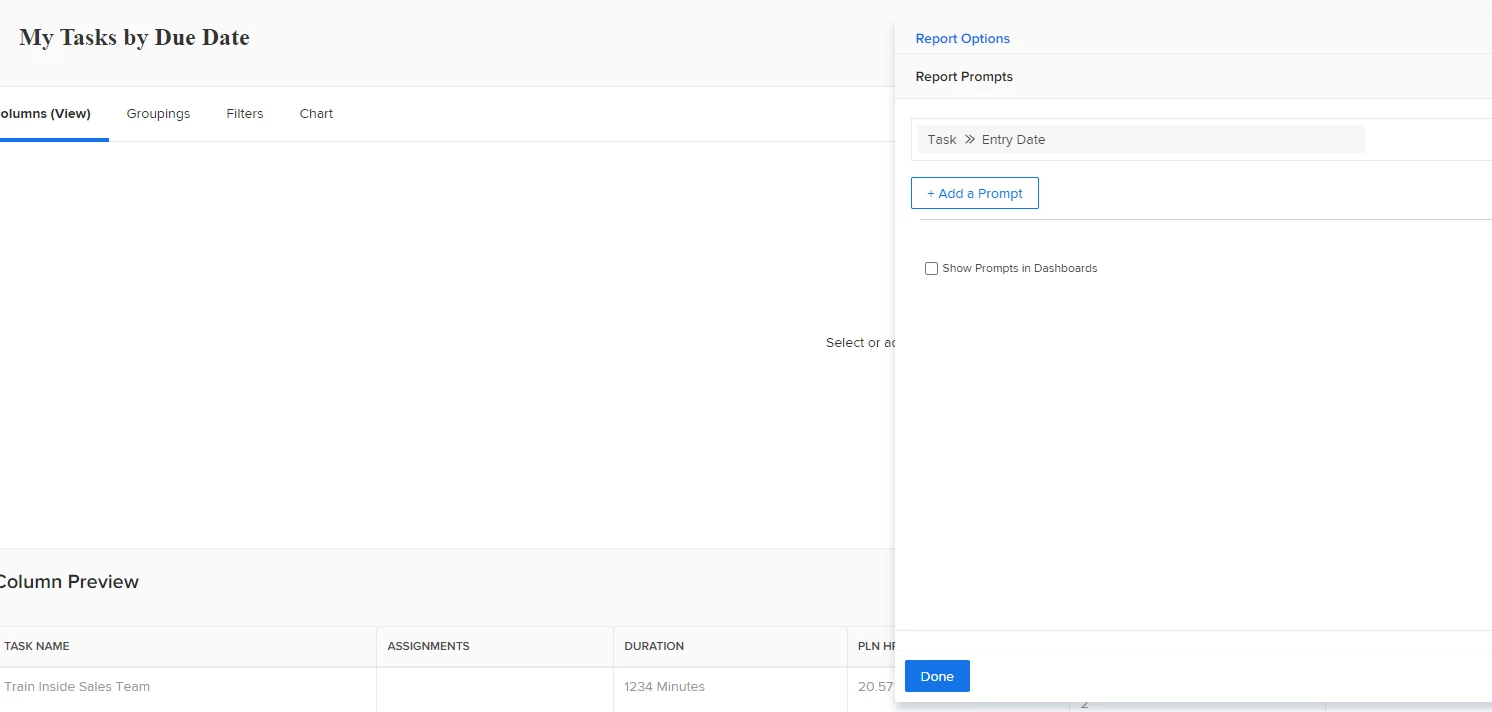
 While editing the report, go to report settings, click "Report Promts".

Select the date field you want (in my case it is Entry Date) and click Done. Save and close the report to see the promt 🙂 

if you want, you can let the Promt be shown in dashboard, too.


I hope it helps you.


Regards,

Gunay Musayeva


Workfront Consultant at Tisson & Company

2 replies

gunaymusayeva
gunaymusayevaAccepted solution
Level 2
February 22, 2023

Dear Adrian,

Please follow these steps, if you want to add promts to your report  which looks like this:

 While editing the report, go to report settings, click "Report Promts".

Select the date field you want (in my case it is Entry Date) and click Done. Save and close the report to see the promt 🙂 

if you want, you can let the Promt be shown in dashboard, too.


I hope it helps you.


Regards,

Gunay Musayeva


Workfront Consultant at Tisson & Company

AdrianMAuthor
Level 2
March 14, 2023

This works to allow for a selected date range although I'm getting all sorts of duplicate rows, I think, because the 'issues' and 'tasks' change status on our Kanban board. If my deductive reasoning is right, I can't find a way to remove duplicates or export the same report as I'm generating in Workfront to my email address. I end up receiving a report full of 1,000's of rows of data and there should only be a few dozen. It's almost as if it's sending a report for all-time with every user that's ever been on the team. 

RandyRoberts
Community Advisor
Community Advisor
February 23, 2023

I think what you may be looking for is this:


Follow the advice of gunaymusayeva below to add a prompt to your report.


TIP: if this solved your problem, I invite you to consider marking it as a Correct Answer to help others who might also find it of use.

AdrianMAuthor
Level 2
March 14, 2023

This answer, in combination with gunaymusayeva's answer, is correct. But the exported report is all wrong.